

GParted
by Jan Claeys and contributors
- Version
- 1.8.1
- Size
- 1.2 GB
- Updated
- Publisher
- Jan Claeys and contributors
- Category
- Design
- Files
- 2
GParted screenshots
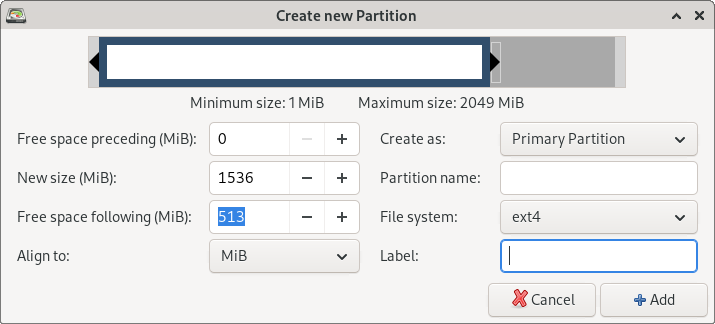
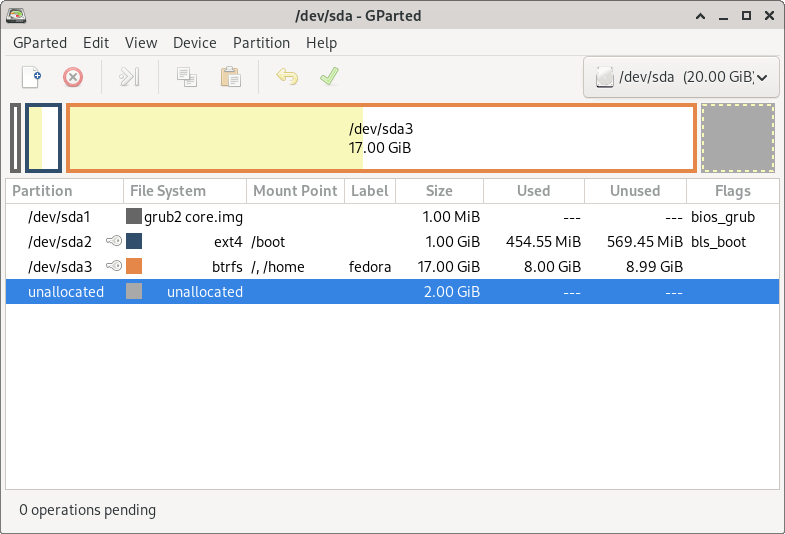
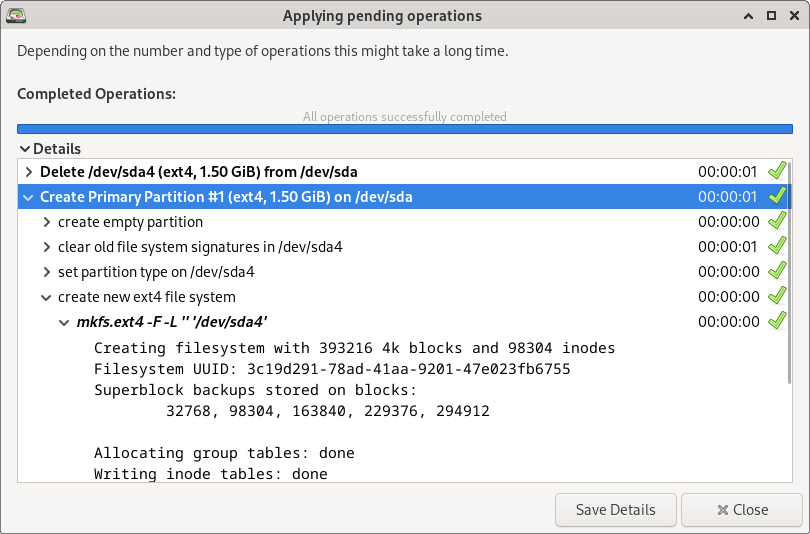
About GParted
GParted (the GNOME Partition Editor) is a free, open-source tool for creating, resizing, moving, copying and deleting disk partitions through a clear graphical interface. It is a standard utility for managing the layout of hard drives and SSDs, and is especially popular as a bootable live environment you can run without touching your installed operating system.
With GParted you can carve a disk into partitions, shrink one partition to make room for another, grow a partition into adjacent free space, change filesystem labels and flags, and check or repair filesystems. It understands a wide range of filesystems, including the common ones used by Windows, Linux and macOS, so it is frequently used to prepare drives for dual-booting, reclaim space, or recover a workable layout from a messy disk.
The safest way to edit the partitions of a system disk is to boot from GParted Live, a small bootable image you can write to a USB stick or CD. Running from live media means the drive you are editing is not in use, which avoids the risks of resizing a partition the operating system is currently running from. On Linux systems GParted is also commonly installed and run directly.
Partition editing is inherently powerful and carries real risk, so GParted repeatedly reminds users to back up important data first. Used carefully, though, it is an invaluable, no-cost tool for anyone who needs to reorganise storage, set up a dual-boot system, or rescue a drive.
Key features
- Create, resize, move, copy and delete partitions
- Supports many filesystems across OSes
- Bootable GParted Live environment
- Filesystem checks and label/flag editing
- Clear graphical operation with queued changes
Pros
- Free, open source and widely trusted
- Live media edits disks safely offline
- Broad filesystem support
Cons
- Partition editing is inherently risky
- Live-boot step needed for system disks
System requirements
GParted Live needs a PC that can boot from USB or CD; the installed version runs on Linux. The tool itself is lightweight.
Tips
- Always back up before resizing or moving partitions
- Use the GParted Live USB to edit the disk your operating system lives on
Description from the publisher
A partition editor to graphically manage disk partitions
GNOME Partition Editor for creating, reorganizing, and deleting disk partitions. It uses libparted from the parted project to detect and manipulate partition tables. Optional file system tools permit managing file systems not included in libparted.
At a glance
GParted is a open source design app published by Jan Claeys and contributors (gparted.org). A partition editor to graphically manage disk partitions
SOFTGIT offers 2 files for GParted covering Windows, 1.2 GB in total. The version listed is v1.8.1, last updated on April 4, 2026.
GParted belongs to the Design category, alongside The FreeType Project, Scribus, Skim. Browse related apps below to compare alternatives.
Download GParted v1.8.1
| File | SHA-256 | Size | Download |
|---|---|---|---|
| gparted-live-1.8.1-3-amd64.isoISOWindows | Listed on SourceForge | 619 MB | Download |
| gparted-live-1.8.1-3-amd64.zipZIP | Listed on SourceForge | 618 MB | Download |
Verify a download: sha256sum file (Linux), shasum -a 256 file (macOS) or Get-FileHash file (Windows PowerShell). Learn more.
Source: sourceforge.net/projects/gparted. The Download button opens the official SourceForge download; the file is not hosted here.
GParted system requirements
- License
- GNU General Public License version 2.0 (GPLv2)
- Written in
- C++
- Download size
- 619 MB (gparted-live-1.8.1-3-amd64.iso)
- Project page
- sourceforge.net/projects/gparted
GParted FAQ
What is GParted used for?
Creating, resizing, moving, copying, deleting and checking disk partitions through a graphical interface.
Is GParted free?
Yes. GParted is free and open source.
How do I edit my system drive safely with GParted?
Boot from GParted Live on a USB stick or CD so the target drive is not in use while you edit it.
Which filesystems does GParted support?
A wide range, including the common filesystems used by Windows, Linux and macOS.
Can GParted cause data loss?
Any partition editing carries risk, so always back up important data first. Used carefully, GParted performs changes reliably.
Is GParted free and open source?
GParted is distributed under GNU General Public License version 2.0 (GPLv2) according to SourceForge. You can download it free of charge.
Where does the GParted download come from?
The Download button takes you to the official SourceForge download for GParted (sourceforge.net/projects/gparted). SOFTGIT does not modify or re-host the file.
What is GParted written in?
SourceForge lists C++.
Is GParted free to download?
Yes. GParted is listed as “Open Source” and the download from SOFTGIT is free of charge.
How do I download GParted?
Open the “Download” section on this page and press Download. You are taken to the official SourceForge download for GParted; the file itself is hosted by SourceForge.
Is GParted safe to install?
SOFTGIT links to the files exactly as published on the official SourceForge project page (sourceforge.net/projects/gparted). Nothing is repackaged or wrapped. Compare the checksum shown on this page, where available, with the downloaded file.
Which platforms does GParted support?
The files listed here target Windows.
How big is the GParted download?
All files together are 1.2 GB.
Who makes GParted?
GParted is developed by Jan Claeys and contributors (https://gparted.org).
Provenance
- Publisher
- Jan Claeys and contributors
- Source
- gparted.org
- Last check
- 6 months ago
- License
- GNU General Public License version 2.0 (GPLv2)
- Imported from
- Source: sourceforge.net/projects/gparted


