

HWiNFO
by Martin Malik
- Size
- 141 MB
- Updated
- Publisher
- Martin Malik
- Category
- Utilities
- Files
- 8
HWiNFO screenshots
About HWiNFO
HWiNFO is a free, comprehensive hardware information and monitoring tool for Windows (with a classic DOS edition as well). It identifies virtually every component in your system, from the CPU, motherboard and memory to the GPU, drives and sensors, and reports detailed specifications and real-time status in one place, making it a favourite of enthusiasts, overclockers and technicians.
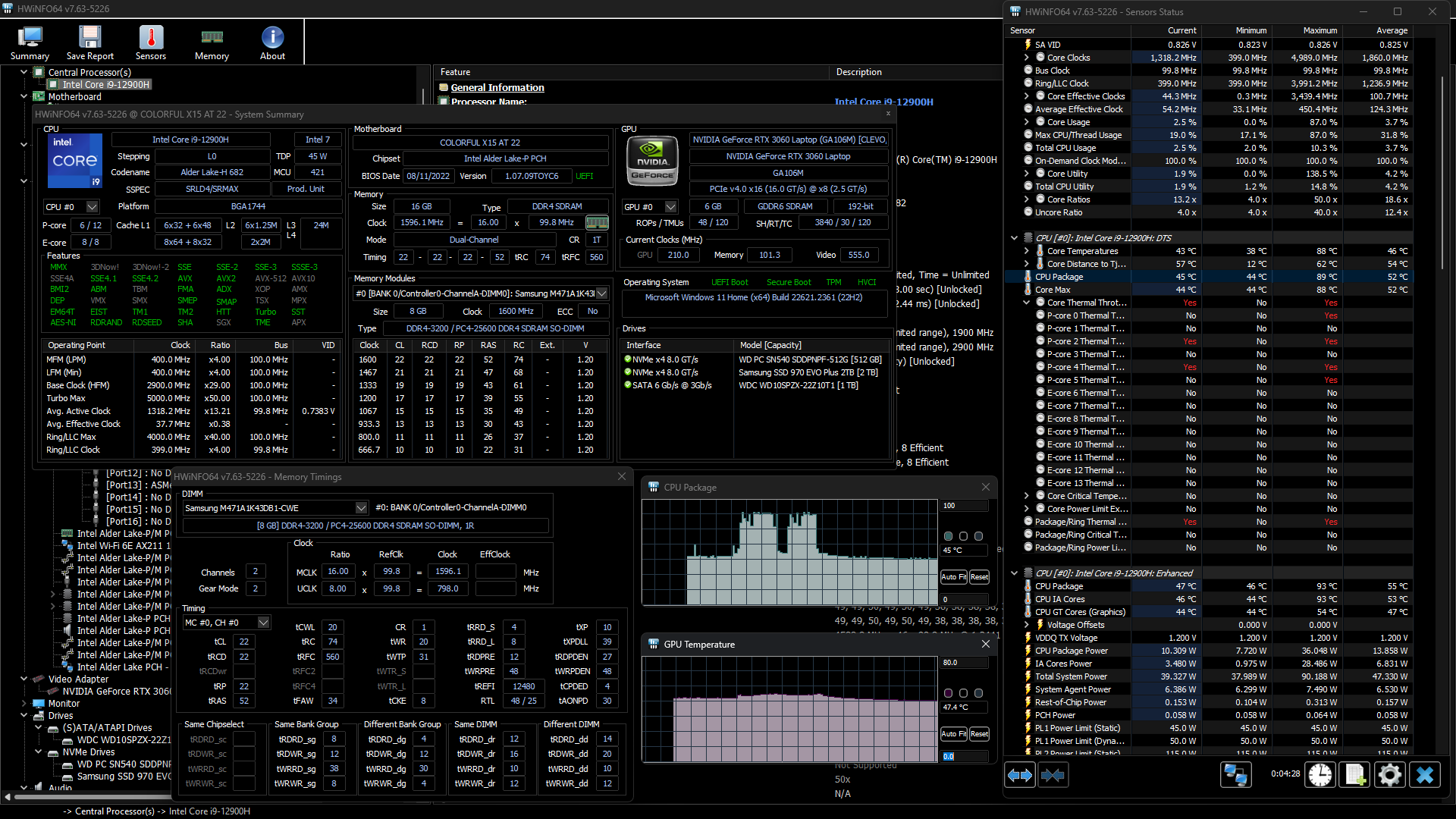
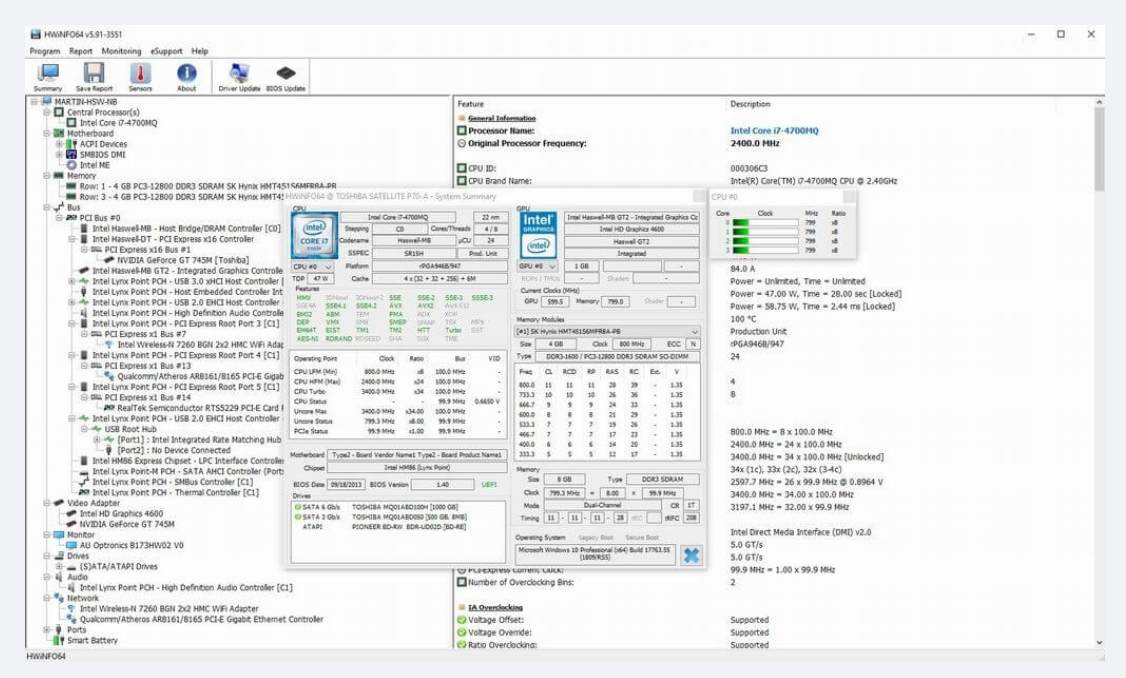
On the information side, HWiNFO produces an exhaustive inventory of your hardware: exact model names, capabilities, firmware and driver versions, memory timings and much more. This is useful for diagnosing a machine, checking that components match what you paid for, confirming driver versions, or simply understanding exactly what is inside a PC you did not build yourself.
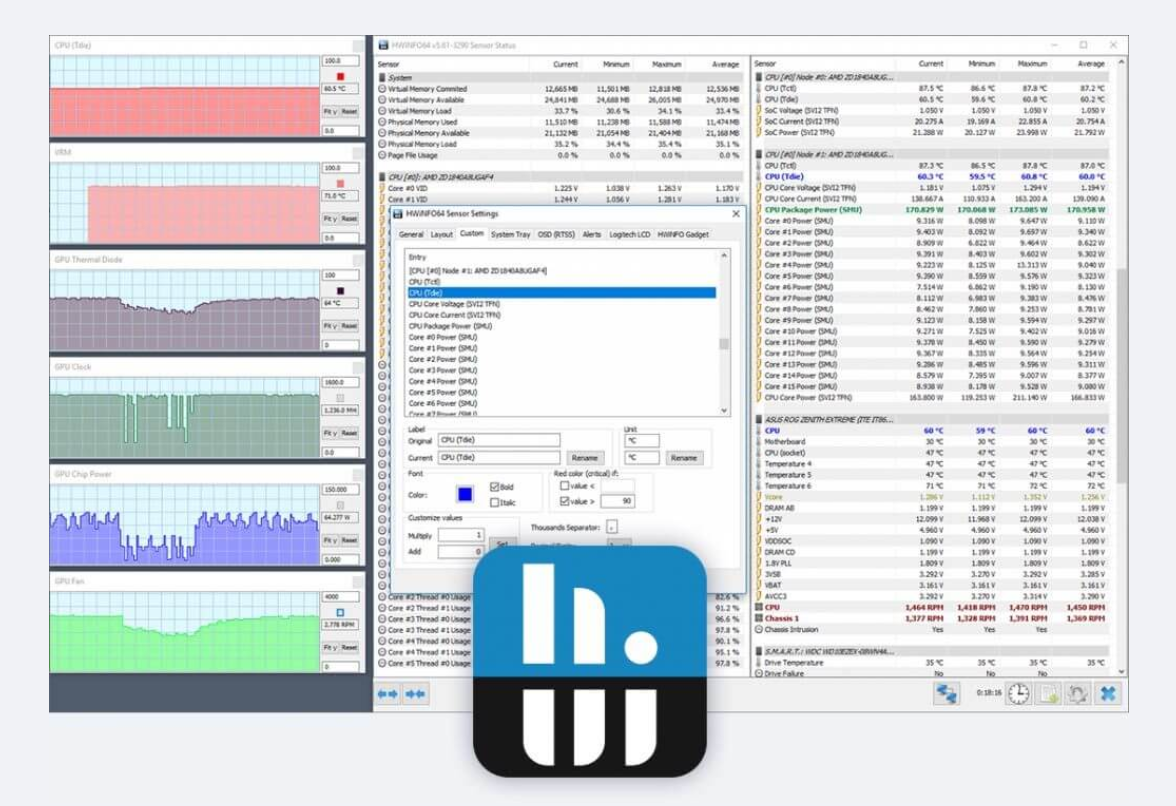
Its monitoring side is equally strong. HWiNFO reads the sensors across your system to show temperatures, fan speeds, voltages, power draw and clock speeds in real time, with minimum, maximum and average values logged over a session. This is invaluable when stress-testing, chasing an overheating problem, tuning fan curves or verifying an overclock, and the data can be logged to a file or shown in customisable gadgets and even in-game overlays via add-ons.
The sheer amount of detail can be daunting, and casual users may only need a fraction of it, but that depth is exactly why HWiNFO is so respected. It is accurate, frequently updated to support new hardware, and free for personal use, making it one of the most trusted tools for anyone who wants to know, and watch, exactly how their system is behaving.
Key features
- Exhaustive hardware inventory and specifications
- Real-time sensor monitoring of temps, fans and voltages
- Min/max/average logging over a session
- File logging, gadgets and overlay add-ons
- Windows and legacy DOS editions, portable option
Pros
- Extremely detailed and accurate
- Free for personal use
- Frequently updated for new hardware
Cons
- Overwhelming amount of data for casual users
- Windows-focused (plus legacy DOS)
System requirements
A Windows PC (a DOS edition also exists). The tool is lightweight and a portable build needs no installation.
Tips
- Use Sensors-only mode when you just want to watch temperatures and fan speeds
- Log a stress-test session to review peak temperatures afterwards
Description from the publisher
Comprehensive Hardware Analysis, Monitoring and Reporting for Windows
Professional System Information and Diagnostics.
Comprehensive Hardware Analysis, Monitoring and Reporting for Windows and DOS.
HWiNFO is an all-in-one solution for hardware analysis and monitoring supporting a broad range of OSes (DOS, Microsoft Windows 95 - Windows 11, WinPE) and platforms (i8086 - Xeon Platinum).
Exhausting information about hardware components displayed in hierarchy unfolding into deep details. Useful for obtaining a detailed hardware inventory report or checking of various hardware-related parameters.
Real-time monitoring of a variety of system and hardware parameters covering CPUs, GPUs, mainboards, drives, peripherals, etc. Useful for detection of overheating, overload, performance loss or failure prediction.
Full hardware hierarchy, or quick summary overview. Export into XML, CSV, HTML reports. System monitoring in customizable tables, graphs, tray icons, OSD.
At a glance
HWiNFO is a free utilities app published by Martin Malik (hwinfo.sourceforge.io). Comprehensive Hardware Analysis, Monitoring and Reporting for Windows
SOFTGIT offers 8 files for HWiNFO covering Windows, MS-DOS, 141 MB in total, last updated on November 11, 2025.
HWiNFO belongs to the Utilities category, alongside scrcpy, GeoServer, OpenBoxes. Browse related apps below to compare alternatives.
Download HWiNFO
| File | SHA-256 | Size | Download |
|---|---|---|---|
| hwi_820.zipZIP | Listed on SourceForge | 17 MB | Download |
| hwi_822.zipZIP | Listed on SourceForge | 18 MB | Download |
| hwi_824.zipZIP | Listed on SourceForge | 18 MB | Download |
| hwi_826.zipZIP | Listed on SourceForge | 18 MB | Download |
| hwi_828.zipZIP | Listed on SourceForge | 18 MB | Download |
| hwi_830.zipZIP | Listed on SourceForge | 18 MB | Download |
| hwi_832.zipZIP | Listed on SourceForge | 18 MB | Download |
| hwi_834.zipZIPWindows | Listed on SourceForge | 18 MB | Download |
Verify a download: sha256sum file (Linux), shasum -a 256 file (macOS) or Get-FileHash file (Windows PowerShell). Learn more.
Source: sourceforge.net/projects/hwinfo. The Download button opens the official SourceForge download; the file is not hosted here.
HWiNFO system requirements
- Operating system
- MS-DOS, Windows
- License
- Other License
- Download size
- 18 MB (hwi_834.zip)
- Project page
- sourceforge.net/projects/hwinfo
HWiNFO FAQ
What is HWiNFO used for?
Detailed hardware identification and real-time monitoring of temperatures, fan speeds, voltages, power and clocks.
Is HWiNFO free?
Yes. HWiNFO is free for personal use, with a portable edition available.
Can HWiNFO log sensor data over time?
Yes. It records minimum, maximum and average values and can log readings to a file for later analysis.
Does HWiNFO work for checking a new or second-hand PC?
Yes. Its exhaustive inventory is ideal for confirming exactly which components, firmware and drivers are present.
Is HWiNFO good for overclocking and stress testing?
Yes. Its accurate real-time sensor readings make it a go-to tool for monitoring during stress tests and tuning.
Which operating systems does HWiNFO support?
SourceForge lists MS-DOS, Windows for HWiNFO.
Where does the HWiNFO download come from?
The Download button takes you to the official SourceForge download for HWiNFO (sourceforge.net/projects/hwinfo). SOFTGIT does not modify or re-host the file.
Is HWiNFO free to download?
Yes. HWiNFO is listed as “Free” and the download from SOFTGIT is free of charge.
How do I download HWiNFO?
Open the “Download” section on this page and press Download. You are taken to the official SourceForge download for HWiNFO; the file itself is hosted by SourceForge.
Is HWiNFO safe to install?
SOFTGIT links to the files exactly as published on the official SourceForge project page (sourceforge.net/projects/hwinfo). Nothing is repackaged or wrapped. Compare the checksum shown on this page, where available, with the downloaded file.
Which platforms does HWiNFO support?
The files listed here target Windows, MS-DOS.
How big is the HWiNFO download?
All files together are 141 MB.
Who makes HWiNFO?
HWiNFO is developed by Martin Malik (https://hwinfo.sourceforge.io).
Provenance
- Publisher
- Martin Malik
- Source
- hwinfo.sourceforge.io
- Last check
- 11 months ago
- License
- Other License
- Imported from
- Source: sourceforge.net/projects/hwinfo

